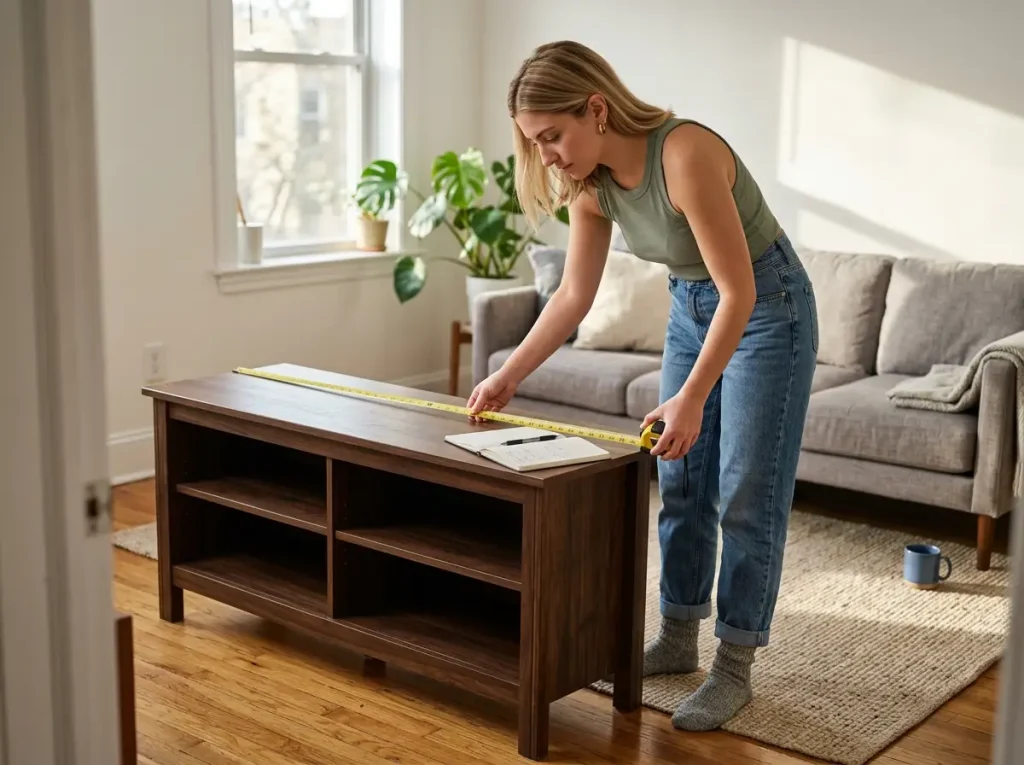
You found a TV stand on Amazon that matched your couch. The listing photos looked great. You assembled it on a Saturday afternoon, set your 65-inch TV on top — and the base stuck out two inches past the front edge. The stand was 12 inches deep.
After testing the sizing formulas against real living room setups and researching over a dozen TV stands with storage, three measurements separate the stands worth keeping from the ones that get returned. Most buyers check one of them. The other two cause the most regret.
This guide covers how to size a TV stand before you click anything, what the storage options actually hold, which materials survive a move and which chip on the first one, and five specific stands worth buying — plus two types to skip.
Here are the five picks at a glance:
| TV Stand | Best For | Storage Type | Key Spec |
|---|---|---|---|
| Walker Edison Wren 58″ | All-around open storage | 4 open cubbies | 15.75″ deep, 150 lb top |
| Bestier 70″ LED | Large TVs up to 75″ | Open + cabinet | 70″ wide, LED accent |
| HollyHOME Bamboo 55″ | Frequent movers | Open shelves | Bamboo, 13.19″ deep |
| Walker Edison Arundo 58″ | Closed storage | Hinged fluted doors | 15.75″ deep, 16″ tall |
| WLIVE LED 58″ | Budget closed storage | Cabinet + LED | 14″ deep, LED included |
How to Size a TV Stand (Most People Skip Two of the Three Measurements)
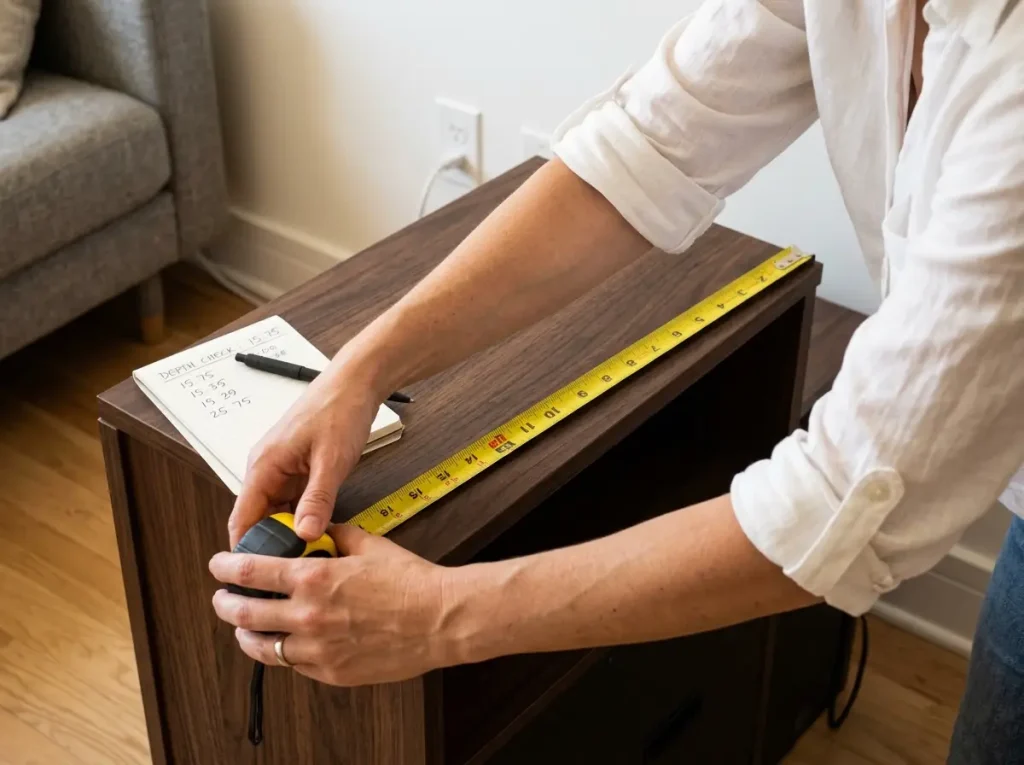
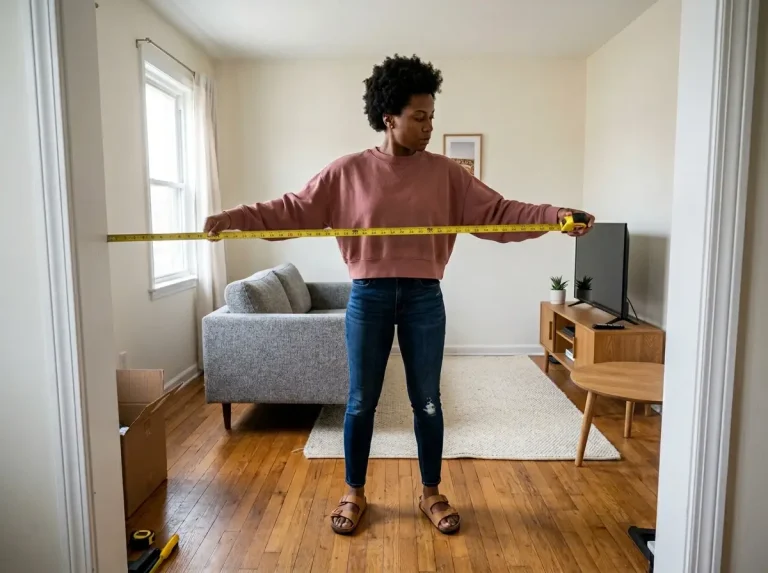
Width is the measurement everyone checks. It’s right in the product title. Stand depth is buried in the spec table, and viewing height is something most people never calculate at all. Getting width right but depth wrong is how a TV ends up looking like it’s surfing on a shelf.
Width — The Formula Everyone Gets Right (and Its One Exception)
The width formula is straightforward: your stand should be 2–6 inches wider than the TV on each side. A 65-inch TV has a screen width of about 57 inches, so target a stand between 63 and 69 inches wide. Narrower than that makes the setup look top-heavy. Wider than 6 inches per side, and the TV starts looking like it’s sitting on a conference table.
The one exception is small living rooms under 12 feet wide. In tight spaces, a stand wider than 60 inches dominates the wall visually. You’re better off with a stand that matches the TV width more closely and lets the wall breathe, even if that breaks the per-side rule.
Depth — The Spec Nobody Checks (Until the TV Is Already Assembled)
This is where returns happen. Most modern 65-inch TVs have a base that’s 12 to 14 inches deep. Budget TV stands on Amazon are commonly listed at 11 to 12 inches deep.
A 12-inch stand with a 13-inch TV base means one inch of overhang past the front edge. That’s not a minor cosmetic issue — it’s a stability problem with a 40-pound screen.
The minimum recommended depth is 14 inches. At that depth, you get zero overhang with most TV bases plus about 2 inches of clearance for cable bend radius behind devices. At 15 to 16 inches, you have comfortable margin for the TV and any equipment on the shelves. The Walker Edison Wren and Arundo both come in at 15.75 inches deep — that number is the reason they made this list.
Here’s the problem: depth isn’t in the product title. On Amazon, it’s buried in the “Product Details” table or the spec bullets below the fold. Width gets top billing because it sounds impressive. A “58-inch TV stand” sounds big, but if it’s only 12 inches deep, your 65-inch TV’s base is hanging off the front.
Pro tip: Before looking at a single photo, scroll to the product dimensions on the listing page and find the depth number. If it’s under 14 inches, close the tab. Everything else about the stand stops mattering if the TV doesn’t sit safely on top.
You know depth matters the first time you set a TV down and watch the base creep past the front edge. That single moment is when you stop trusting listing photos and start reading the spec table.
Height — The Ergonomics Formula That Changes How Comfortable Your Setup Feels
Most people set up their stand, place the TV, and don’t think about screen height until their neck aches a month later. The formula is simple: take your seated eye level (40–42 inches for most adults), subtract half the TV’s screen height, and that’s your ideal stand height.
For a 65-inch TV, the screen is about 32.5 inches tall. Half of that is roughly 16 inches. Subtract from 42, and you get about 26 inches as the target stand height. For a 55-inch TV, the target is closer to 28 inches, and for a 75-inch screen, about 23 to 24 inches.
Most budget stands fall between 18 and 22 inches tall. That range works fine for 55-inch TVs but puts a 75-inch screen center too high for extended viewing.
You won’t notice it on day one. After two weeks of movies, you’ll feel it in your neck and wonder what changed — nothing changed except cumulative strain. If you’re thinking about how your TV stand height affects furniture arrangement, the viewing angle should drive the stand choice, not the other way around.
Storage Types and What Actually Fits (vs. What You Think Will Fit)
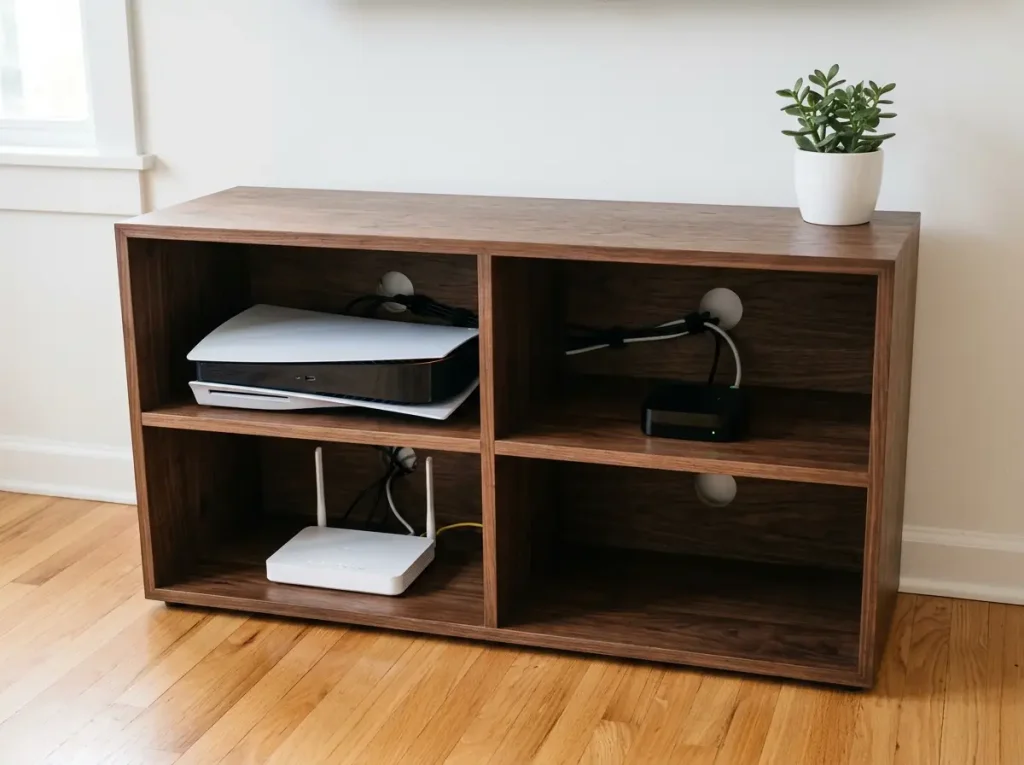
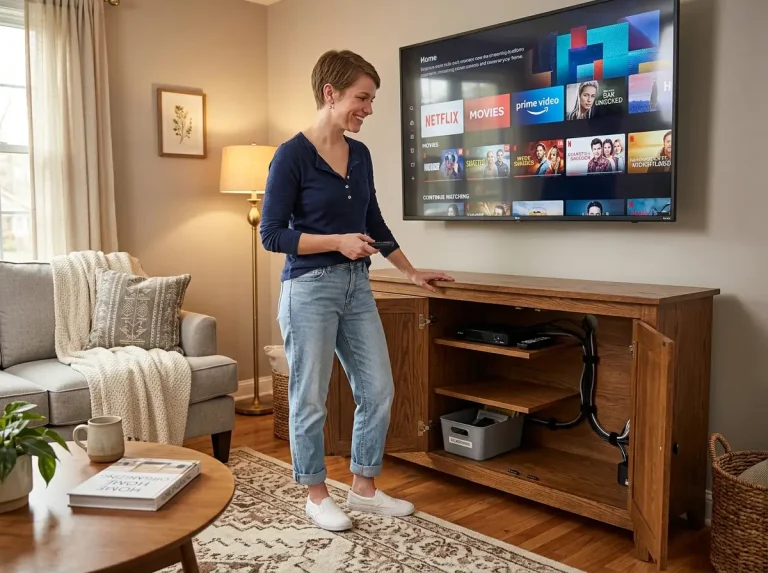
“Storage” on a TV stand listing can mean an open shelf with nothing in front of it, a closed cabinet with doors, or a fabric drawer that barely holds a remote. That word covers everything from a ventilated compartment to a sealed box. The distinction matters because a streaming box, cable box, or game console generates real heat inside a sealed shelf — and most buyers blame the device when it starts restarting, not the cabinet trapping the heat.
Open Cubbies — Best for Devices, Visibility, and Airflow
Open cubby storage is the simplest format and the most forgiving. No heat buildup, no doors to wrestle with, no hardware that fails. Every device fits without measuring overhead clearance first. Your game console, router, streaming box, and cable box all sit in the open with full airflow on every side.
The tradeoff is visibility. Everything on those shelves is on display: every cable, every blinking status light, every device you haven’t dusted in three weeks. Open cubbies work best if you’re intentional about what goes on the shelf and how cables run behind the stand. Pair open storage with the cable management system that keeps open shelves looking clean, and the result is a setup that stays accessible without looking chaotic.
Closed Cabinets — The Ventilation Problem Nobody Mentions
Closed cabinets look cleaner from the couch. Doors hide the visual noise of devices and cables. But sealed cabinets create a problem no product listing warns about: trapped heat.
Streaming boxes like the Apple TV (3.9 inches tall) and Fire TV Cube, cable boxes, and especially game consoles generate constant heat during use. A sealed cabinet with no rear cutout turns into an oven.
The first sign is your streaming device randomly restarting or buffering during a show. The second sign — if you bother to check — is the outside of the cabinet door feeling warm to the touch after 30 minutes. That warmth is your device throttling inside.
Pro tip: Close the cabinet door and run your streaming box for 30 minutes. Touch the outside of the door. If it’s warm, the cabinet is trapping heat. You need either a rear cutout for airflow, a mesh-back panel, or to leave the door cracked during use.
The rule for any closed cabinet: every powered device needs a rear cable cutout behind it (which also lets air circulate) and at least 2 to 3 inches of overhead clearance above it on the shelf. A fully sealed cabinet is fine for controllers, remotes, board games, and spare cables — not for anything plugged in and running.
Drawers — What They’re Good For (and What Breaks Them)
TV stand drawers are for small-item storage: remotes, game controllers, AA batteries, charging cables, maybe a Blu-ray or two. Not for routers. Not for streaming devices. Not for anything that generates heat or needs cable access while the drawer is closed.
The material of the drawer matters more than most buyers expect. Fabric drawers — the kind that look like soft bins tucked into a shelf opening — are typically rated for 5 to 8 pounds. A pile of remotes, two controllers, and a tangle of spare cables exceeds that fast. Within six months, the fabric bottom sags and the drawer no longer slides cleanly.
You’ll know the moment it happens because you’ll start yanking the drawer forward instead of gliding it. Solid wood or MDF drawer boxes rated at 15 to 25 pounds handle the real load of what people actually store in a TV stand. Check the drawer material in the listing before assuming it’ll hold up.
Materials: What Survives a Move and What Doesn’t
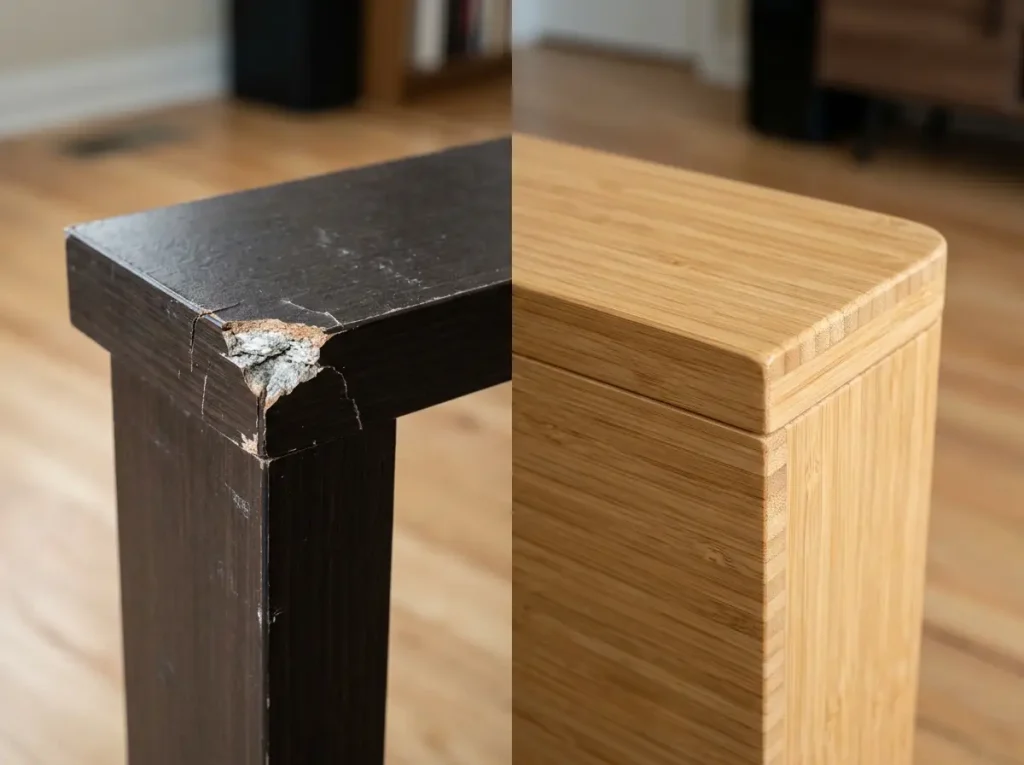
Most people choose a TV stand material as a color decision: dark walnut, white, natural oak. It’s actually a durability decision. If you rent and relocate every year or two, the material determines whether the stand arrives at your next apartment looking the same or chipped at every corner.
MDF and Particle Board — What to Expect (and When It’s Enough)
MDF (medium-density fiberboard) and particle board with laminate finish are the standard for budget and mid-range TV stands. In place, they hold up fine for 3 to 7 years. The surface resists scratches well. The edges and corners are where the problems start.
The chip always happens at the same spot — the front corner where two laminated panels meet. That joint is the weakest point on any MDF stand.
Move it through a doorway, clip the frame, and the laminate peels back to expose the gray-white fiberboard underneath. Not refinishable. The exposed corner collects dust and looks progressively worse.
Pro tip: If you’re buying MDF and planning to move within a year, wrap the front corners with painter’s tape before loading it onto a dolly. It won’t prevent every chip, but it absorbs the first impact at the most vulnerable joint.
If you’re staying put for a few years, MDF is a perfectly reasonable choice and a solid value for what it delivers. If you’ll relocate the stand even once without fully disassembling it, budget for corner damage.
Veneer Over Plywood — The Middle Ground Most Buyers Don’t Know Exists
Veneer-over-plywood construction is less common at the budget end but starts appearing at the mid-range. The plywood core absorbs impacts significantly better than particle board because the cross-grain layers distribute force instead of crumbling. The veneer surface is thinner than solid wood, but the underlying structure won’t chip the way MDF does on a doorway collision.
If you’re comparing two stands that look similar and one says “engineered wood” while the other says “plywood frame,” the plywood one is worth the step up — especially if you plan to relocate it. The price difference is often smaller than you’d expect at the mid-range.
Solid Wood and Bamboo — When It’s Worth the Higher Cost
Solid wood stands (oak, walnut, maple, usually 0.75 to 1 inch thick) resist edge chipping on moves, can be sanded and refinished, and typically last 10 to 15 years or longer. They’re also heavy — often 80 to 120 pounds for a 58-inch stand — which is actually a stability feature. A stand that weighs 100 pounds is far harder to tip than one that weighs 30.
Bamboo is the practical alternative for renters who want natural material without the weight or the price tag of solid hardwood. Bamboo is naturally harder than many softwoods, resists humidity better than MDF (a real factor in humid apartments), and takes edge impact without chipping the way laminated fiberboard does. It’s the reason the HollyHOME pick made this list — not for the design, but for how the material performs during relocations. For more context on how material choice affects furniture longevity in small apartments, the buy-once-move-well framework applies directly here.
Cable Management: What the Stand Needs to Do the Job Right
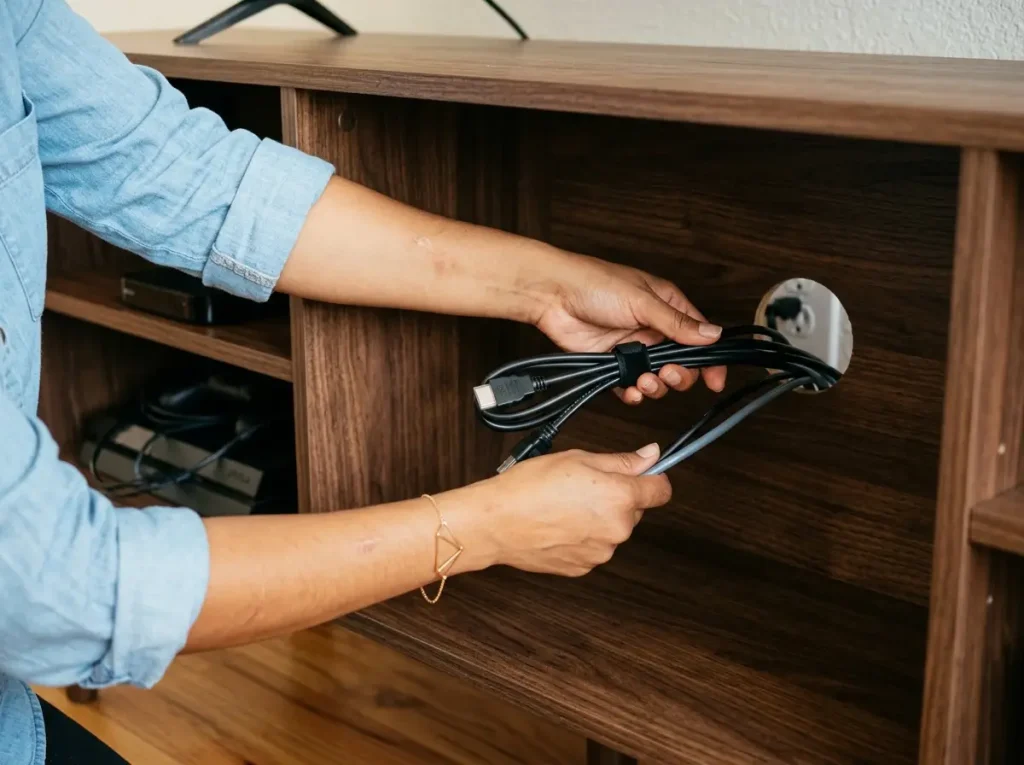
Every TV stand listing says “cable management” somewhere. Usually it means a single hole drilled in the back panel. Sometimes it means nothing at all — just the fact that the stand has a back panel you could theoretically run cables behind. Knowing what the stand actually needs to keep your cables organized saves you from discovering the problem after everything is assembled and pushed against the wall.
Rear Cutouts and Routing Channels — What Sufficient Looks Like
A TV stand needs one cable cutout per major compartment, with each hole at least 2 inches in diameter. That size lets a standard power brick pass through (most run 1.25 to 1.5 inches wide). Some better-designed stands include horizontal routing channels cut along the bottom shelf floor, which are excellent for hiding a power strip entirely out of view.
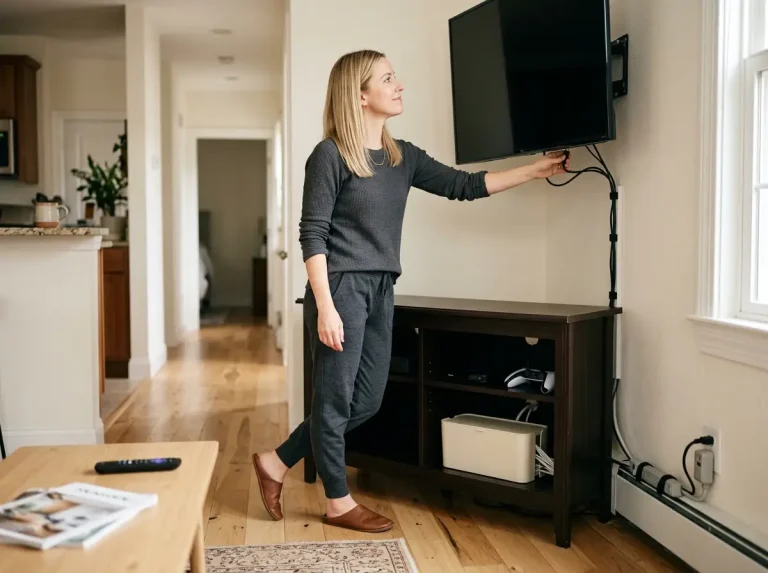
Inside the cabinet, keep about 6 inches of slack in each cable before it passes through the cutout. That service loop lets you pull a device forward for access or port changes without unplugging everything. It sounds like a minor detail, but the first time you need to swap an HDMI cable and the device is pulled taut against the back panel, you’ll wish you’d left the slack. For the full approach to organizing every cable behind your TV setup, see the full TV and entertainment organization system.
Pro tip: Use velcro cable ties, not zip ties. Zip ties are permanent — you’ll cut them every time you add, remove, or swap a cable. Velcro wraps open and close in seconds and survive years of reuse.
Why “Cable Management Included” Often Means One Hole
Check the listing photos of the back panel specifically. Count the cutout holes. If the listing only shows a clean front view and never shows the back, assume there’s minimal routing built in.
One cutout for the entire stand means every cable — HDMI, power, ethernet, coaxial — exits through the same hole. That’s a cable pile, not cable management. The cables compete for space, bend at sharp angles, and make it impossible to trace any single cord without pulling the whole bundle. Every stand with a single rear hole turns into a tangled mess within a month of adding a second device.
Budget stands commonly have zero to one cable holes. Mid-range stands typically include two to three. Well-designed stands provide one cutout per compartment plus a bottom exit channel. That’s the baseline you’re looking for.
What Renters Need to Know About Anti-Tip
The CPSC reports that furniture and TV tip-overs send over 22,000 people to the emergency room every year in the United States, with 44% involving children under 18. The standard recommendation is anti-tip straps anchored to wall studs — and according to CPSC’s Anchor It! guidance on TV stand stability, that’s the safest approach.
For renters who can’t drill into walls, the alternative is choosing a stand with built-in stability features: 15 inches or more of depth for a lower center of gravity, total weight over 50 pounds, and a wide footprint. Push the stand flush against a wall at all times and position the TV as far back on the surface as possible.
The stands most likely to tip without wall anchoring are lightweight (under 30 pounds), shallow (12-inch depth), and tall relative to their footprint. Both types to skip below share those characteristics. Portability and stability pull in opposite directions — a stand that’s easy to move is also easier to knock over. If you can’t anchor to the wall, let the stand’s own weight do the work.
The Best Open-Storage TV Stands with Storage
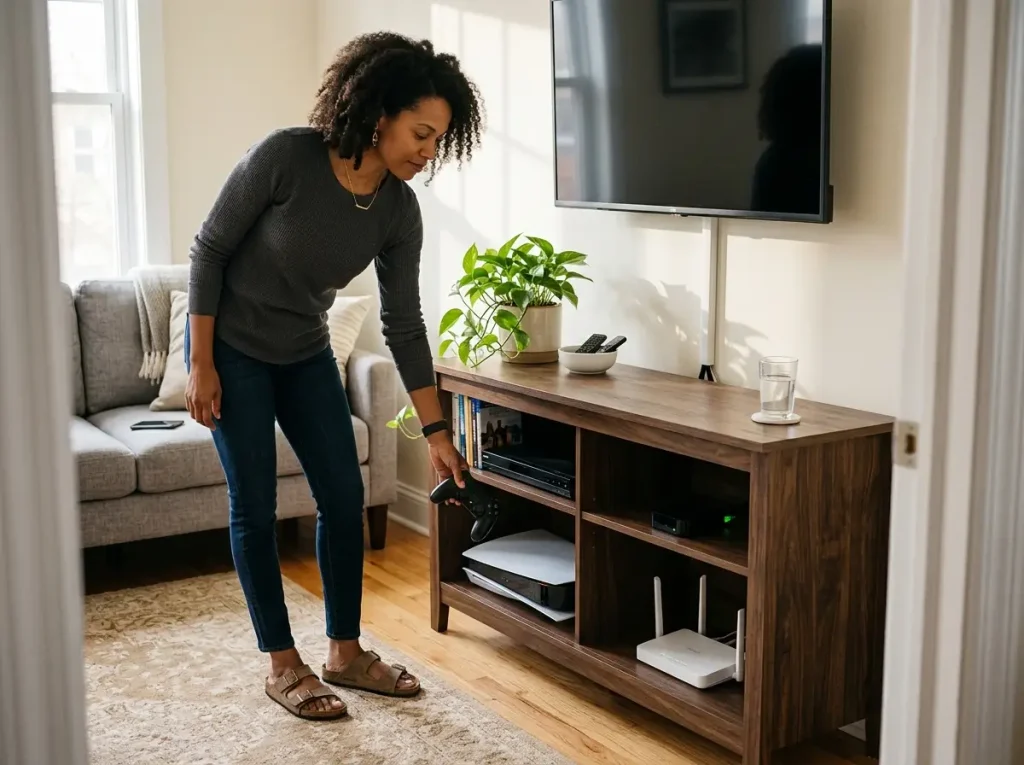
Open storage works best when you have multiple powered devices — game consoles, streaming boxes, routers, cable boxes — because nothing overheats and nothing is blocked by a door. These three picks range from 13.19 to 15.75 inches deep. Each card below includes the exact depth, because that number still matters here.
Walker Edison Wren Classic 4 Cubby TV Stand (58 Inches)
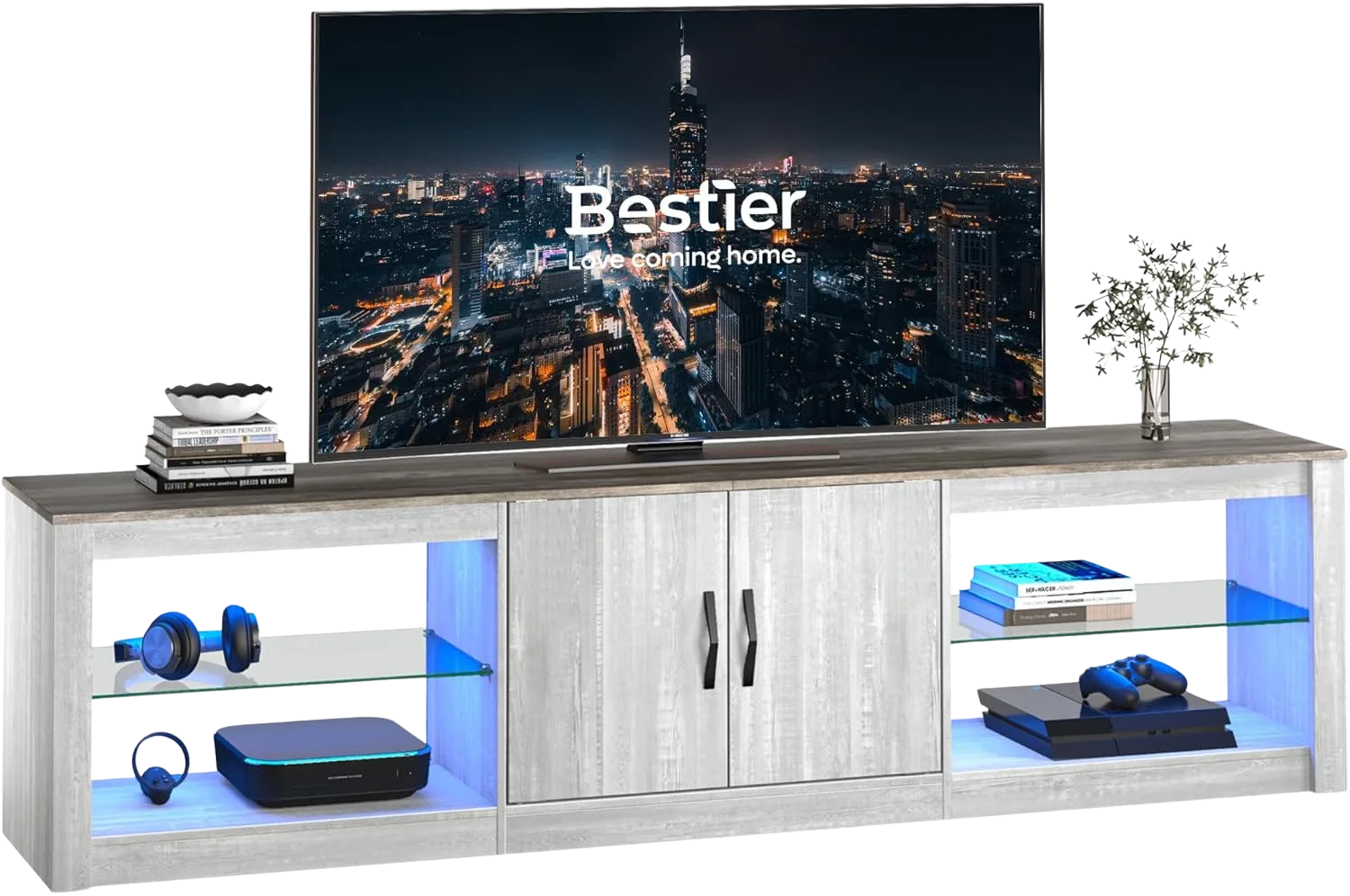
The Walker Edison Wren Classic is the all-around pick for a reason: the proportions are right. At 58 inches wide and 15.75 inches deep, it fits TVs up to 65 inches with no base overhang and full cable clearance behind every device. Four open cubbies, each roughly 25 inches wide, hold a PS5 horizontally, a router with antennas up, a cable box, and a streaming device — all simultaneously, with room to spare.
The top surface holds 150 pounds, and each adjustable shelf supports 30 pounds — plenty for any standard AV equipment. It ships in 8+ finish colors, so matching your room doesn’t require compromise.
Assembly runs about two hours. One note from experience: the Allen wrench included in the kit tends to strip cam lock bolts if you over-torque it. Use your own.
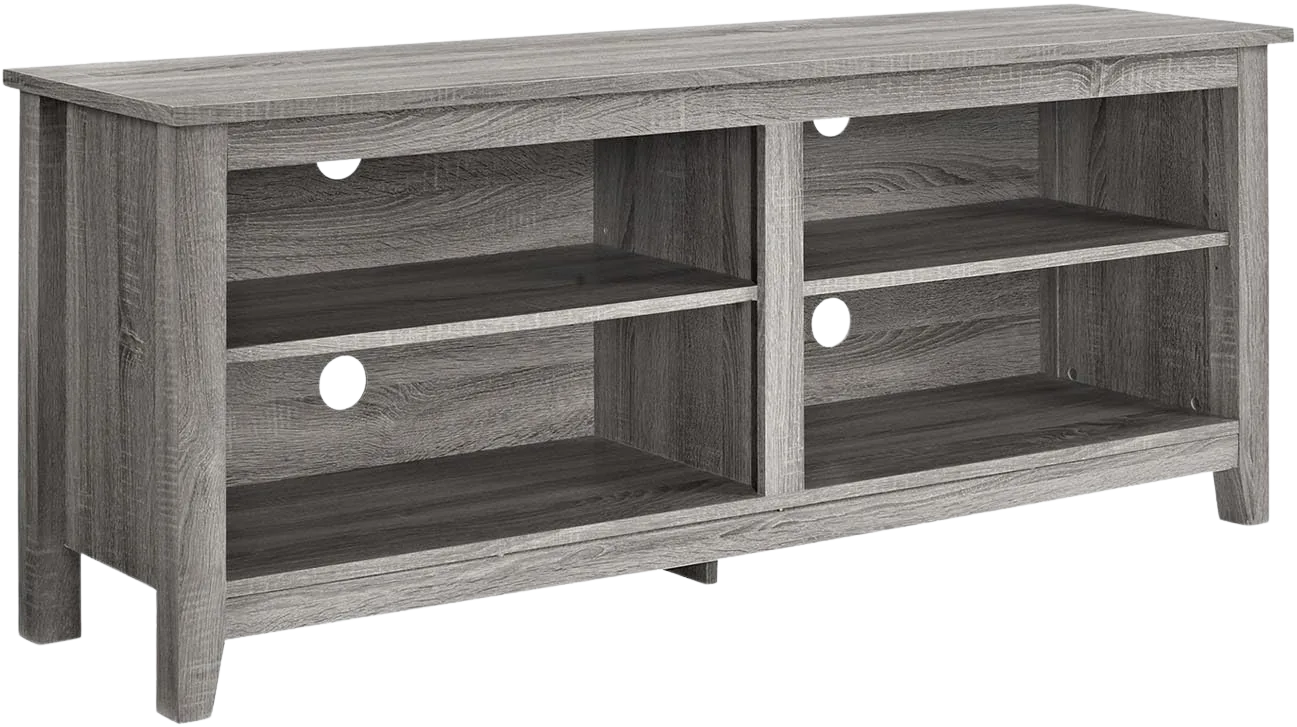
Bestier 70″ LED Entertainment Center for 75″ TVs
If your TV is 70 inches or larger, a 58-inch stand makes it look top-heavy. The Bestier 70 Inch LED TV Stand is the only pick here sized for that scenario. At 70 inches wide with approximately 16 inches of depth, it gives a 75-inch screen the proportional base it needs.
The LED light strip along the shelves adds accent lighting for movie nights, but it’s not the reason to buy this stand. The real value is the combination of open shelving for devices that need airflow and closed cabinet space for items you want hidden. The stand is heavy enough to remain stable without wall anchoring — a useful feature if you’re renting and can’t drill.
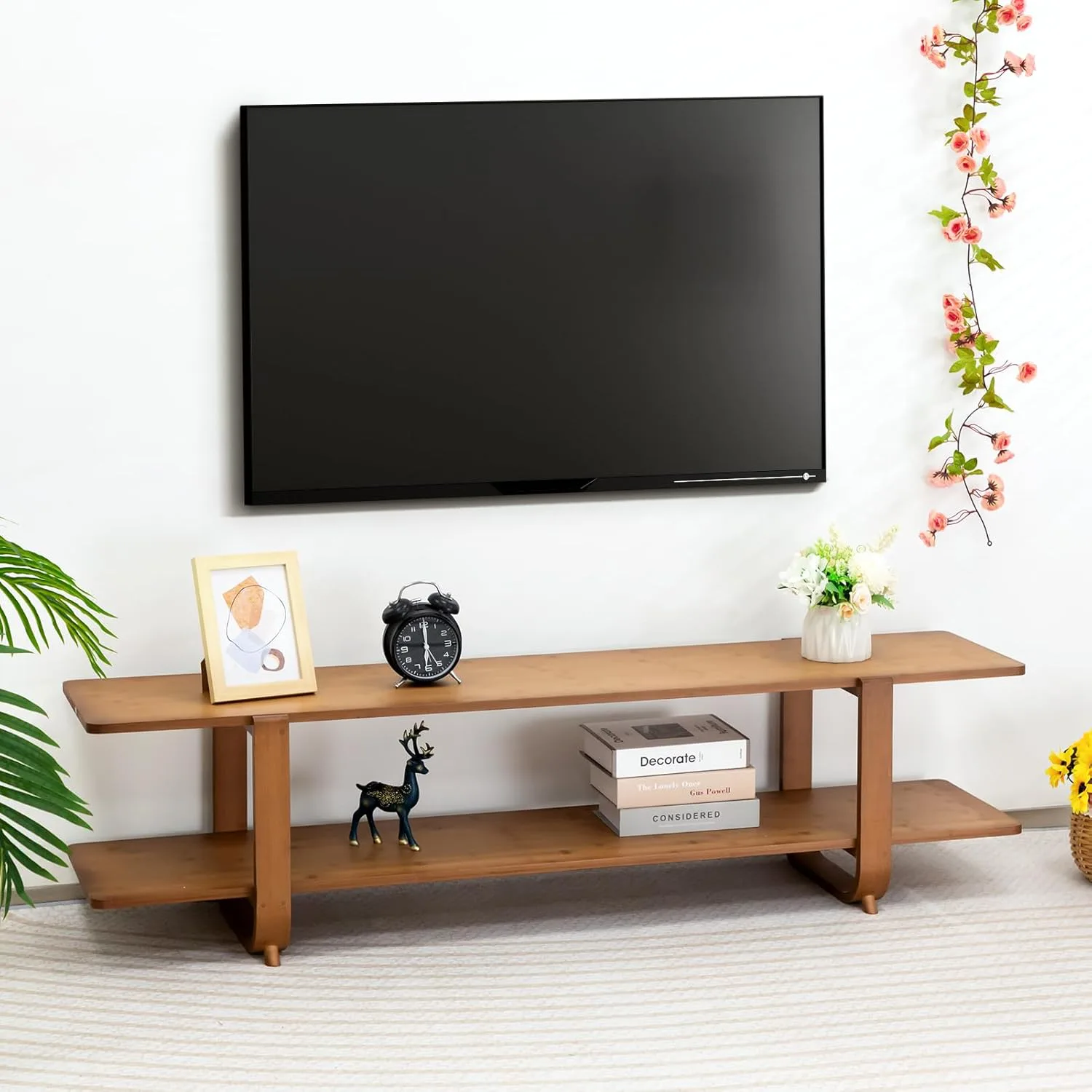
HollyHOME Bamboo TV Stand (55.12 Inches)
The HollyHOME Bamboo TV Stand is here for one reason: bamboo edges don’t chip the way MDF does when you move. If you relocate every year or two, the material matters more than the style. Bamboo is naturally harder than most softwoods, resists humidity better than fiberboard, and absorbs minor impacts without showing damage.
The low 13.19-inch height makes this a good match for wall-mounted TV setups where you want shelf storage underneath without blocking the screen. One thing to know before buying: the 13.19-inch depth is tight. Route cables out the sides rather than straight through the back, and push the TV base toward the rear edge to avoid overhang with TVs 55 inches or larger.
The Best Closed-Cabinet TV Stands with Storage (and 2 Types to Skip)
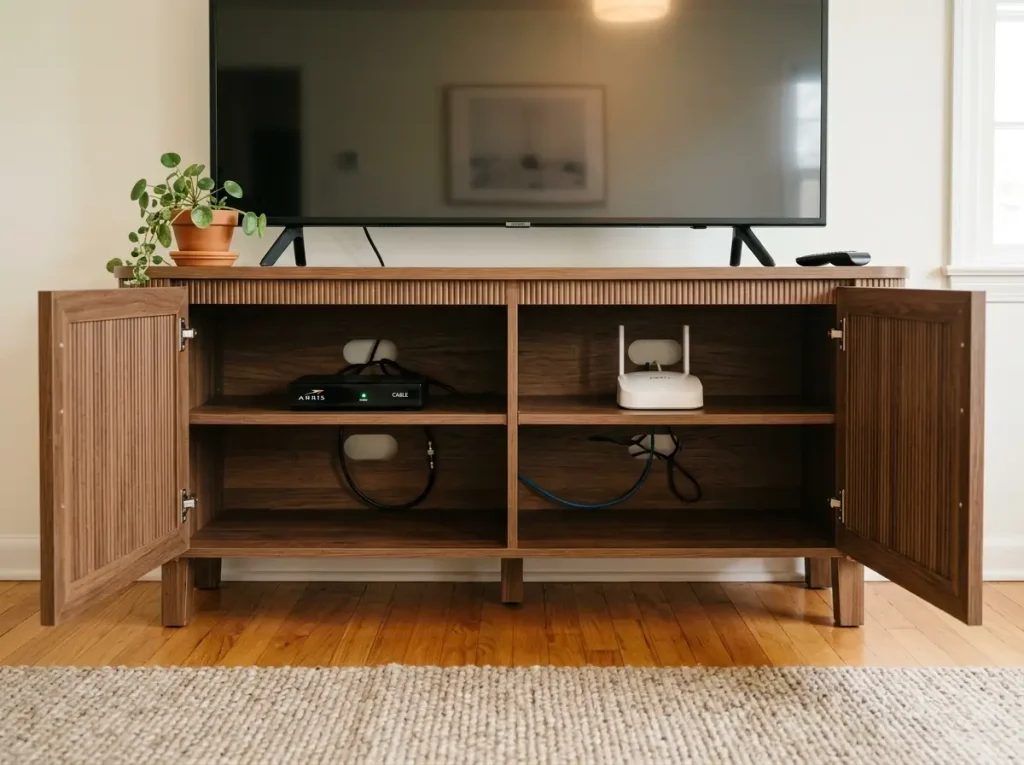
Closed cabinets hide the visual clutter of cables and blinking devices. The tradeoff is always heat management and hardware durability. These two picks handle both correctly — the two types to skip at the end of this section don’t.
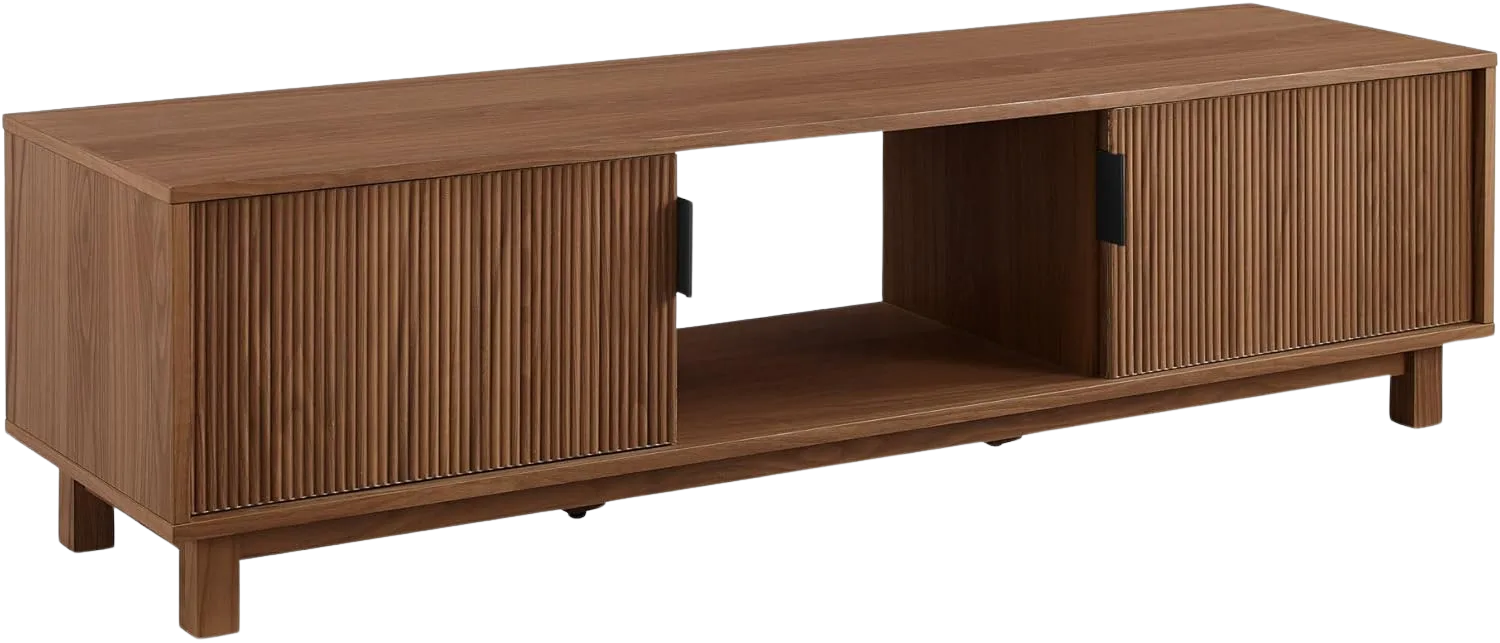
Walker Edison Arundo Fluted TV Stand (58 Inches)
The Walker Edison Arundo solves the closed-storage problem with hinged doors instead of a sliding track. That single design choice eliminates the most common hardware failure on budget TV stands. The reeded fluted texture on the door faces is the current Scandinavian aesthetic for 2025–2026 — it looks intentional, not trend-chasing.
At 15.75 inches deep, it gives the same cable and device clearance as the Wren. The 16-inch height makes it one of the lowest-profile closed stands available — well suited for wall-mounted TVs where you want clean storage below without the stand competing visually with the screen. Before storing any powered device, check for rear cutouts inside the cabinets. If the interior shelves are fully sealed, leave the doors open during use or route airflow through the cable holes.
WLIVE TV Stand with LED Lights and Storage Cabinet (58 Inches)
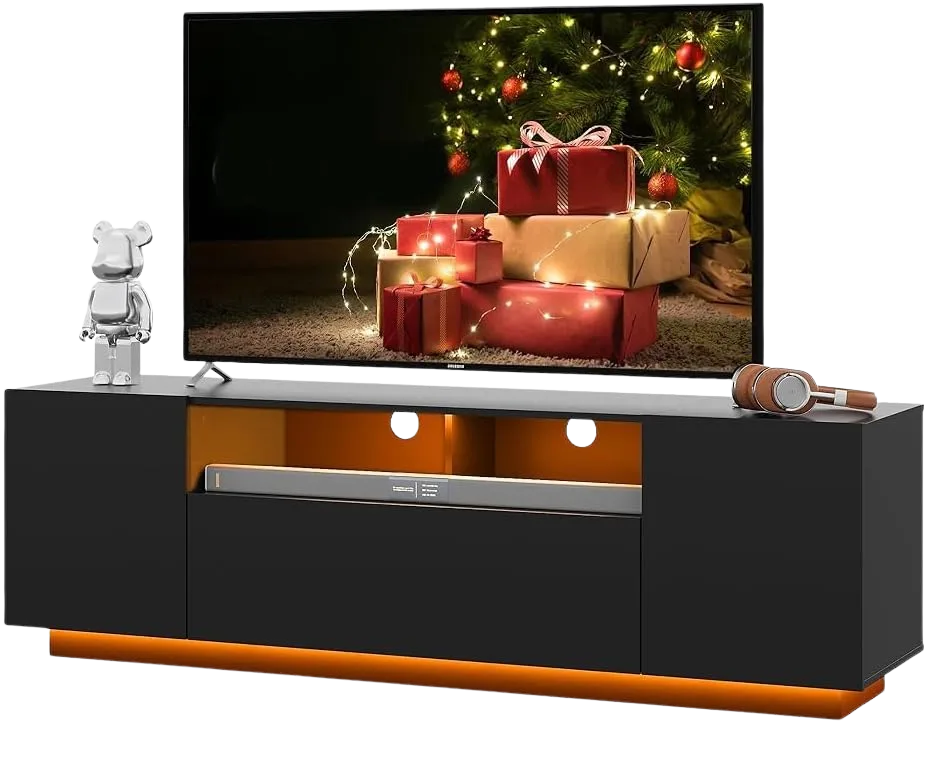
The WLIVE TV Stand with LED Lights is the budget entry in this list. You get closed cabinet storage with LED accent lighting at a lower price point than the Walker Edison options. The 14-inch depth is adequate for most setups, though tighter than the 15.75 inches on the Walker Edison picks.
Before buying, confirm the rear cabinet panel has a cutout for cables and airflow. At this price tier, it’s one of the highest-rated closed-storage stands available, but ventilation varies between production runs. If you plan to store a streaming box or cable box inside the cabinet, the rear cutout is non-negotiable — without it, heat buildup becomes a problem within weeks.
2 Types to Skip — and Why
Two categories of TV stands show up constantly in search results and “best of” lists but fail in practice. No brand names here — the problems are structural and apply across manufacturers.
Ultra-shallow stands (11–12 inches deep). Any stand under 14 inches deep paired with a 55-inch or larger TV will have the base overhanging the front edge. Common examples include stands listed at 11 inches deep and compact “floating” designs at 11.81 inches.
The problem is geometric, not about build quality. No amount of careful placement fixes a TV base that’s wider than the surface it’s sitting on. If you already bought one, return it.
Budget barn-door stands. Sliding barn door hardware on stands at the lower end of the price range uses narrow aluminum tracks that misalign easily during assembly. Once misaligned, the door slides off the track every time you open it. This happens faster on floors with any vibration — upstairs apartments, rooms near laundry machines, heavy foot traffic areas.
The stand itself is usually fine. The sliding track is what fails. The left door tends to go first because of the pull direction on the handle.
If you like the barn door look, either spend more on stands with heavier-gauge track hardware, or choose hinged doors instead. The Walker Edison Arundo above is the hinged alternative that avoids this failure entirely.
Once you have a stand that fits, the rest of your entertainment setup comes together faster. Start with the full entertainment zone organization system to set up cables, devices, and accessories correctly from day one.
Before You Add to Cart
Three things to check before buying any TV stand with storage:
- Check depth first. If the stand is under 14 inches deep and your TV is 55 inches or larger, skip it. Depth determines whether the TV sits safely or overhangs the edge.
- Check ventilation on closed cabinets. If you’re storing any powered device — streaming box, cable box, game console — the cabinet needs a rear cutout and 2 to 3 inches of overhead clearance. Sealed shelves cause thermal shutdowns.
- Check material if you move frequently. MDF edges chip on the first relocation. If you’re renting and planning to move in the next year or two, veneer over plywood or bamboo holds up better for a moderate step up in cost.
Three-Month Check: Three months after setup, open the cable management area behind the stand. If you’ve added a new device since the initial setup, re-check the cable routing. Most cable tangles happen when a second or third device gets added and cables are rerouted carelessly.
Start with the measuring tape before anything else. Stand depth. Screen height. Your seated eye level. Three numbers. If the stand you’re looking at passes all three, you’re buying smart. If it doesn’t, keep looking. And once the TV stand is sorted, the rest of your living room storage ideas for small spaces get a lot easier to solve.
Q1 What size TV stand do I need for a 65-inch TV?
A 65-inch TV has a screen width of about 57 inches, so your stand should be 63–69 inches wide. Check depth too: you need at least 14–16 inches to prevent the TV base from overhanging the front edge. Most 65-inch TV bases are 12–14 inches deep.
Q2 How deep should a TV stand be?
Minimum 14 inches for TVs 55 inches or larger. The depth spec is often buried in product details on Amazon — always find it before buying. Stands at 11–12 inches deep will have the TV base overhanging the front edge with any modern TV of that size.
Q3 Is MDF or solid wood better for a TV stand?
In place, both perform well for years. MDF is budget-friendly and durable when stationary. The difference shows during a move — MDF corners and edges chip on impact while solid wood resists it. For renters who relocate every year or two, veneer over plywood or bamboo is the best balance of cost and durability.
Q4 How do you organize cables in a TV stand?
Route cables through rear cutouts before pushing the stand against the wall. Bundle same-destination cables with velcro ties — not zip ties, which need cutting every time you make a change. Leave 6 inches of service loop slack inside each compartment so you can pull devices forward without unplugging. See the full cable organization guide for the complete system.
Q5 Can a TV stand overheat electronics stored inside it?
Yes. Sealed cabinet shelves trap heat from streaming boxes, cable boxes, and game consoles. Any closed-cabinet stand needs a rear cable cutout (which doubles as ventilation) and at least 2–3 inches of overhead clearance above each device. If the outside of the cabinet door feels warm after 30 minutes of use, the cabinet is trapping heat and the device is throttling.
Disclaimer: ClutterlessNest is a participant in the Amazon Services LLC Associates Program. As an Amazon Associate we earn from qualifying purchases. This article may contain affiliate links — if you buy through them, we may earn a small commission at no extra cost to you. We only recommend products we have tested or genuinely believe in.