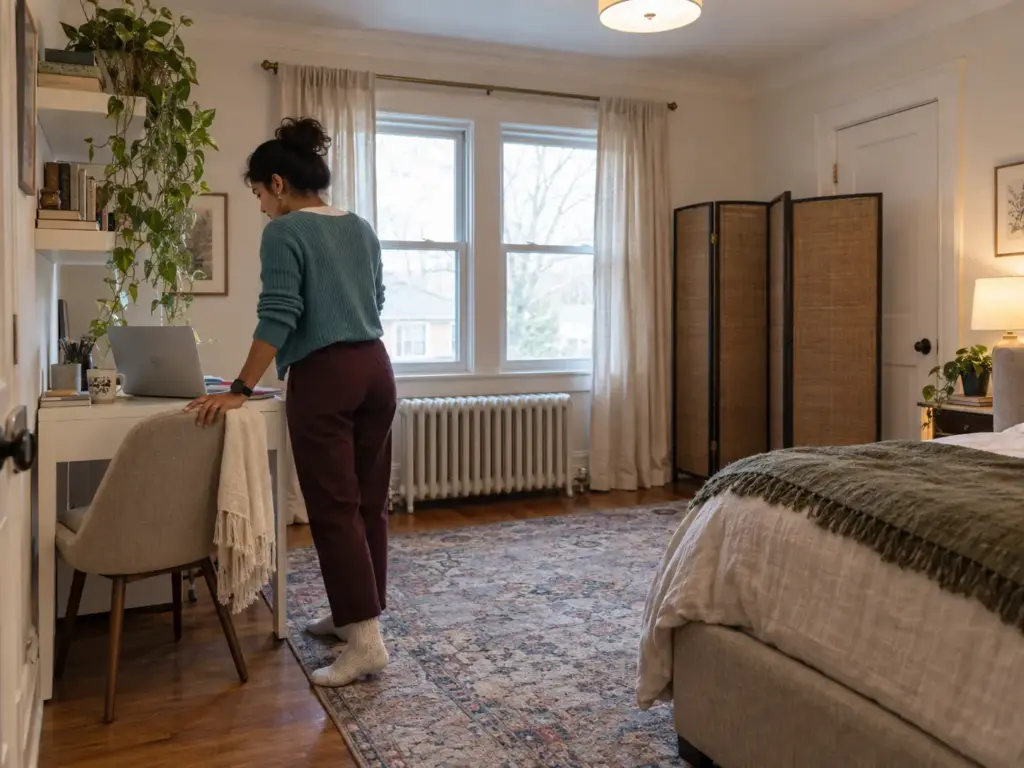
Three weeks in, the desk you squeezed between the bed and the window still looks the way it did on day one, and that is the problem: tonight the laptop is open on it, the charging light blinking, while you pull the covers up. The desk never went off duty, so neither did you. Most home office in bedroom ideas fail on that point, not on looks, and the remote workers in one r/WFH thread put their finger on it fast: the gear stays in sight, the computer wakes in the dark, the camera catches the bed. Below is how to set up a home office in a small space that happens to be where you sleep: the floor plan first, then the desk by room size and by whether you can drill, where it goes, how to split sleep from work, light and cords, the shutdown routine, and a straight answer on when another room is the better call.
Quick Answer
A bedroom office holds up past the first month when you plan it in this order:
- Measure the gap between the bed and the nearest wall first.
- Choose the desk by its depth and by whether you can drill.
- Place the desk so your camera never frames the bed.
- Split sleep from work with a screen, curtain or shelf.
- Run cords along the wall, never across the walkway or under rugs.
- End each workday by stowing the gear and powering everything down.
Home Office in Bedroom Ideas Start With a Floor Plan, Not a Desk
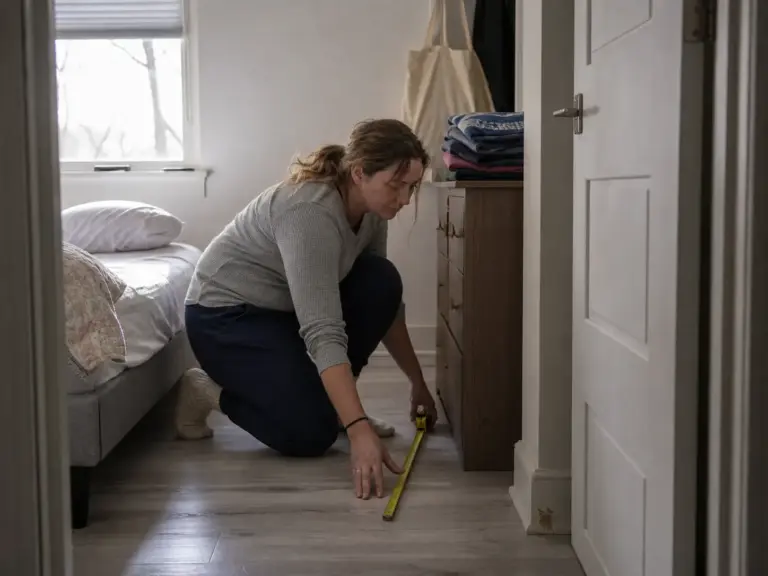
The usual order goes like this: you fall for a desk on a product page, you order it, and on delivery day you discover that the path from the door to your side of the bed is now the width of a person turned sideways. The rooms in desk photos are big enough that measuring never came up, and the walkway clearance nobody checked is the first thing you feel. Yours probably is not, so the tape measure comes out before the shopping tab does.
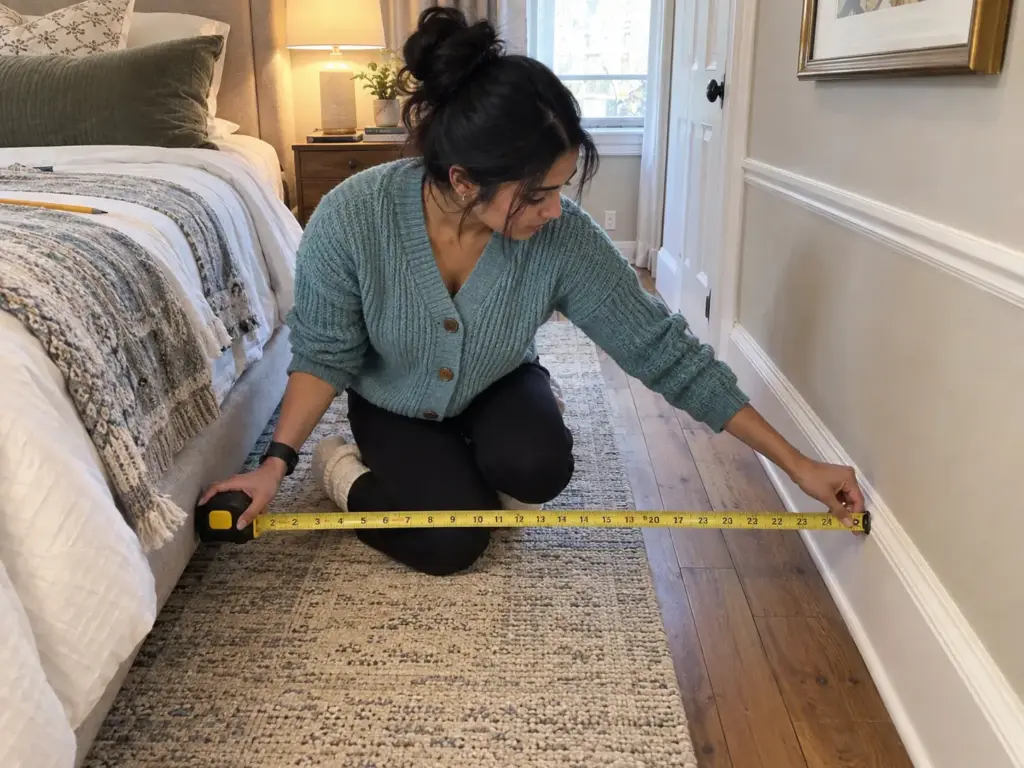
What the gap beside the bed has to stay
Two numbers decide whether a bedroom office fits at all. The first is the walkway, the route you take from the door to the bed and the closet, which wants about 36 inches. The second is the strip beside the bed you climb in from, which wants about 30. Those are the same figures this blog works from when arranging furniture in a small bedroom, and a desk does not get to borrow from either of them.
The desk itself is rarely what steals the gap. The chair is. A desk that sits politely against the wall becomes a desk with a chair rolled three feet back into the room the moment you stand up, and that chair is what you walk into on the way to bed. So when you mark the floor, mark where the chair ends up when you push back, not where it sits when tucked in.
The depth a desk needs before a monitor fits
According to OSHA’s computer workstation guidance, “Desk surface should allow you to place the monitor directly in front of you, at least 20 inches away.” In a bedroom that line does a lot of sorting. A desk much shallower than 20 inches is a laptop desk as far as a monitor goes, because the screen ends up too close to your face or hanging off the back edge.
The same OSHA page asks for knee clearance of 20 to 28 inches in height under the work surface, and it wants that space kept free. That runs straight into the most common bedroom idea of all, which is to use the space under the desk as storage because the room is short on it. A rolling drawer unit or two baskets under there look tidy, and they push your knees sideways, so you end up sitting at an angle to your own screen. My call is simple: storage goes above the desk or beside it, on floating shelves if you own the wall, with a pinboard and a desktop organizer keeping the surface itself clear, and the knee space stays empty, even in a room where every cubic foot counts.
Three room sizes, three different answers
Put the numbers together and you get the floor depth a working desk needs. Planning guides from office-furniture sellers say about 36 inches behind the chair, with 42 to 48 being comfortable. Add a desk 20 to 24 inches deep and a 36-inch walkway behind the chair, and you are near 8 feet of room depth from the wall to wherever the bed starts (an approximate figure, since your chair and your habits move it a few inches either way).
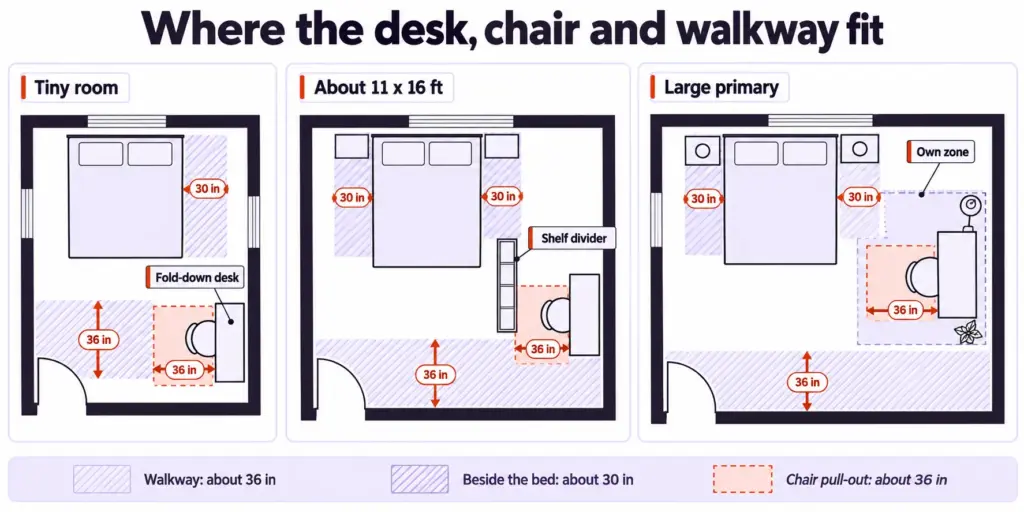
In a tiny bedroom, a small bedroom office will not find those 8 feet in a straight line, and pretending otherwise ends with a chair that cannot pull out. The answer there is a desk that closes: a wall-mounted desk that folds down, or a secretary desk whose shelves hide the work. In a room of about 11 by 16 feet, the size one r/WFH commenter was working with, the desk goes on a wall facing the door with a shelf or a screen between it and the bed. In a large primary bedroom, where a master bedroom office is realistic, the desk earns its own zone, with a rug under it and a lamp of its own, far enough from the bed that the two read as different places.
The consensus in that same thread is blunt: take a separate room if you have one, and treat the bedroom office as a compromise. That is a fair starting point. The size of your room decides how good a compromise you can make, and the rest of this article is about making it as good as your floor allows.
Tape the outline of the desk and the pushed-back chair on the floor with painter’s tape and live with it for three or four days before ordering anything. If you keep stepping on the tape on your way to bed, the desk is in the wrong place, and you found out for the price of a roll of tape.
Pick the Desk by Room Size and by Whether You Can Drill
The instinct is to buy a desk first. The cheaper bedroom offices start with the furniture that is already in the room, and only move to a purchase once that furniture has shown what it cannot do. Then the choice splits by one question that matters more than style: can you put holes in the wall or not?
Free first: the dresser top and the nightstand swap
A dresser top works as a desk for a laptop and costs nothing. Clear one end, set the laptop there, and see how a week goes.
The weak spot is your legs: a dresser has drawers to the floor, so there is no knee space, and many stand taller than a desk. For a couple of hours of email, that is fine; for a full day, your shoulders will say otherwise.
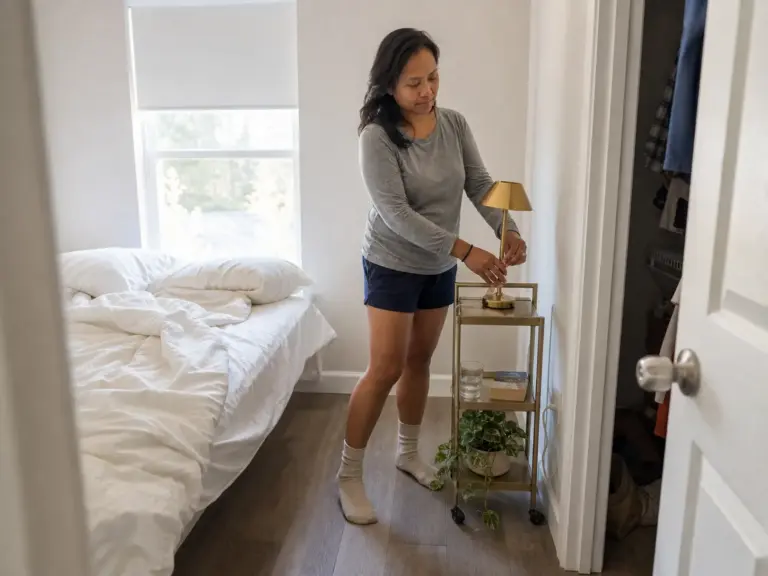
The other free move is the nightstand swap. Take the nightstand on your side out and put a small writing table in its place, so the same surface holds the lamp at night and the laptop by day. A nightstand desk is double-duty furniture in the plainest sense. It needs leg room under it and a top deep enough for the laptop plus a notebook, and the ideas in nightstand alternatives for a small bedroom cover which shapes still leave room for a glass of water.
Freestanding desks for renters (and where they fall short)
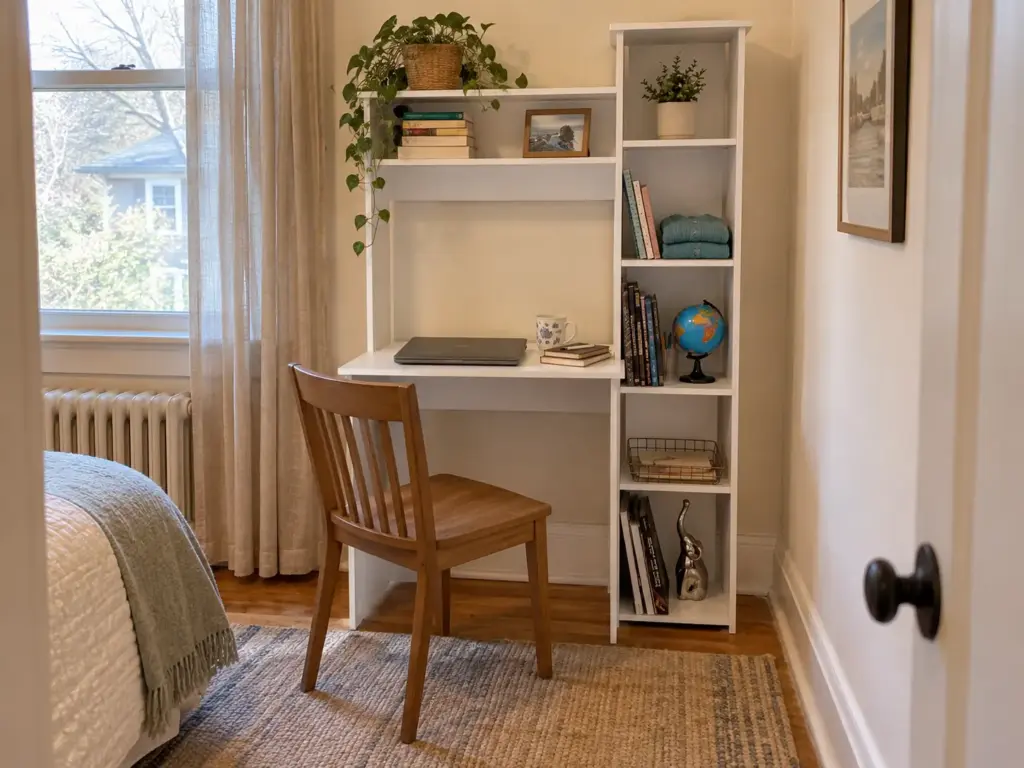
If you rent, or you just do not want to drill, a freestanding desk is the renter-friendly, no-drill answer, and the one to look at first is a secretary desk style with shelves above it. The Tuhome Versalles Small Desk with Hutch and Bookshelf is listed at 38.7 inches wide, 17.8 inches deep and 63.9 inches tall, and the hutch on top is where papers, chargers and the notebook go so they stop living on the work surface. It stands on its own, so the lease never comes into it. But 17.8 inches is under OSHA’s 20, which makes it a laptop desk, not a monitor desk, and you should buy it as one.
If you need a monitor, depth decides it, and a narrow desk is where it goes wrong.
The budget pick is the Furinno Econ Multipurpose Home Office Computer Writing Desk, a plain frame with no hutch, and the listing offers it in several sizes. The shallowest listed variant is about 15.8 inches deep, which fails the 20-inch test by a wide margin, while the deeper variants are listed at about 21 and about 24 inches deep and pass it. So open the listing, look at which size is selected, and check the depth on that variant before you order, because the photo looks the same for all of them.
The fold-down desk for owners who can drill
If you own the place, or your lease allows anchors, a fold-down desk solves the problem the freestanding ones cannot: at the end of the day the desk is gone. The Wall Mount Floating Desk Foldable with Storage Drawer and Shelves folds flat against the wall, with a drawer and shelves built in for the small things, so closing it puts the work out of sight in one motion. As a category, wall-mounted fold-down desks can sag or wobble under typing over the months when the anchors are poor, so mount it exactly as the manufacturer’s instructions say, into studs or anchors rated for the load, and check the mounting again after the first few weeks of use.
Renters go freestanding, owners can go fold-down, and anyone undecided should try the dresser for a week first. For the other shapes, there is a footprint comparison of small-space desks that puts fold-down, console, closet and corner desks side by side by the floor they take.
Where the Desk Goes: Window, Wall, Corner or Closet
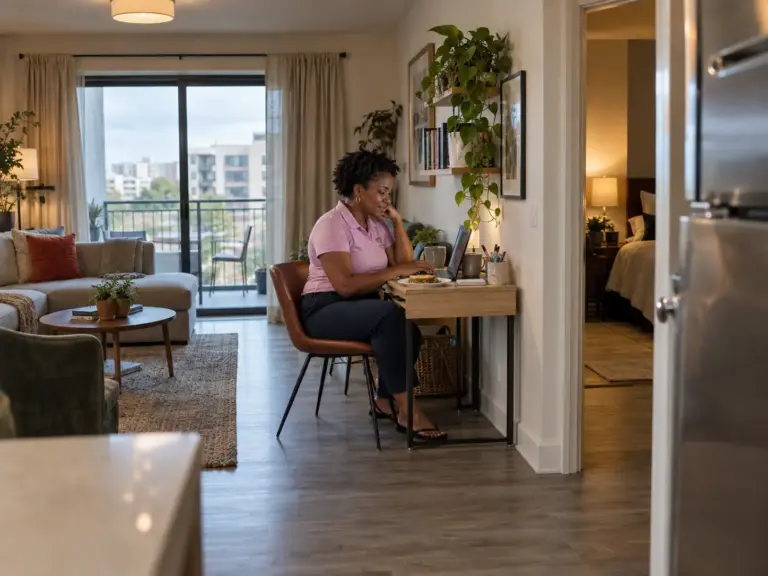
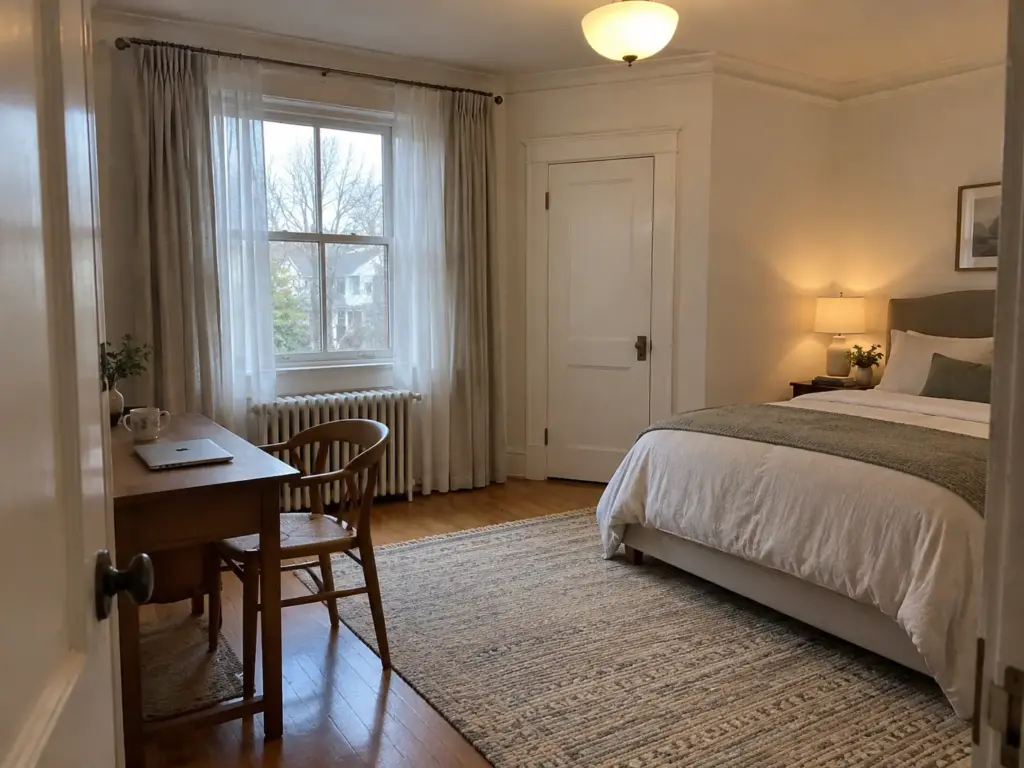
The first instinct is to put the desk wherever there is an outlet. Then comes the first video call, and the video call background turns out to be the bed, unmade or made, it does not matter, it reads as a bed. The camera angle matters as much as the desk’s spot. One r/WFH commenter with a bedroom of about 16 by 11 feet built the whole layout around that problem, and it is the right way to think about position: test the frame before you commit the furniture.
The window desk and its glare problem
A desk under the window is the obvious pick, and for good reason, since the natural light is free and looking out makes a small room feel larger. But facing the window straight on puts the brightest thing in the room right behind your screen, and with the window behind you instead, the glare lands on the screen and the camera turns you into a silhouette. The better call is the less photogenic one: set the desk side-on to the window, so the light comes across the desk from the left or right. You keep the daylight and lose the squinting.
Back to the wall, facing the door
The same commenter’s layout is what some people call executive style: back to a wall, facing the door, so the camera behind you sees a wall and nothing else. In a bedroom that usually means the desk sits on the wall opposite the door or on a side wall, with the bed out of the frame to one side. You also see whoever walks in, which matters more than it sounds when a partner shares the room.
If two walls compete, rank them by what the camera sees first, then by the outlet, then by the window. A position that fails the camera test fails every day it is used, while a cord can always be rerouted and a window dressed.
Test it before you move anything heavy. Open your call app’s camera preview, sit where the chair will be, and look at what fills the space behind your head. Even a neatly made bed gives itself away with the line of the pillows and the edge of the headboard, and if the only wall facing the door puts the bed squarely behind you, turn the desk 90 degrees or plan for a screen behind your chair (the next section covers which kind).
Run the camera test at the hour you usually take calls, not when it suits you to move furniture. A window that is harmless in the morning can sit right behind your shoulder by late afternoon, and the lamp you switch on in winter adds a reflection you will not see at noon.
The corner and the closet as a last resort
OSHA’s workstation guidance points out that a corner or L-shaped layout gives more usable depth than a straight run of desk, and a bedroom corner is often where the depth problem gets solved. An L-shaped desk in the corner lets the monitor sit back in the angle, which is how a room with no deep wall still finds the viewing distance. A corner is also often the spot farthest from the bed’s sight line, which helps the camera.
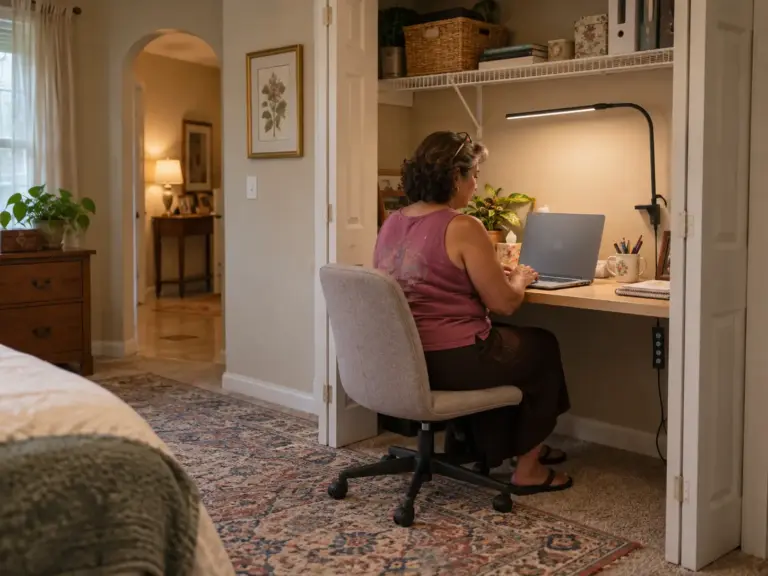
The closet is the other answer, and a closet office is the one place that closes completely; and in that r/WFH thread it was the fix a commenter offered as a clean off switch: a closet or an inexpensive wardrobe with a door you shut at the end of the day. The commenter who suggested it added the catch, which is that small closets get hot, so the door stays open while you work. Whether your closet can take a desk at all is a separate project, and building the desk into a closet walks through it step by step.
Separate the Sleep Zone From the Work Zone
The boundary is the work-life boundary your head needs, more than the desk, and it keeps the room from turning into an office bedroom. Two separate zones is the goal. A setup with a plain table and a curtain that closes will hold up longer than a lovely desk sitting in full view of the pillow. And you can test the idea for free before spending anything: a bedsheet clipped over a curtain rod or a tall chair back does the same job as a bought curtain for the first week.
A screen, a curtain or a shelf: pick one
The free versions come first. A bookcase turned to face the room, its back toward the bed, splits the space and holds the work things at the same time, if you have the floor for it. Another commenter in the same thread set the desk in a desk nook behind the bed, so the work corner read as a different place even though it shared the room, and an alcove desk does the same thing when the room has an alcove.
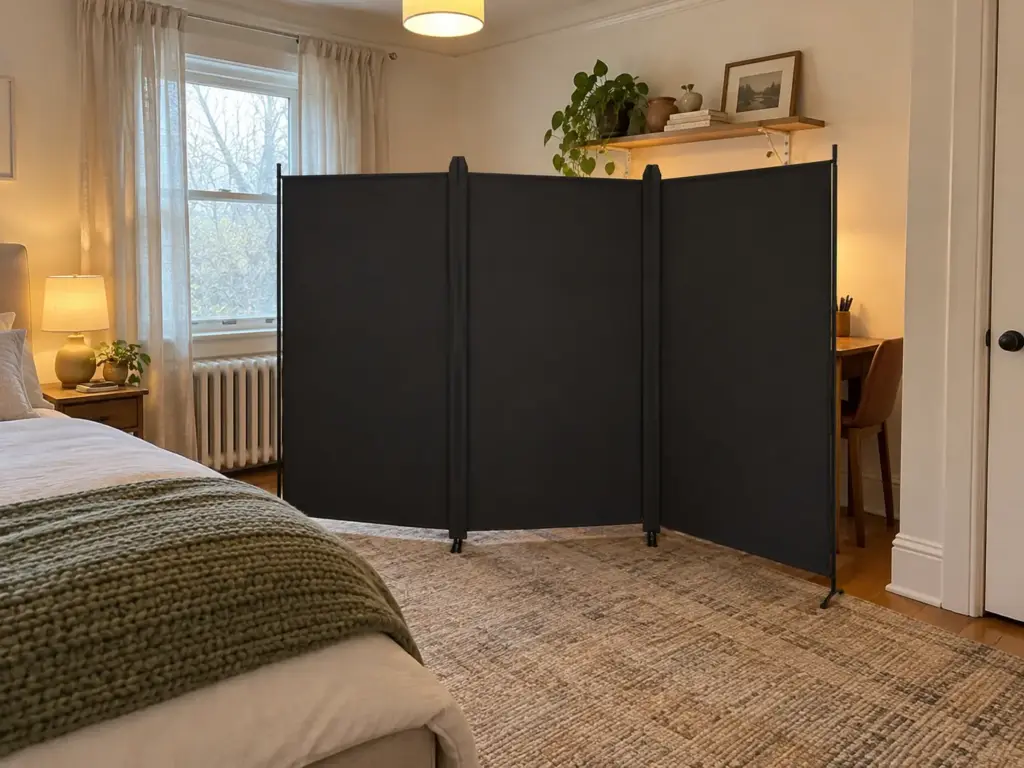
When you need something that closes and the floor is tight, a folding screen is the easiest buy. The Kokorona 3 Panel Room Divider is listed at 6 feet tall with three panels, stands on its own in a zigzag, and hides the desk from the bed without a single hole in the wall. It does take floor space, though, and it has to stand where it does not narrow the 36-inch walkway, which in a small room usually means pulling it tight to the desk end rather than halfway across the room.
A curtain takes no floor at all, which is why it often wins in the smallest rooms.
The ALLZONE Tension Curtain Rod is spring-loaded and spans 83 to 123 inches, so it fits between two walls in that range, across an alcove or a corner where the desk sits, and goes up with no drilling. Hang a light privacy curtain on it and draw it closed when the workday ends. A tension rod is built for that weight and no more, so keep heavy blackout drapes and clothes off it.
How to choose: the screen if you have no two walls the right distance apart, the curtain if you do, and the shelf if you also need storage and have the floor to spare. Whichever it is, it only earns its place if you actually close it. Remote workers in that r/WFH thread kept coming back to the same complaint, the work gear staring at you from across the room, and a boundary left open all evening does nothing about it.
Paint, wallpaper and rugs as the quiet boundary
A boundary does not have to move. An accent wall in a new paint color behind the desk, or a strip of removable wallpaper if you rent, tells your eye that this patch of room is for something else, and it gives the camera a cleaner background than a bare bedroom wall. Owners can paint; renters can peel the wallpaper off when they leave.
In a larger room, an area rug under the desk and chair does the same job on the floor, marking the edges of the work zone, and keeping both a cohesive palette with the bedroom stops it looking like an office dropped in. Keep it flat and low so the chair rolls on it. For more ways to use color and fabric this way without losing floor space, see these color and curtain tricks for a small bedroom.
Light, Cords and Power Without Crossing the Walkway
It seems sensible at the time: the desk goes on the one wall with an outlet, or the outlet is by the bed and the cord gets stretched across the floor to the desk. Then it is dark, you are headed for bed, and your foot finds the cord. Light, cords and power are the three problems a nice desk photo never shows, and in a bedroom all three end up on the walkway.
A lamp that needs no floor
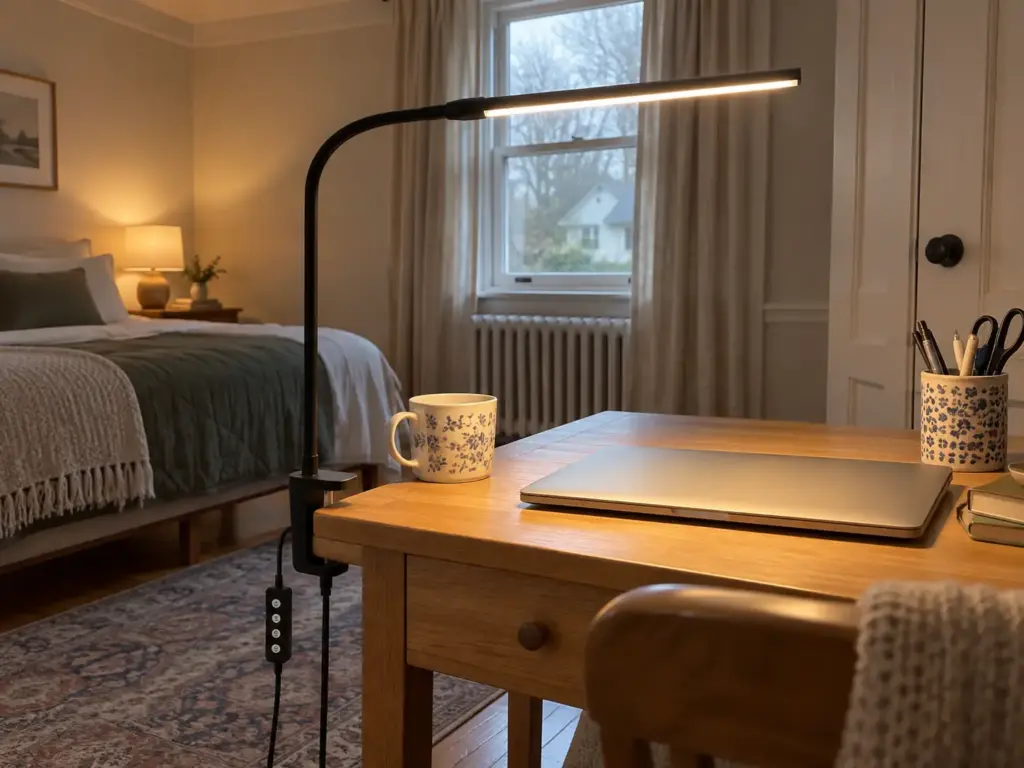
A floor lamp eats a square foot beside the chair that a small bedroom does not have. A clamp-on task lamp eats none. The Lepro Clip on Desk Lamp is a 5W USB lamp with three color modes that clamps onto the desk edge, so the light sits over the work, the cord runs short down the back of the desk, and it switches off with the rest of the setup at the end of the day. A clamp needs a solid edge to bite on, so check that your desktop has a lip it can grip before you order it.
The free version is the bedside lamp you already own, carried to the desk in the morning and back at night (which works until the first evening you forget).
The outlet by the bed and the cord to the desk
The common trick for a cord that has to cross the room is to hide it under the rug. That is exactly the route to rule out. The Consumer Product Safety Commission’s extension cord advice says it plainly: “Don’t run cords under carpets or rugs since they prevent heat from being released by the cord.” The same 1990 release tied about 4,600 residential fires a year to extension cords and told people to avoid them unless they are needed.
So the better route is along the baseboard, around the edge of the room, never across the walkway. Better still, move the desk to the outlet rather than bringing the outlet to the desk. Plug the desk’s power strip directly into the wall, not into an extension that already feeds the bedside lamp and the phone. Once the power is sorted, the cables on the desk itself are the next mess, and these cable management solutions for a desk handle that end.
When the charger and the work gear compete for the nightstand
Once the laptop charger, the headphones and the work phone land on the bedside surface, there is no room for the book or the glass of water. The cheapest answer is to charge the work phone on the desk, and the overlap mostly ends.
If the nightstand is already the desk’s overflow and it still will not fit, a bedside shelf adds a second surface without a second piece of furniture. The BedShelfie Bedside Shelf with Cable Catch tucks under the mattress and gives the phone and its cable a place beside the bed, which frees the nightstand for the work things or the other way around. Check the fit against your mattress thickness and bed frame on the listing before buying.
Put the desk’s power strip where you have to stand up to reach the switch. It sounds like an inconvenience, and it is the point: switching off becomes a deliberate move instead of something you mean to get to.
The End-of-Day Shutdown That Keeps Work Out of Bed
Week three is where it breaks. The first week the desk is new and you tidy it every evening. By the third, the laptop stays open because you will be back at it in the morning anyway, the notebook stays out, and the corner of the room starts to feel like it is on standby. What holds is a short physical shut down routine, not more willpower.

Why the desk stays on duty after a month
The remote workers in that one r/WFH thread described the failure from three sides. One commenter said they could not switch off when the day ended because the work gear was still in view. Another warned that a computer left asleep wakes up in the night, lights the monitors and makes noise, and told everyone to power down everything. A third pointed at the plain arithmetic: 20 hours or more a day in one room, sleeping and working in the same four walls.
Put those together and the mechanism is clear.
Nothing in the room tells you the day is over, so it never quite is. The evening that should be me time turns into a long stretch of half-working, because the laptop is right there and checking one more thing costs nothing. Many people find that once the room looks the same at night as it did at midday, it starts to feel the same too. That is not a character flaw; the setup simply has no off state, and the routine below gives it one.
I would not solve this with a new desk with doors. A box with a lid does most of what the doors do, and you find out within a week whether you will use it.
A shutdown in four moves
The routine works because each move handles one object and takes less than a minute:
- Stow the laptop and notes. Close the laptop and put it, with the notebook and the loose papers, into a drawer or a box you already own, somewhere you cannot see it from the bed. Keeping work gear out of sight is the whole goal of this move.
- Close the boundary. Draw the curtain, unfold the screen or shut the closet door. Treat the closing itself as the commute home: a door pulled shut or a curtain drawn marks the same line a drive used to.
- Cut the power. Shut the computer down or flip the power strip off. A sleeping laptop is not off, and it is the sleeping one that wakes the monitors in the night.
- Leave the room for a few minutes. Walk to the kitchen, step outside, do anything that is not in the bedroom. Coming back in after a break makes the room read as the place you sleep again.
Small additions help. The same thread suggested dressing as if you were going to work and keeping breaks out of the bedroom, which gives the day a beginning to match the end. If you only manage one move on a bad day, make it the third one, because the screen that lights up in the dark is the one that follows you to bed.
Cables you can lift in one grab
The stow move falls apart if the laptop comes off the desk trailing a charger, a mouse cable and a headphone cord. Free first: a couple of twist ties from the kitchen drawer will bundle them. A reusable strap is tidier and lasts longer, and the VELCRO Brand ONE-WRAP Cable Ties come 100 to a pack at 8 by 1/2 inch each, enough to loop the charger cable, the mouse and the headphones so the whole kit lifts off the desk at once and drops into the box. Keep the loops loose around anything that warms up, and never wrap a cable tight around a charger brick that is still plugged in and hot.
A bedroom office is a compromise, and that thread was right to say so; the closest thing to a dedicated workspace is a corner you can close. The routine is what makes the compromise hold through week three and past it. If the desk itself keeps filling back up during the day, the advice on keeping a small desk from drifting picks up where the shutdown leaves off.
When Another Room Is the Better Answer
Use hours as the test. If you work a few hours a day from home, the bedroom can carry it with the setup above and no regrets. If it is a full-time job, eight hours or more at the desk and then the night in the same room, the r/WFH thread leaned clearly toward a separate room, even a small one, and that is the advice to take if you have the option.
The question is not whether a bedroom office can look good. It is how many hours a day one room should hold you.
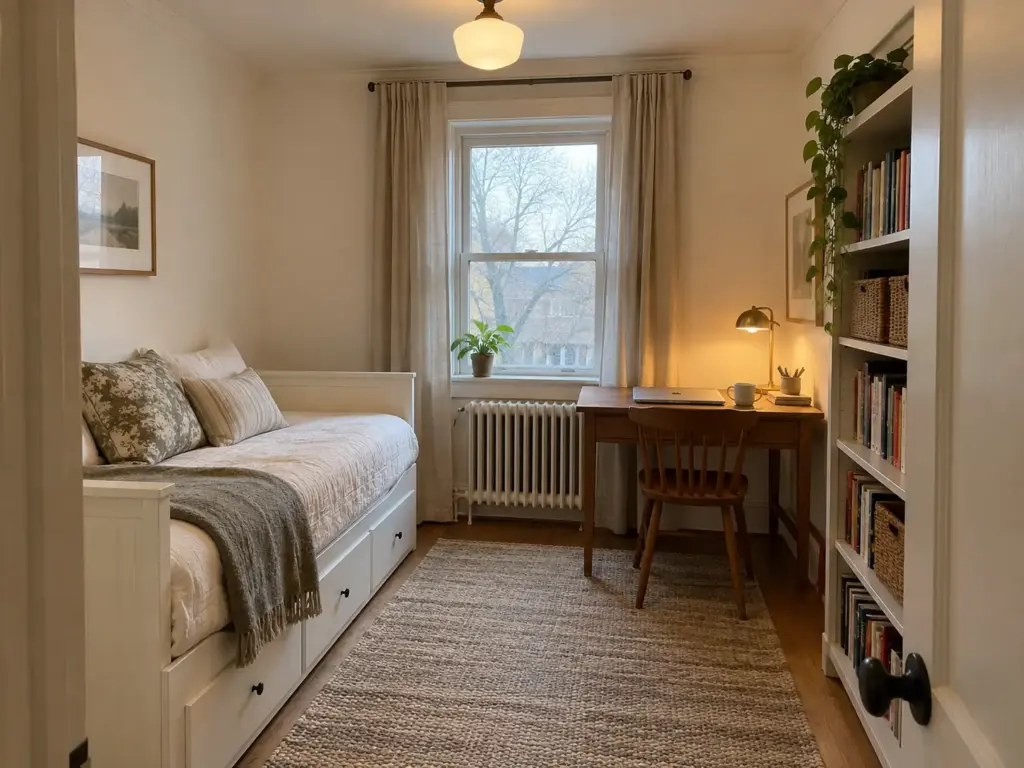
The alternatives are often closer than they seem. A guest room office with a daybed for visitors and a desk under the window works for the rest of the year. The closet works if it can take a desk and you can live with the heat. The dining table works for some people if the laptop leaves it at dinner.
But a bedroom office combo still beats the sofa, where your back pays for it within a week, and with the free-first steps and the shutdown routine it beats it by a lot. The one version to skip is working from the bed with a lap desk: the bed as desk puts work exactly where you are trying to keep it out of. If you are still weighing the options, here are the other places a small-space desk can go, with what each one asks of the room.
Measure the Gap, Close the Boundary, Switch It Off
Three things decide whether a bedroom office lasts. Plan the floor before the desk, keeping the walkway and the bedside gap whole and counting where the chair lands when you push back. Give the work corner a boundary that closes, whether that is a screen, a curtain or a door. And end every workday with the same short shutdown, so the room has an off state.
In three months, look at two things: whether the curtain or screen is still being closed every evening, and whether the cord route has crept back across the walkway. If both have held, the setup works.
You can try the whole idea today without buying anything. Put the laptop on one end of the dresser, clip a sheet over a rod or a chair back between it and the bed, and close it when you stop working. By the third evening you will know whether you close it without thinking, and that tells you more than any desk listing will.
Frequently Asked Questions
01How do you arrange a home office in a bedroom?
Put the desk on a wall facing the door, keep about 36 inches of walkway and about 30 inches beside the bed, and check the camera frame. Open your call app preview before moving furniture, and turn the desk if the bed shows behind you.
02How can you create a hidden office in a bedroom?
Use something that closes: a closet with a door, a fold-down wall desk, a secretary-style desk with shelves above, or a screen or curtain across a corner. Whatever you choose, close it at the end of every workday, or it stops hiding anything.
03Can you work from a bedroom without it ruining your sleep?
Many people find it workable when the work disappears at night: laptop stowed, boundary closed, power off. A computer left asleep can wake and light up the screens, so shut it down fully and step out of the room for a few minutes before evening starts.
04Can you set up a bedroom office in a rental without drilling?
Yes: a freestanding desk, a folding screen, a tension-rod curtain and a clamp lamp need no holes at all. Check the desk depth before buying, since anything under about 20 inches works for a laptop but not for a monitor.
05How much floor space does a bedroom office need?
Plan on roughly 8 feet of depth: a desk 20 to 24 inches deep, about 36 inches behind the chair and about 36 inches of walkway. These are approximate planning figures, so tape the outline on the floor before committing.
Disclaimer: ClutterlessNest is a participant in the Amazon Services LLC Associates Program. As an Amazon Associate we earn from qualifying purchases. This article may contain affiliate links — if you buy through them, we may earn a small commission at no extra cost to you. We only recommend products we have tested or genuinely believe in.