You clear the dining table for the fifth night running, pile the laptop, the charger and a fan of printouts onto a chair, and notice the setup feels a little more temporary each week. A home office in small spaces rarely fails because the apartment is too small. It fails because the spot was never claimed, never measured and never closed at the end of the day, and two plain yardsticks settle most of the arguments: a screen at least 20 inches from your eyes, and the one-hour-a-day mark where a proper setup stops being optional. Below, you’ll pick the spot by how your day runs, measure it, walk through the five places that work, then sort out the light, cables, paper and shutdown that keep the zone from creeping.
Quick Answer
To fit a home office into a small space and keep it working past the first few weeks:
- Pick the spot by whether you take calls and who is home.
- Measure desk depth, leg room and the nearest outlet before buying anything.
- Claim a permanent zone nobody else uses during work hours.
- Light it from the side and lift the cables off the floor.
- End each day with a shutdown that clears the surface.
Pick the Spot for a Home Office in Small Spaces by How Your Day Works
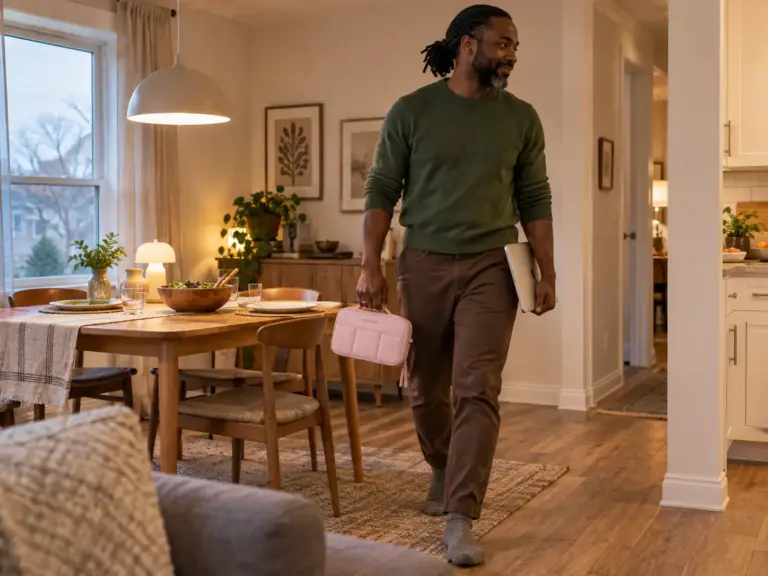
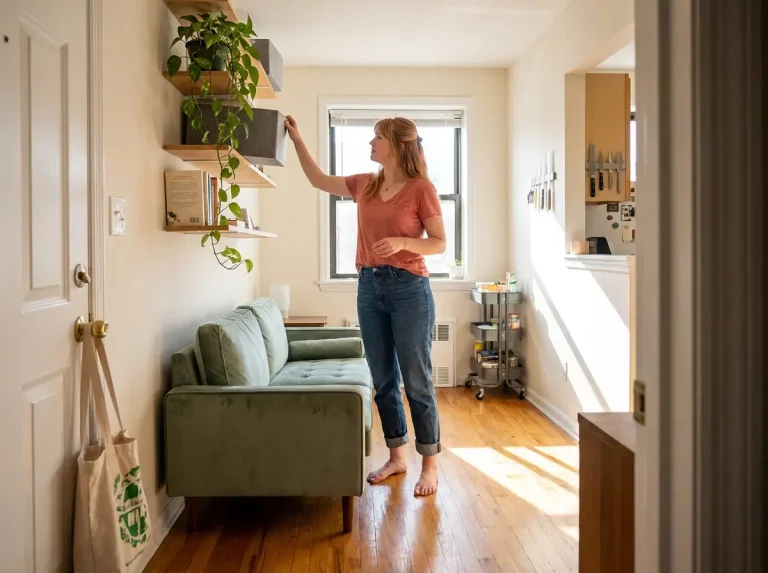
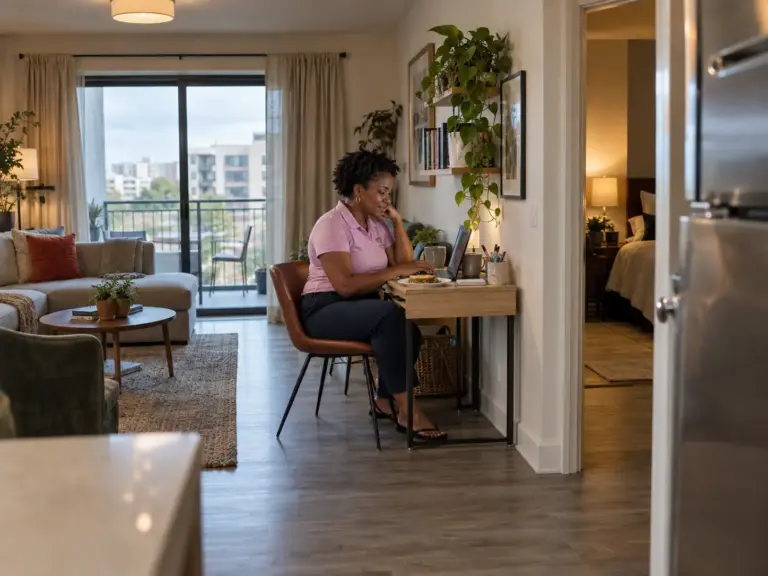
You’re standing in the hallway with the laptop under your arm, looking at four corners that all seem like they could work: the closet, the gap beside the bed, the end of the sofa, the dining table. The floor plan won’t decide for you. What decides is the day you actually have: how much of it you spend talking, who else is home while you do it, and whether the setup can stay out after dinner. Most home office ideas assume a spare room; when you work from home without a dedicated room, the WFH space has to be carved out of rooms that already have jobs.
Hours matter as much as square feet. Cornell’s ergonomics guidelines draw the first line at one hour of computer use a day, past which the workstation should be set up properly, and treat anything over four hours as a setup to fix now. Their verdict on the machine most small-space workers live on is blunt: “laptop design inherently is problematic – when the screen is at a comfortable height and distance the keyboard isn’t and vice versa.” So for long laptop days they point you to an external monitor, a separate keyboard, or both.
That threshold is where “the couch is fine” ends. Twenty minutes of email from the sofa costs nothing; a full workday there shows up in your neck by Thursday. And a work spot is one more claim on a home where every corner already has a job, so keep the whole-home view of a small apartment in mind (how to organize a small apartment that stays neat): the corner you take for work is one the laundry rack or the bike no longer gets.
Do You Take Calls, or Mostly Type?
Calls need a door, or at least a solid wall behind you. A hallway nook handles heads-down typing well, but on video it puts a moving background behind your head and carries your voice into every room off that hall. A video call background of a bedroom door or a laundry rack says more than the call does, and noise from the next room reaches the microphone before it reaches you. If you’re on camera several hours a day, the closet and the bedroom corner go to the top of the list; if you mostly write, any of the five places can work.
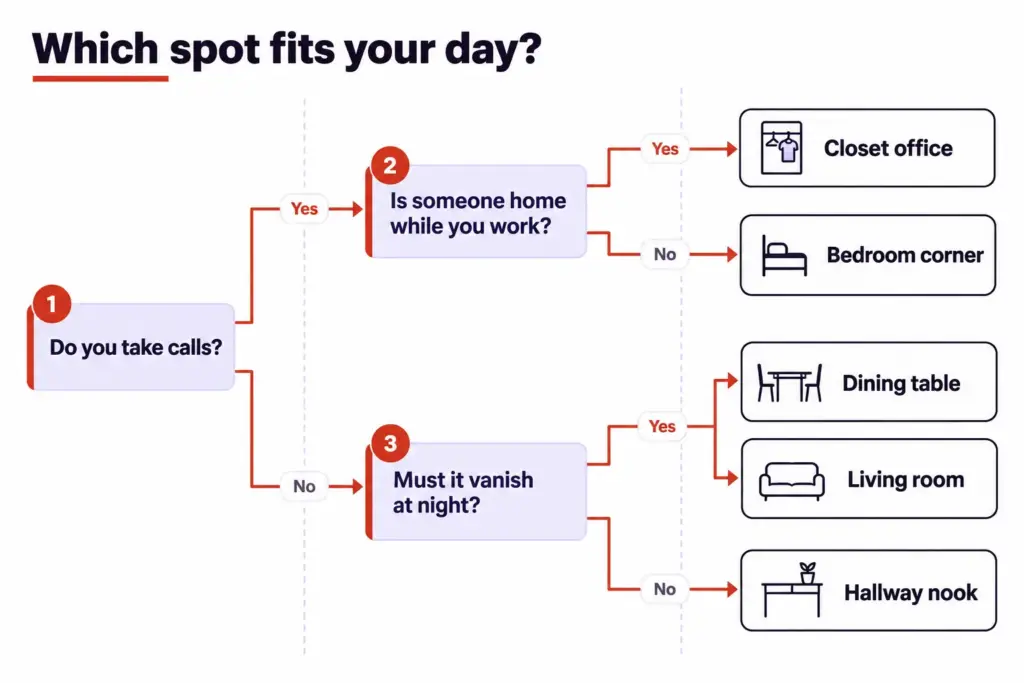
Each answer removes a place or two, and by the third question most people are left with one realistic spot.
Who Else Is Home While You Work?
The standard answer to a busy household is a room with a door. A poster in r/WFH has exactly that, and still had a relative walk in mid-call carrying dinner and slide the plate across the desk toward the keyboard. Their summary: “If I close the door, it gets opened.”
A door is hardware. The boundary is the agreement the household keeps about it: what a closed door means, what a lit desk lamp means, which interruptions are worth it.
So if a partner, a roommate or kids are home during your hours, pick the spot whose signal is easiest to read (closet doors that shut, a room divider, a desk that faces away) and agree on the rule the same week you set it up. When two adults both do remote work, settle first whose calls get the quieter spot, because a bedroom corner rarely holds two people on camera at once. If one of you has hybrid work days, the same spot can rotate between you.
Can the Setup Stay Out, or Must It Disappear at Night?
A permanent spot nobody else uses is a claimed zone, a dedicated zone inside a shared space. A table you clear every evening is an improvised setup, and it’s the version people abandon within a week or two. On a tired evening the laptop stays on the table, the mail lands on the laptop, and the table belongs to nobody.
If the spot has to disappear, plan the disappearing: everything in one box, a fold-down desk that closes, a closet with doors. If it can stay out, make it the one surface in the home nobody borrows. A bedroom adds one more test, which is whether you can stand looking at the setup from the pillow.
Measure Before You Move Anything
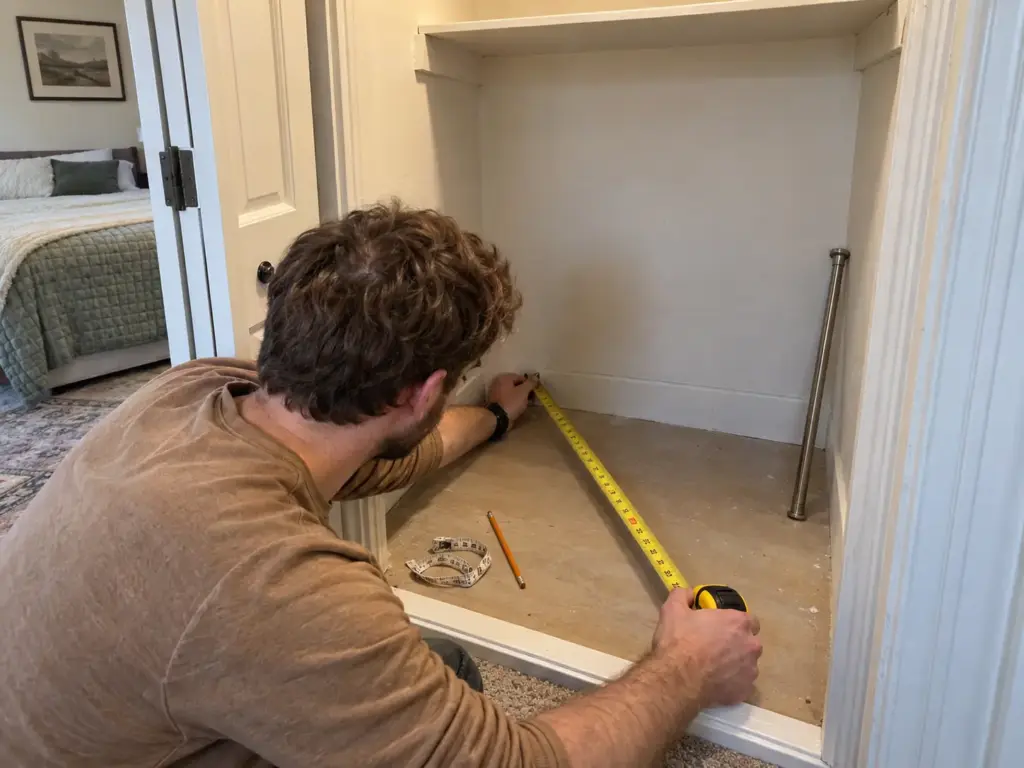
The desk arrives, goes into the corner, and the bedroom door now stops two inches short of fully open. Or the chair slides under the desk but can’t pull back far enough for you to stand. A tape measure is the cheapest tool in the whole setup, and the one people skip because the spot looks obviously big enough.
The Numbers a Small Setup Has to Hit
Start with the screen. According to OSHA’s computer workstation guidance, “Desk surface should allow you to place the monitor directly in front of you, at least 20 inches away.” The same guidance puts leg clearance at 20 to 28 inches high, measured to the underside of any drawer or apron. Standard desk height is 29 to 30 inches, and about 20 inches of depth is the practical minimum for a desk that holds a screen at that distance.
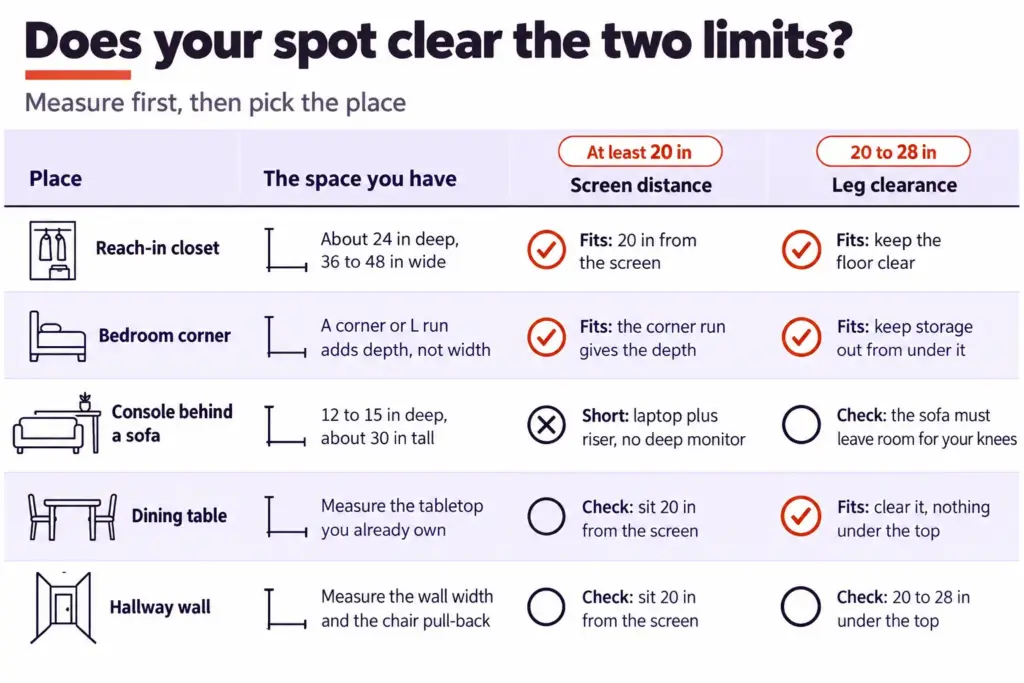
OSHA also asks that the space under the work surface stay free of files, books and storage. In a small home that rule goes first: the bin you slide under the desk in week one is the knee room you’re missing by week four. If a center drawer hits your thighs, take it out; if the surface sits too high, raise the chair and add a footrest.
What Each Spot Gives You in Depth
A reach-in closet is usually about 24 inches deep and 36 to 48 inches wide, which takes a 20-inch surface with a few inches left for the chair to tuck. Or, more accurately, for the front edge of the seat; the rest of the chair still lives in the room. A console table runs 12 to 15 inches deep and about 30 inches tall, enough for a laptop and nothing behind it.
A secretary desk or an armoire office, an armoire fitted with a fold-down writing surface, needs at least 18 inches of depth to be worth working on. Corners change the math: OSHA notes that a corner, rather than a straight run of desk, can give extra depth for a large monitor or several items. In a small room that’s the cheapest depth available, because you get it without buying width.
The Three Things People Forget to Measure
The desk’s dimensions are printed on the listing. The three that trip people up live in the room:
- Door swing. Open every nearby door all the way, closet doors included, and mark where the edge travels.
- Chair pull-back. Sit in the chair you’ll use and push back until you can stand without hitting the bed, wall or door frame. That distance is your real footprint, and a compact chair that tucks fully under the desk, or a stowable chair that folds away at night, shrinks it; a bulky ergonomic chair often won’t.
- The outlet. Find the nearest one and decide how the cord reaches the desk without crossing the walkway.
The outlet is the one people discover last. An r/homeoffice poster who turned a closet into an office had an electrician add an outlet fed from an existing one, so the power-strip cord wouldn’t trail out across the floor.
Mark the desk footprint and the chair’s pull-back zone on the floor with painter’s tape and leave it for three or four days. Tripping over a rectangle of tape on the way to the bathroom teaches you more than any floor plan, and the tape peels off clean.
Place 1: The Closet Office
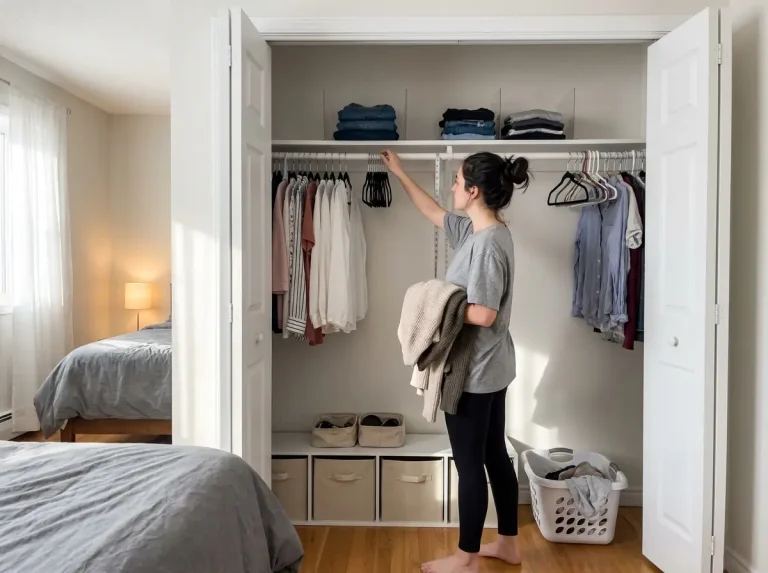
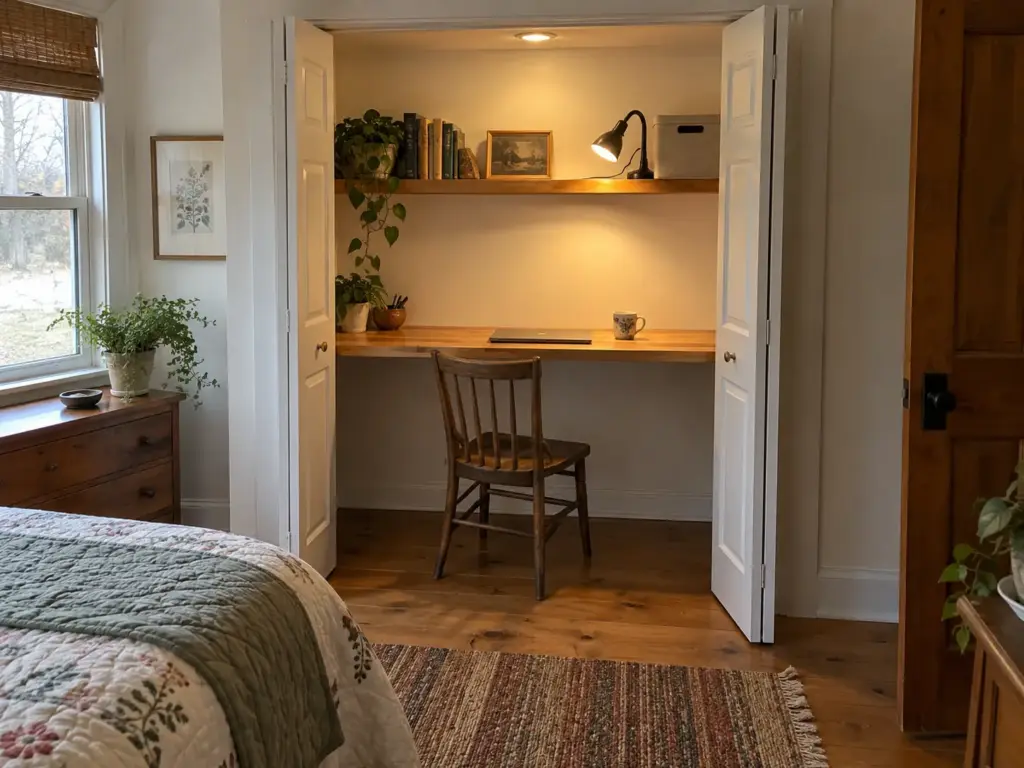
You open the bifold doors with the laptop in hand, and the closet looks like free square footage: an alcove with walls on three sides and a door that already closes. It stays free square footage right up until the chair has to pull back.
Will Your Closet Fit a Desk and a Chair?
A standard reach-in takes a 20-inch-deep surface with room for the chair to slide in partway (see how a reach-in closet is laid out if you’re not sure what you’re working with). A walk-in closet is the roomy version, with space for the desk along one wall and clothes on the other. Narrower or shallower than a reach-in, and the cloffice becomes a laptop shelf, fine for calls and short sessions and tiring for a full day.
The doors matter as much as the depth. Bifolds fold out of the way, hinged doors have to swing past the chair, and a sliding pair only ever exposes half the opening, so lift one panel off its track or put the desk on the open side. A closet with no window and no light is a poor full-day choice unless you bring in a lamp and power.
Owner Build: Shelf, Desk Surface, Outlet
If you own the place, the closet can take a real built-in. One r/homeoffice poster documented theirs: kiln-dried 2x4s fixed with 4-inch lag bolts into each stud to carry a butcher-block desk, a shelf above on 1/2-inch brackets screwed into the studs, the old holes patched, cables run down the far right side, and the electrician-added outlet so the power strip plugged in out of sight.
That build spends its money where a closet needs it: a desk that doesn’t flex, a shelf that gets supplies off the surface, and power where the desk is. It also has the best shutdown of any spot, because closing the doors ends the workday.
Renter Version: A Freestanding Setup That Leaves No Holes
Renters get most of the same result without touching a stud, as long as every piece is removable. A freestanding desk sized to the opening goes in first; the 31-inch desk in the bedroom section below fits most reach-ins with a little room on each side. Shelving for the dead space above can come from no-drill closet systems for renters, and power comes from the nearest outlet, with the cord kept clear of the doorway so the doors still close.
Place 2: The Bedroom Corner
The trouble with a bedroom office is that work follows you to bed: the screen at the end of the mattress, the inbox the first thing you see in the morning. A bedroom desk in the corner is still one of the best spots in a small home, because corners give you depth and bedrooms have doors.
Corner and L-Shaped Runs Buy Depth, Not Width
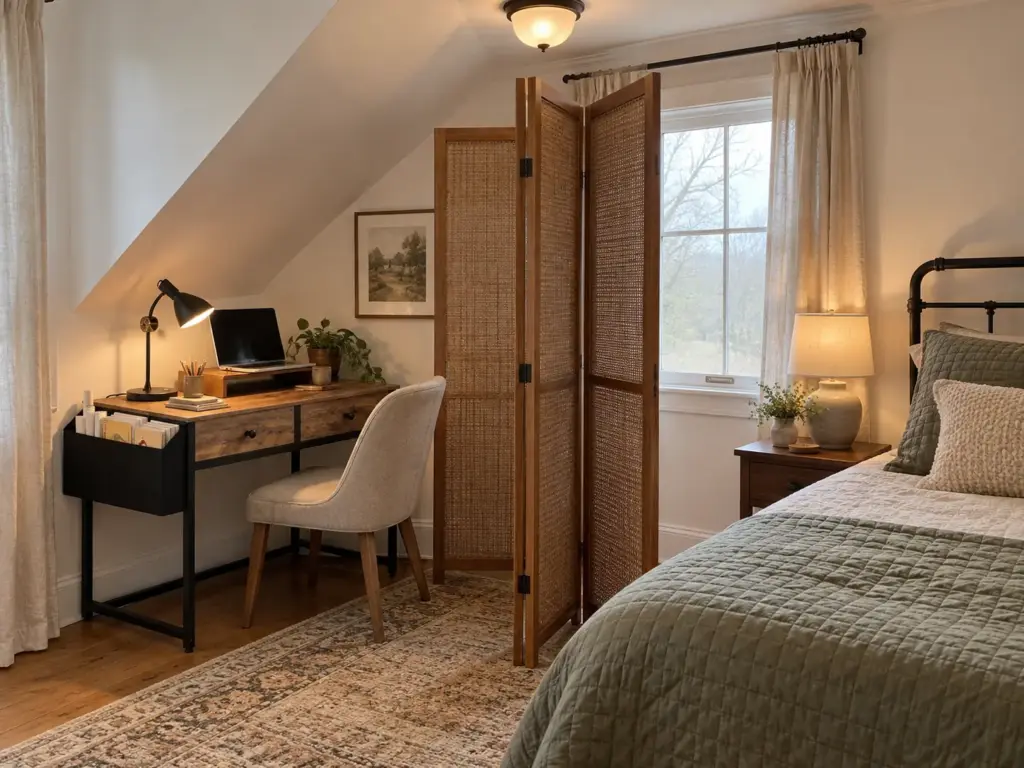
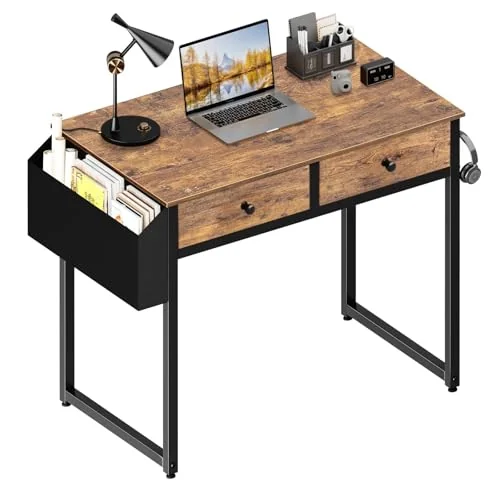
A corner desk or L-shaped desk gets you the screen distance a straight 31-inch desk can’t, without asking the room for more wall. Before you commit, check that the desk doesn’t block the bed’s side access or the door’s swing; small bedroom layout mistakes covers the walkways that disappear first when furniture goes in.
Keep Work Out of the Sleep View
Point the desk away from the bed if the room allows it, so the screen faces a wall. If it can’t, give it a back for visual separation: a folding screen, or an open shelf unit at the end of the desk that hides the laptop from the pillow’s line of sight. Keep the screen sideways to the window, too, since facing it looks bright and gives you glare all afternoon.
An r/WFH poster described their old desk as “way too cramped” between the monitor, keyboard, mouse and the “random stuff that ends up on it during the day,” until sitting down felt like a chore. What turned it around was cable management, monitor stands and a weekly dust clean, a cheaper list than a new desk.
The Freestanding Desk That Needs No Drilling
Try what you own first. A console or small table in the corner tells you within a week whether the spot works, and it’s the budget route by definition, since finding out costs nothing. If it does and the borrowed table is the wrong size, a freestanding compact desk is the renter-safe upgrade.
The 20-inch rule usually gets quoted as a minimum desk depth, which would rule out every shallow desk. It’s really a screen distance, though. Put a laptop on a riser at the back edge, use a separate keyboard at the front, and your eyes already sit several inches behind the desk edge; a shallow desk with a deep monitor is the combination that fails.
A guest room that sleeps visitors twice a year makes the same trade easier. A bedroom that doubles as an office gives something else up, usually a dresser top or the space beside the bed, and one-bedroom apartment organization tips help you decide what moves out so the desk can move in.
Places 3 and 4: The Living Room and the Dining Table
You’re mid-call at the dining table when someone sets the salad bowl down beside your trackpad, because by evening the table is a dinner table again. Shared rooms can hold an office. They just need it to vanish on schedule, or to sit somewhere nobody else needs.
A Living-Room Corner That Stays Put
The best spot for a living room desk is often behind the sofa. A console table desk there takes a laptop and a lamp but not a monitor, and it gives you a claimed zone in a room you were furnishing anyway. The walkway beside it has to stay open, since a chair pulled out from a console lands in the path to the kitchen more often than people expect; small living room layouts walk through the clearance a traffic route needs.
A corner with its own small desk works too, angled so the camera sees a bookshelf instead of the TV. Moving a desk out of the way every evening is the dining-table problem with extra lifting.
The Dining Table: Improvised, So Make It Fast to Clear
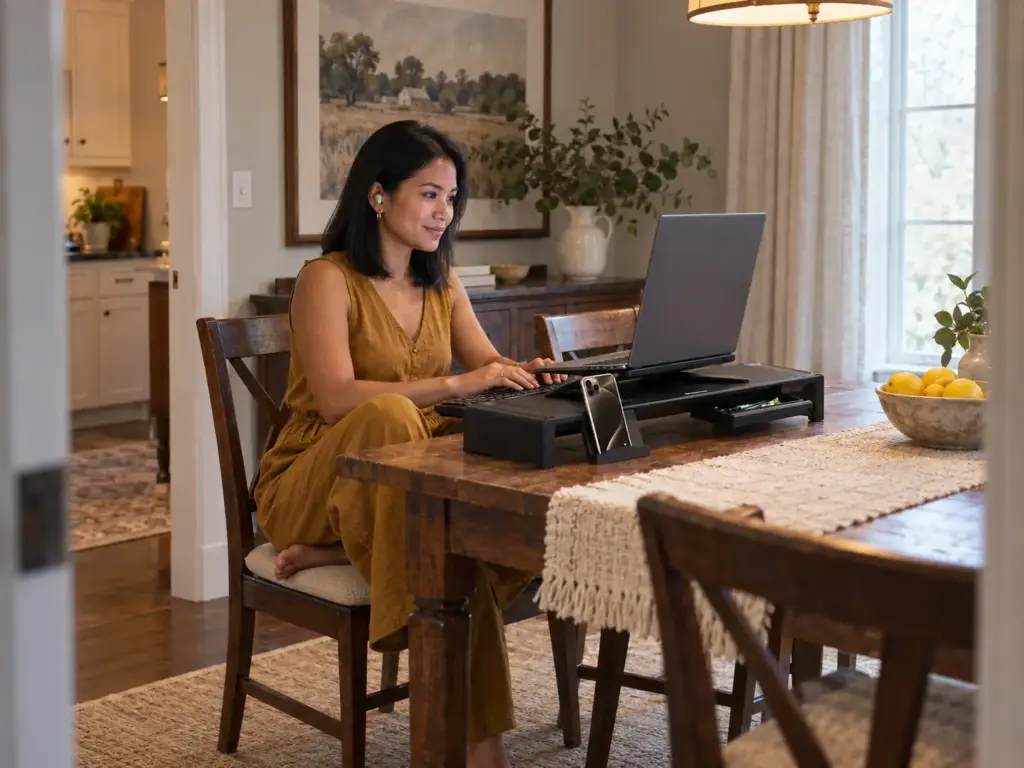
The dining table office is the classic improvised setup, and it works if you design for the clearing. Everything you use (laptop, charger, mouse, notebook, the folder of the week) lives in one box or tote beside your chair by day and in a cupboard at night. If clearing takes longer than a couple of minutes, it won’t happen.
Treat the table as furniture that does two jobs, the way any multifunctional furniture does: pick a work seat that doesn’t block the kitchen, and agree it’s yours until a set hour. The tote that makes the nightly clear-out painless is in the shutdown section.
Time the clear-out once, from last email to a bare table. If it runs past two or three minutes, take out the two items you touched least that day. A table office survives on fewer things, not better storage.
Raise the Screen, Keep the Keyboard Low
Shared surfaces get the height wrong in both directions. The usual ergonomic target is a keyboard and mouse at about elbow height and a screen an arm’s length away, at eye level or just below. A laptop flat on a dining table leaves the screen too low, so your neck pays; a kitchen counter office (or a breakfast bar) sits around 36 inches high, and from a stool the keyboard ends up at the wrong height for your arms.
Lift the screen first with what you have: a box or a stack of hardcovers, plus a separate keyboard and mouse, turns the laptop into a monitor. If the books keep getting borrowed for reading, the OImaster Adjustable Monitor Riser with Drawer is a foldable 17 x 8 x 3-inch stand whose drawer swallows the mouse, cables and sticky notes at the end of the day. It holds 4.6 stars across about 1,400 ratings, though some buyers say the listed measurements didn’t match what arrived, so check it against your laptop before the box goes out.
Place 5: The Hallway, Landing and Other Nooks
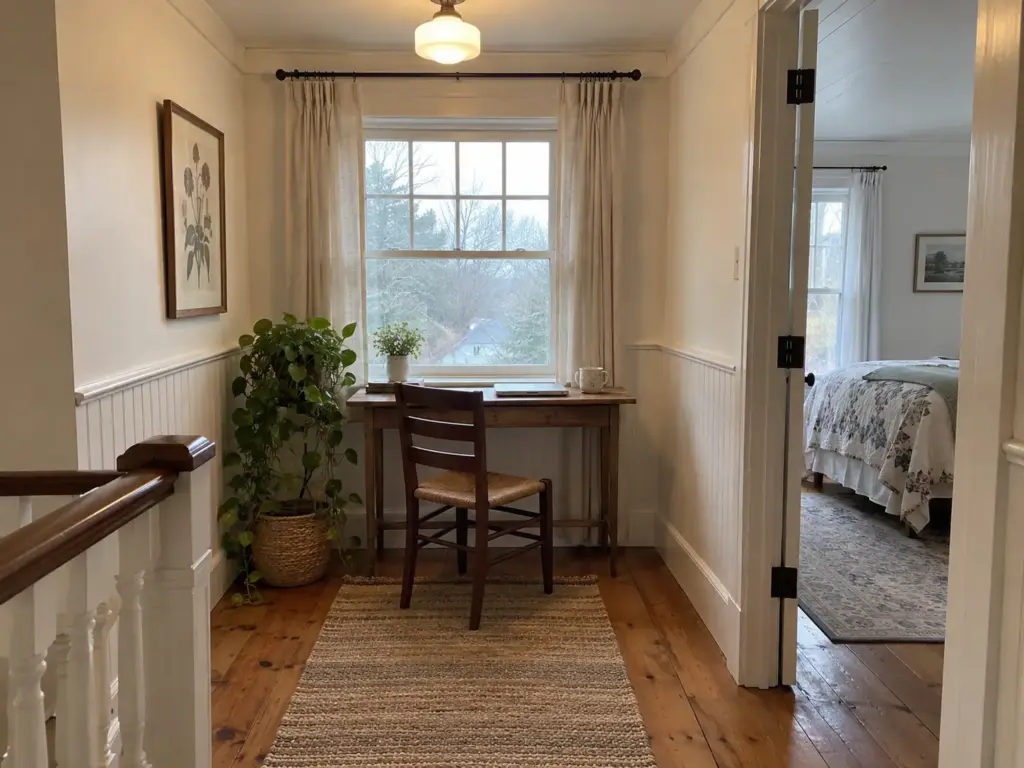
There’s often a stretch of wasted wall at the end of an upstairs hall, a stair landing with a window, or an alcove by the front door. These are the narrowest spots in a home, and they come with a question the others don’t: will anyone walk past you all day?
What a Hallway Spot Can and Cannot Hold
A hallway desk suits typing and short calls. A surface 12 to 15 inches deep takes a laptop and a mug, not a monitor, and the walking width beside it has to stay clear enough that nobody turns sideways to pass your chair. Spaces under the stairs follow the same rule, with a chair that tucks fully under when you leave.
Traffic is the real limit here, more than inches: a hall between the bedrooms and the bathroom is a poor place for calls in a full house and a fine one in an empty apartment.
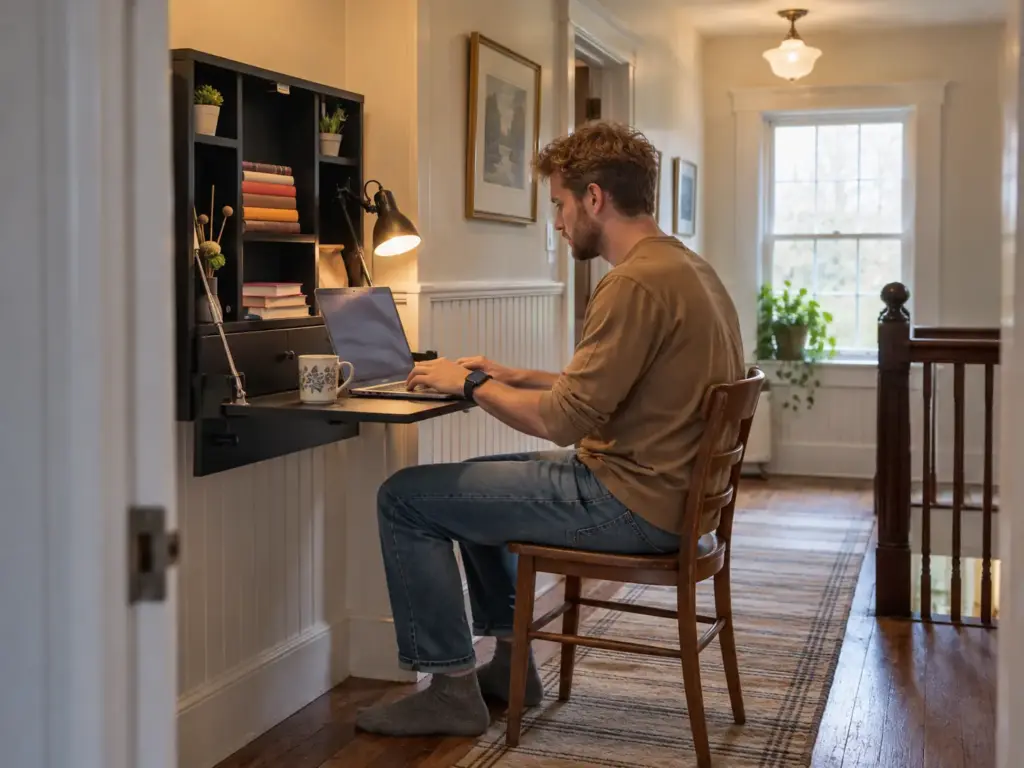
The Wall-Mounted Fold-Down for Owners
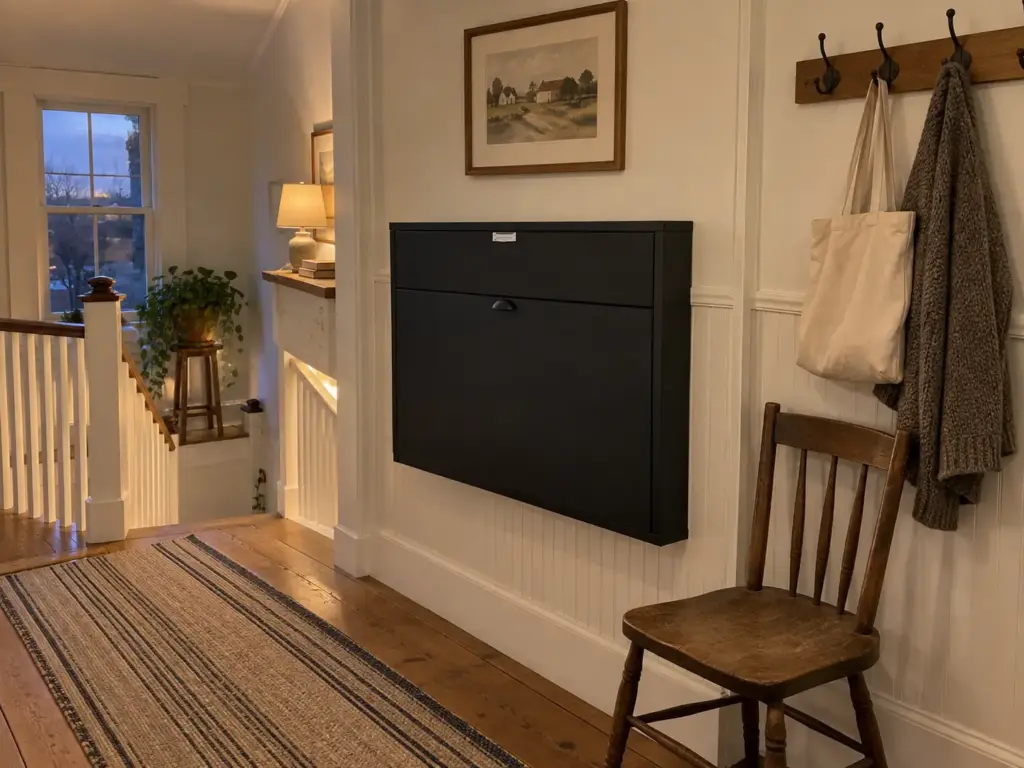
A floating, wall-mounted desk sounds like the obvious answer for a narrow hall. For renters it isn’t, because it needs drilling into studs. Start with a narrow console you already own, or the freestanding desk from the bedroom section, which fits most hallways at 15.7 inches deep.
Of all the space-saving furniture here, the wall-mounted fold-down is the one design with the shutdown built in, and only owners who can drill get it. The Wall Mount Floating Desk Foldable with Storage Drawer and Shelves folds up to a cabinet about 24 inches wide, 6 deep and 22.5 tall, and opens to a 22 x 16-inch surface with a shelf and drawer inside. Close it and the office is gone.
Read the capacity before you picture a monitor on it: the listing caps the desktop, the shelf and the drawer at 11 pounds each, which is a laptop and a mouse. If you’re adding floating shelves or other wall shelves above it, vertical storage ideas and their weight limits cover what different anchors hold.
The Pile Problem on a Shallow Surface
Shallow surfaces collect things faster than deep ones, because there’s no back half to push them toward. Everything lands at the front, where your hands need to be, and the desk stops being a place and becomes a pile.
Decide where each item lives before the surface goes in: charger in the drawer, notebook on the shelf, mail somewhere else entirely. Otherwise a hallway surface becomes the household drop zone within a week. Keys, a bag, a parcel.
Light, Cables and Paper: Making the Zone Hold Up
A small zone gets abandoned for small reasons: the glare that brings on a headache by mid-afternoon, the power strip the chair keeps rolling over, the stack of paper that grows a little every week. These three decide whether the spot is still in use in three months.
Light From the Side, Not From the Window
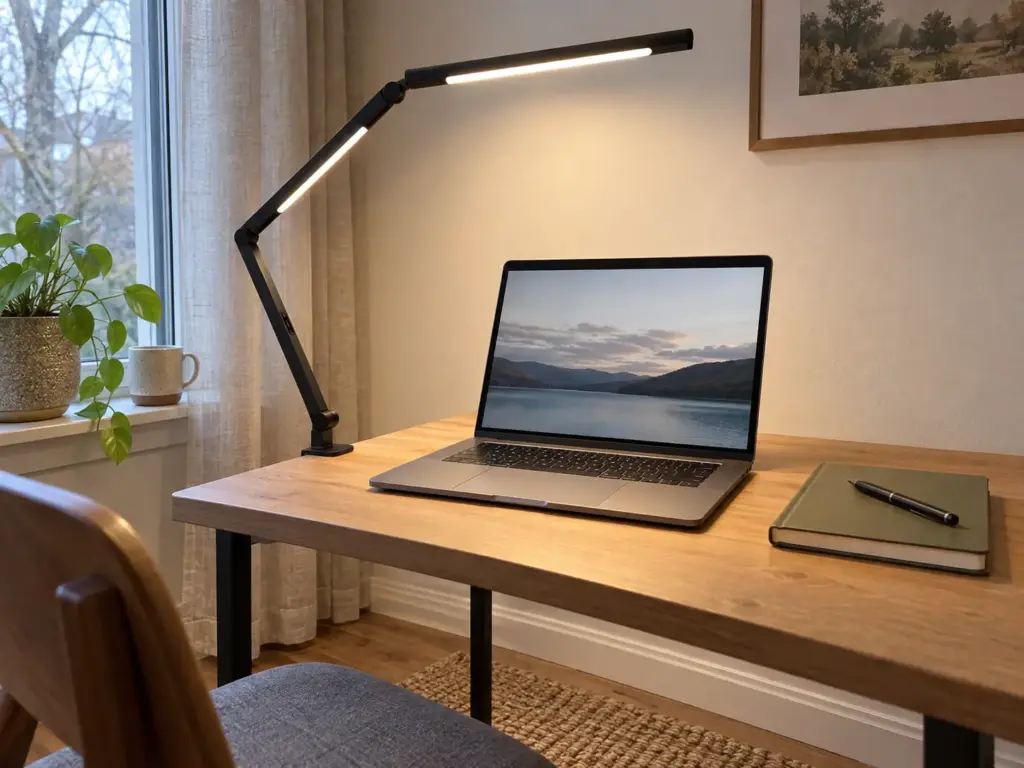
The University of Washington’s environmental health and safety office advises closing the blinds or putting the monitor away from the window to avoid glare. In practice that means a desk sideways to the window, so natural light comes from one side. Closets and hallway nooks have the opposite problem: no daylight, and an overhead fixture behind you that throws your shadow onto the keyboard.
Any lamp you own can supply task lighting if there’s room for it. But in a closet or a shallow nook there usually isn’t, which is where a swing-arm lamp or other clip-on light earns its place. The LED Desk Lamp with Clamp, Architect Dual Light, Swing Arm clamps to a shelf or desk edge and reaches up to about 46 inches to put the light over the laptop. Durability is its weak point: reviewers report units failing after a few months or within the first day, so keep the receipt.
Lift the Cables Off the Floor
OSHA’s under-desk rule applies to cables too. A power strip on the floor gets kicked, rolled over and buried in dust, and the cords running to it make a small spot look messy even when the surface is clear. Start free: bundle the cords with cable ties and strap the power strip to a desk leg.
When the strip needs a proper home, the Cinati 16 inch Cable Management Tray comes as a 2-pack of 16 x 4.6-inch trays that clamp to the desk edge or stick on, no drilling, with 4.7 stars across more than 4,300 ratings. Reviewers split on how solid it feels, some calling it sturdy and others flimsy.
A clamp needs a desk edge to grab, and some shelves and fold-downs don’t have one. For those, the COREMINDED No-Drill Under Desk Cable Management Tray mounts with 3M VHB tape (or screws, for owners) and is rated for 11 pounds, enough for a power strip and a charger brick but not a battery backup. Adhesion is the mixed part of its feedback, so press it onto a clean surface and give the tape a day before loading it. For routing beyond the tray, see cable management at the desk and hiding wires without drilling.
Give Paper a Hard Limit
Give paper one container, a tray or a tote, and make the container the limit: when it’s full, something gets filed, scanned or tossed before anything new goes in. One tray, not three, because three trays become a sorting system you never sort.
Desk organizers worth buying covers trays that fit a narrow desk, and how to organize paper clutter handles what comes out of them. The same UW guidance recommends a five-minute break every 30 to 40 minutes, especially at a less supportive workstation, and a cramped spot is exactly that, so the filing run can double as the break.
Mount the power strip with its switch facing you and turn it off as the last step of the workday. It cuts the standby glow of every charger in a bedroom office, and the click becomes your signal that work is done.
The Shutdown That Keeps the Office From Taking Over
The zone creeps for three reasons: the day has no end, the pile drifts back onto the dining table, and the people you live with don’t know the rule. An end-of-day shutdown handles all three for very little effort.
A Five-Minute End-of-Day Clear
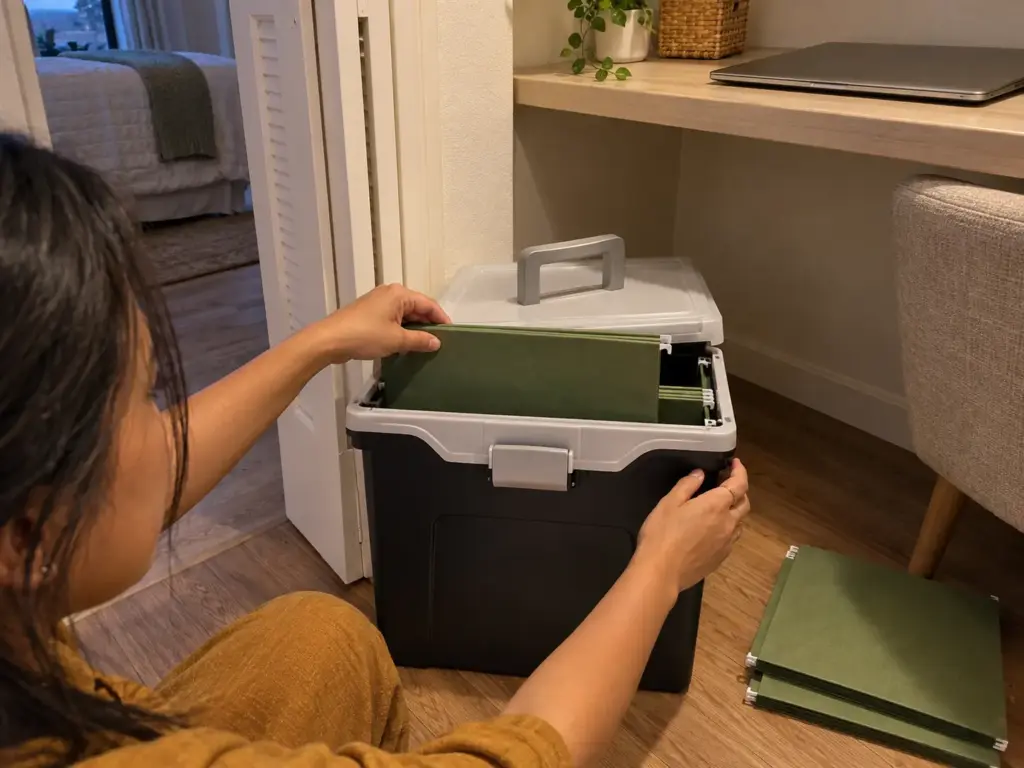
Do the same short sequence every day. Laptop closed and into the riser drawer or a bag, paper into one container, chair pushed in, closet doors or fold-down shut. The point is a visible end to the day, which keeps work from spilling into the evening when the office is ten feet from the sofa: it rebuilds the work-life boundary a separate room used to supply.
A box you already own handles the paper. If you want one built for it, the Staples File Folder Tote holds letter-size hanging files in a 13.8 x 10.1 x 11.7-inch box, so the day’s papers go in and the tote goes into a closet. Its complaints are cheap-feeling plastic and a lid that doesn’t always latch, which matters if you carry it full. Once it overflows, it’s time for a real system for paper and file organization instead of a bigger filing cabinet.
Sharing the Zone With the People You Live With
An agreement beats a nicer room. Pick one signal, closed closet doors or the desk lamp on, and agree on what it means: no walking in, no setting things down, interruptions only for what you’d both call urgent. The r/WFH poster whose door kept getting opened had a fine room and no agreement about it.
Shared zones also collect other people’s things, a big part of why a small apartment desk gets messy again. And if more than one person in the home works past Cornell’s one-hour line, each needs a spot set up for it, not a turn at the laptop-friendly end of the table.
The Weekly Reset
Once a week, wipe the surface and screen, check the cable tray for anything that crept in, empty the paper container down to its limit, and put back whatever wandered. It’s the weekly clean the r/WFH poster credited for rescuing their cramped desk, and small surfaces need it more than large ones. Pair it with the daily desk reset and the habits for keeping a desk neat past the first week.
Tie the weekly reset to something that already happens every week, like trash night or the grocery order, instead of giving it its own reminder. A reset with its own alert gets snoozed; one that rides along with a chore you can’t skip tends to survive.
Claim the Spot, Measure It, Close It Every Night
Choose the spot by your day (your calls, the people at home, whether the setup can stay out) rather than by which corner looks emptiest. Measure it against the two limits that matter, a screen about 20 inches away and leg room under the desk, plus the door swing, the chair’s pull-back and the outlet. And end every workday with a shutdown you can see, so the office has edges.
In three months, look at the spot on an ordinary weekday evening: is it still claimed, is the paper under its limit, and did the shutdown survive your busiest week? If any of those slipped, the routine needs adjusting, not a bigger desk.
Today, take a tape measure to the spot you’re leaning toward and write down its depth, the distance to the nearest outlet and how far the chair can slide back. Then work there for a week with what you already own, and notice which of the three numbers you keep bumping into.
Frequently Asked Questions
01What is the smallest size for a home office?
A workable small home office needs a surface deep enough to keep the screen about 20 inches from your eyes and 20 to 28 inches of leg clearance underneath. A standard reach-in closet, roughly 24 inches deep, can hold that. Shallower spots work with a laptop on a riser.
02What’s an alternative to a home office?
The best alternatives to a spare-room office are a converted reach-in closet, a bedroom corner, a console behind the sofa, the dining table with one tote, or a hallway nook. Pick by whether you take calls and who is home while you work.
03How do I make a home office when I have no space?
Choose one spot by how your workday runs, measure its depth, leg room and nearest outlet, then claim it so nobody else uses it during work hours. Light it from the side, lift cables off the floor and end each day with a shutdown.
04How do I keep work from taking over the rest of my home?
Keep work contained with a daily shutdown, laptop away, paper in one tote, doors or desk closed, plus a household agreement about what a closed door or a lit lamp means. A door alone rarely holds the boundary; the agreement does.
05Can I set up a home office without drilling?
Yes, a renter-friendly home office works without drilling: a freestanding desk, a clamp lamp, clamp-on or adhesive cable trays, and a stack of books as a laptop riser. Wall-mounted fold-down desks need studs, so they suit owners rather than renters.
Disclaimer: ClutterlessNest is a participant in the Amazon Services LLC Associates Program. As an Amazon Associate we earn from qualifying purchases. This article may contain affiliate links — if you buy through them, we may earn a small commission at no extra cost to you. We only recommend products we have tested or genuinely believe in.