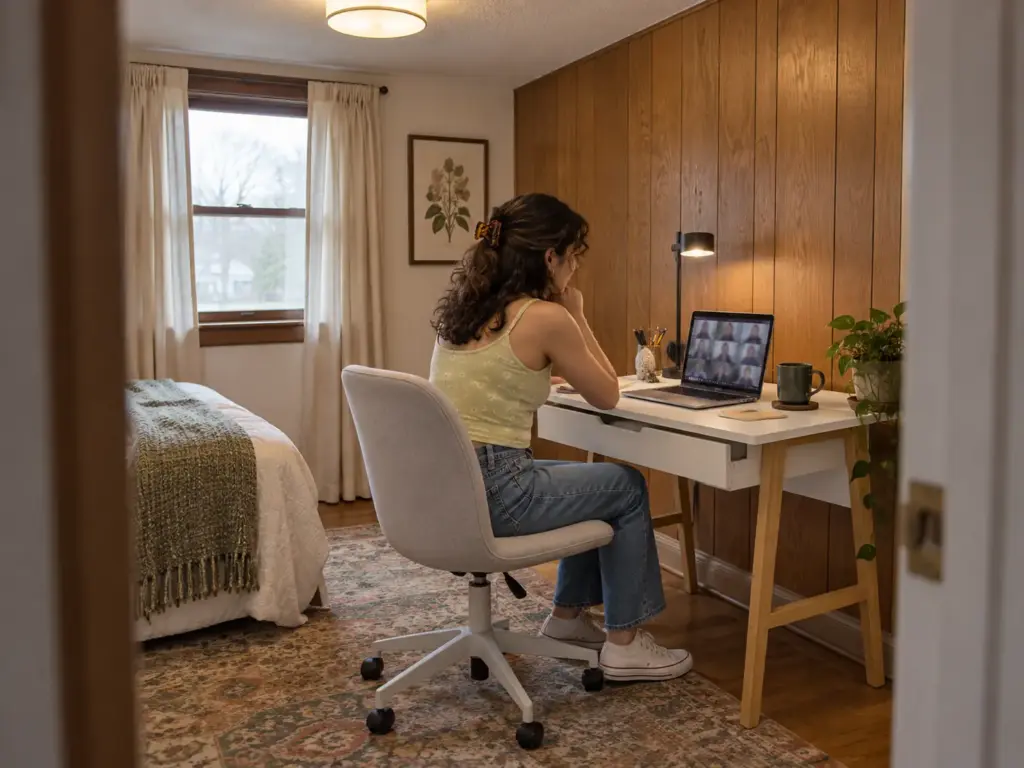
You measured the nook down to the half inch, found a desk that fills it almost exactly, and only then pictured yourself sitting at it: chair jammed against the back wall, knees against the drawer, no way to stand up without shoving something. One person on r/desksetup went through the same thing with a 50 x 50 inch nook and a 48 x 48 corner desk, until a commenter pointed out that the space had to hold a chair too. The best compact desks for small spaces are chosen by the floor space they leave free, and depth decides more of that than width does, because depth also sets how far your eyes sit from the screen. Below you’ll find the footprint math, the desk type that fits each kind of space, seven picks with real dimensions and their weak spots, the drill-or-no-drill split, and the ways these desks fail by month three.
If you haven’t settled where the desk goes yet, our guide to setting up a home office in a small space picks the spot; this one picks the desk for it. Here are the five desk types, with the floor each one actually takes:
| Desk type | Floor it takes (W x D) | Drill? | Best for |
|---|---|---|---|
| Freestanding folding (WOHOMO) | 31.5 in wide, 15.75 to 19.7 in deep | No | Renters and rooms that need the floor back at night |
| Wall-mounted fold-down (GOYLSER) | 25 x 15.7 in by default; bigger variants exist | Yes, into studs | Owners with no floor to spare |
| Compact desk with a drawer (Parma) | 42 x 20 in | No | A wall the desk can claim all day |
| Larger compact with drawers (Bestier 47) | 47.2 x 21.7 in | No | A desktop tower or two screens |
| L-shaped corner (Bestier 42 L) | 41.9 x 32.3 in | No | A real corner with a chair zone in front |
How to Size Compact Desks for Small Spaces (the Chair Zone Math)
A desk listing gives you one rectangle. Your room has to hold two: the desk, and the patch of floor where you sit, push back and stand up. Most sizing mistakes come from measuring the first and guessing the second.
The 60-Inch Rule: Desk Depth Plus the Chair Zone
Plan 36 to 42 inches of open floor behind the desk for the chair. That chair clearance is what a rolling chair needs to slide back far enough for you to get up without turning sideways. Add it to the desk’s depth and you get the real footprint: a 24-inch-deep desk plus a 36-inch chair zone is 60 inches of floor measured out from the wall, and with a 42-inch zone it’s 66.
Which end of that range applies depends on the chair, not the desk. An armless chair that slides fully under the desktop can live at the 36-inch end. A rolling office chair with armrests catches on the desk’s front edge, never tucks in, and needs the full 42. And if the path to the door or the closet runs behind your chair, that walkway sits on top of the chair zone, not inside it.
So 60 inches is the floor, not the target. At 40 inches of total depth the desk still gets used, but standing up means twisting out sideways, and that friction sends people back to the couch with a laptop.
Why a 50 x 50 Nook Cannot Hold a 48 x 48 Desk
The r/desksetup asker had a 50 x 50 inch nook and was aiming for a 48 x 48 L-shaped desk “just in case” the space was tight, which leaves 2 inches of slack on each wall and puts the chair in the inside pocket of the L. There’s no push-back left in that pocket. The commenter’s suggestion was a rectangle of about 47 x 24 inches along one wall instead, so the open side of the nook becomes the chair zone and the chair can roll back into the room.
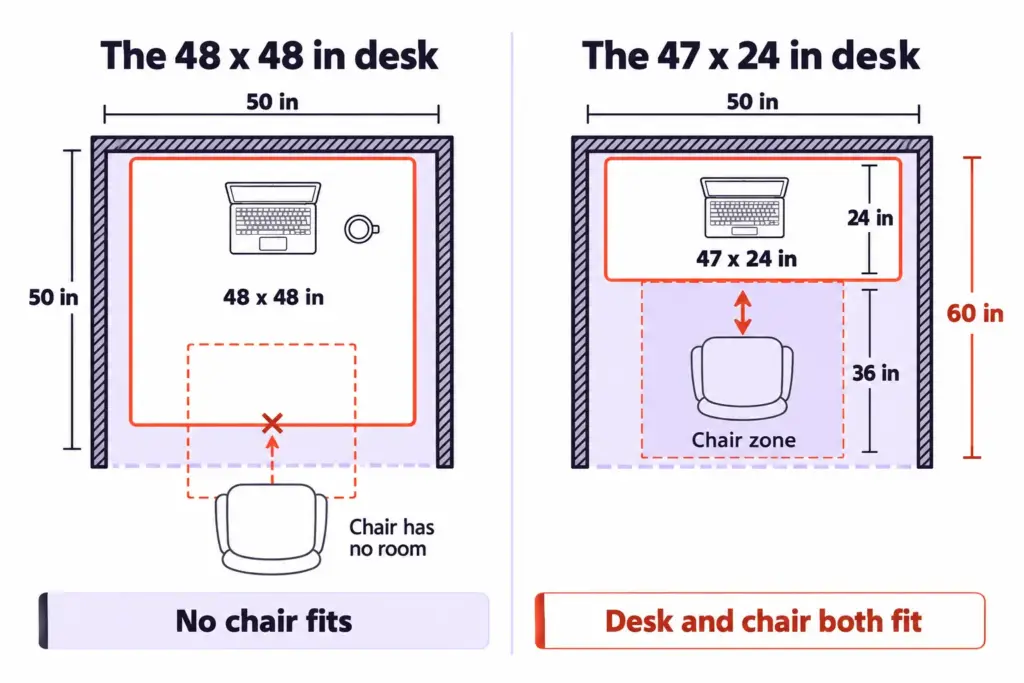
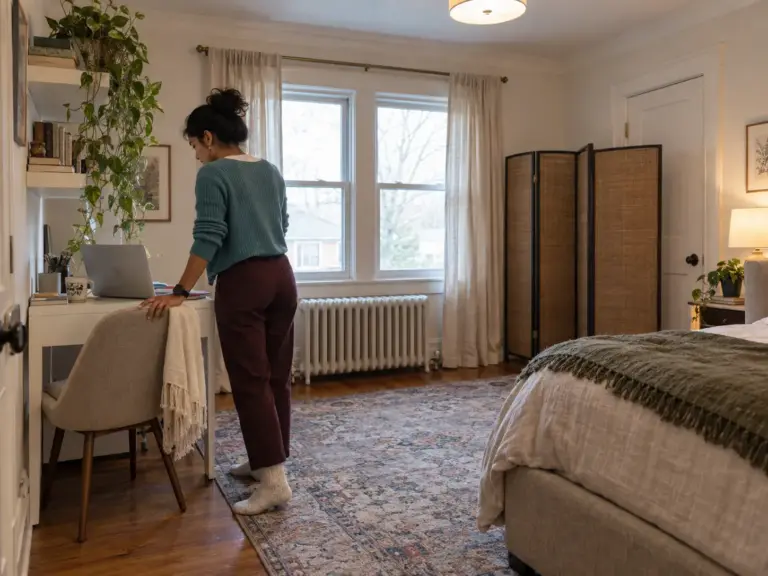
The phrase that keeps coming up in these threads is some version of “limited to space,” and it almost always means the desk was sized to the nook rather than to the nook minus the person. A narrower desk with an open side beats a bigger desk with closed walls in nearly every small room, and in a studio apartment, where the bed and the desk often share one wall, it’s the only version that works. The same math gets tighter when it’s a desk that has to live in the room you sleep in, where the bed often eats the chair zone before the desk arrives.
Depth Is a Health Spec, Not a Style Choice
According to OSHA’s computer workstation guidance on monitor distance, “Put monitor directly in front of you and at least 20 inches away.” OSHA’s preferred range runs from 20 to 40 inches, eye to screen, and the desk’s depth is what gives you that distance.
That turns desk depth into a measurement you check before style. A folding desk 15.75 inches deep, with a monitor on its stand pushed against the back edge, leaves the screen well inside 20 inches of your face once you sit close enough to type. A laptop gets away with it because the screen hinges up from behind the keyboard; a 24-inch monitor does not.
For a benchmark of what “compact” means, The Spruce keeps its small-space desk picks within 41 inches wide and 20 inches deep, and puts a standard office desk at about 30 inches deep. That 30-inch desk is the one that won’t fit a nook. The 20-inch mark is where compact and comfortable meet.
Tape It on the Floor Before You Buy
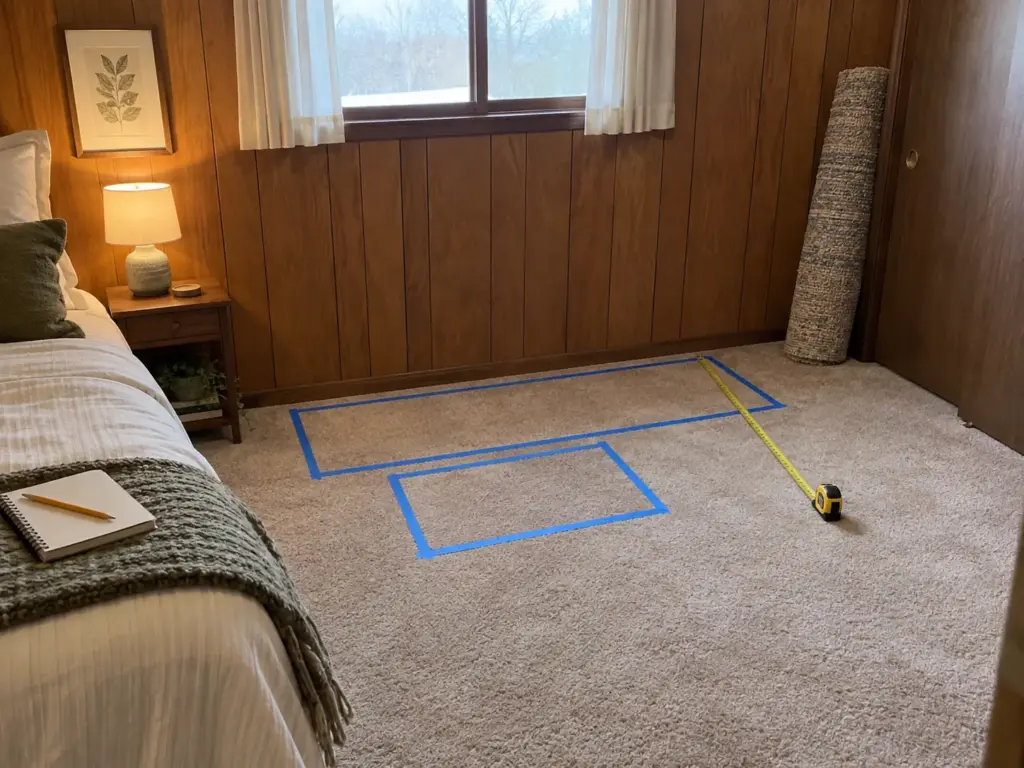
The cheapest sizing tool is a roll of painter’s tape. Mark the desk’s rectangle against the wall using the listing’s width and depth, then mark the chair zone behind it, and leave both on the floor for a day.
Walk through the space the way you normally would: carrying laundry, opening the closet, getting to the window. If you step on the chair zone more than twice, the desk is too deep for that wall, or the wall is the wrong one.
Put the chair you already own on the taped rectangle, sit, and push back as if you were getting up. Mark where the back legs land. That mark is your chair zone, and it will be a few inches different from any number in a guide, including the 36 to 42 here.
Which Desk Type Fits Which Space
“Small desk” covers five different kinds of furniture, and a desk for small spaces can be any of them. A desk that folds flat behind the couch and a desk with an L-shaped return solve opposite problems. Sorting them by the floor they need rules out most of them in a minute.
Freestanding Fold-Away: For Floor You Can Reclaim
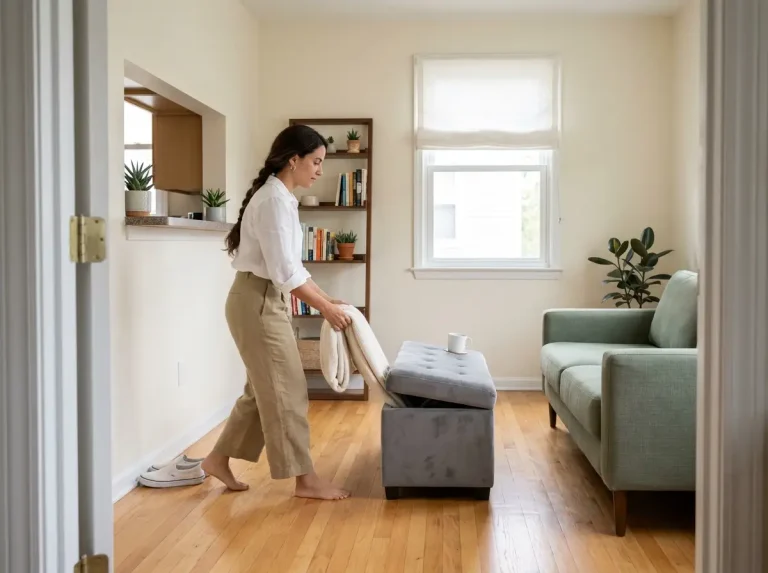
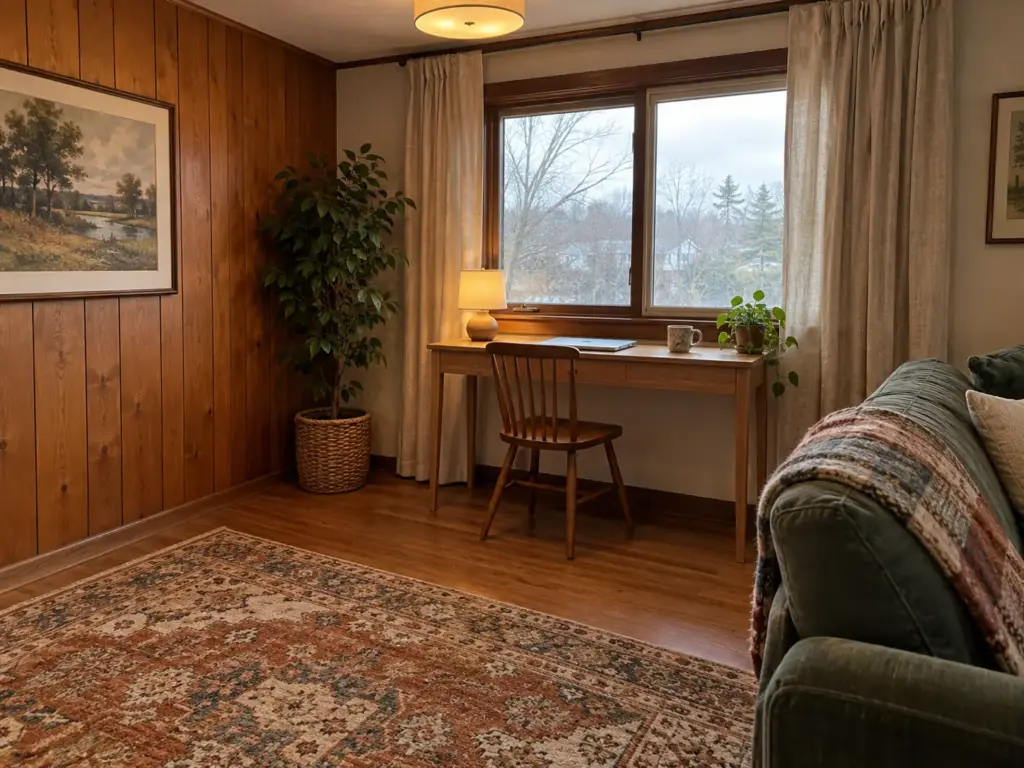
A folding desk, sometimes sold as a foldable desk, trades depth for floor time. It sits about 31.5 inches wide, works at somewhere between 15.75 and 19.7 inches deep depending on the model, and folds to a few inches thick when you’re done. That makes it the pick for a living room desk or a bedroom desk where the floor has a second job in the evening.
The shallower models are laptop desks in practice. If you run a monitor, look at the deeper end of the range and put the screen to one side of the 20-inch question rather than ignoring it.
Wall-Mounted Fold-Down: For No Floor at All
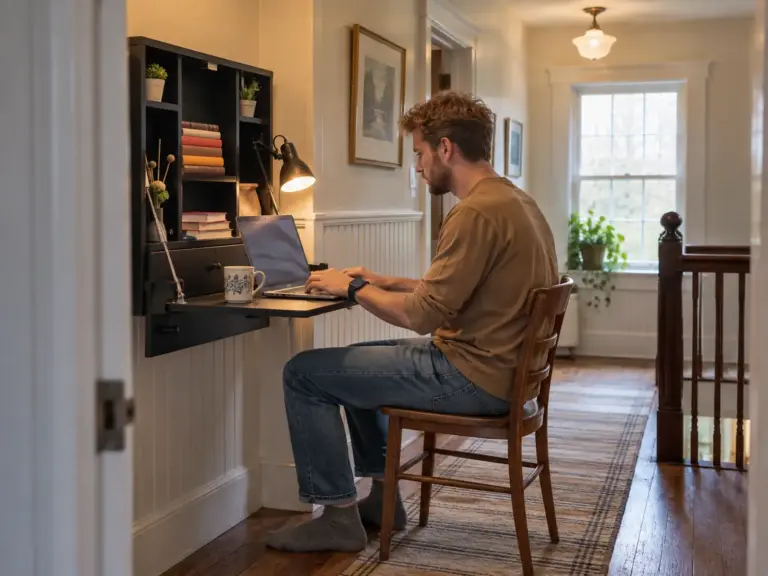
A wall-mounted desk, also sold as a floating desk or a fold-down desk, takes zero floor when it’s closed, using vertical space instead, and only its own depth when open. The trade is the wall: it has to hold screws in studs, which makes it an owner’s desk or a renter’s desk with written permission. The drill question gets its own section below, because it decides more than the desk does.
Compact Desks With Storage: For a Wall You Can Claim All Day
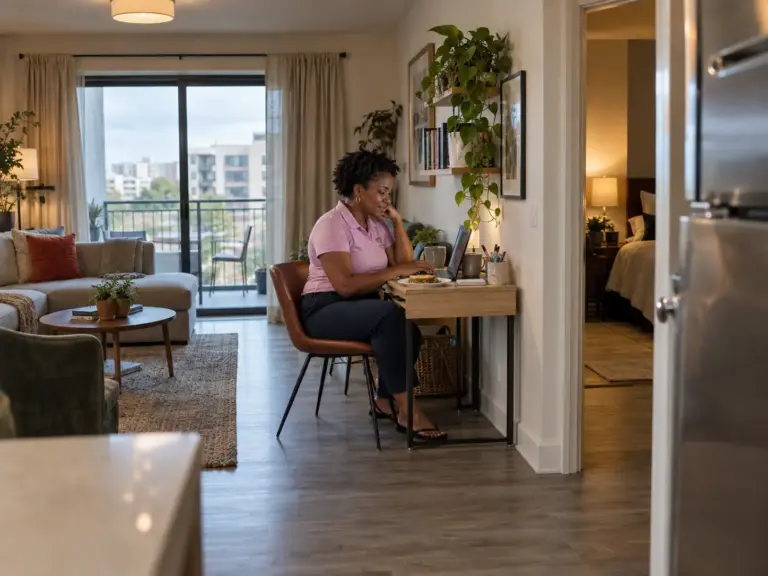
A fixed desk with storage, around 42 x 20 inches with a drawer, is the most comfortable option when one wall can belong to the desk full time. The drawer keeps chargers and cables off the surface, and 20 inches of depth sits right at OSHA’s line.
There’s also a fifth route that isn’t a desk at all: a console table, a bar-height table or a drop-leaf table, all multifunctional pieces that do a second job. If your room can’t give a wall to one purpose, dual-use furniture like drop-leaf tables is worth a look before any desk.
Corner and L-Shaped: Only With a Real Corner
An L-shaped desk looks small in a title that says “42 inch.” Then you read the depth on the long arm, often 32 inches or more, and remember the chair zone still goes in front of that. It belongs in a room where the corner is genuinely free and the floor in front of it stays open.
If you’re still choosing between a desk, a closet office and a console perch, our comparison of setups compared by the floor each setup takes sorts the layouts; this article stays with the desks.
Freestanding Folding Desks That Need No Wall
Picture a renter who has to work from home all day, then needs the living room to be a living room again. Nothing can go on the wall, and the desk has to disappear behind the couch.
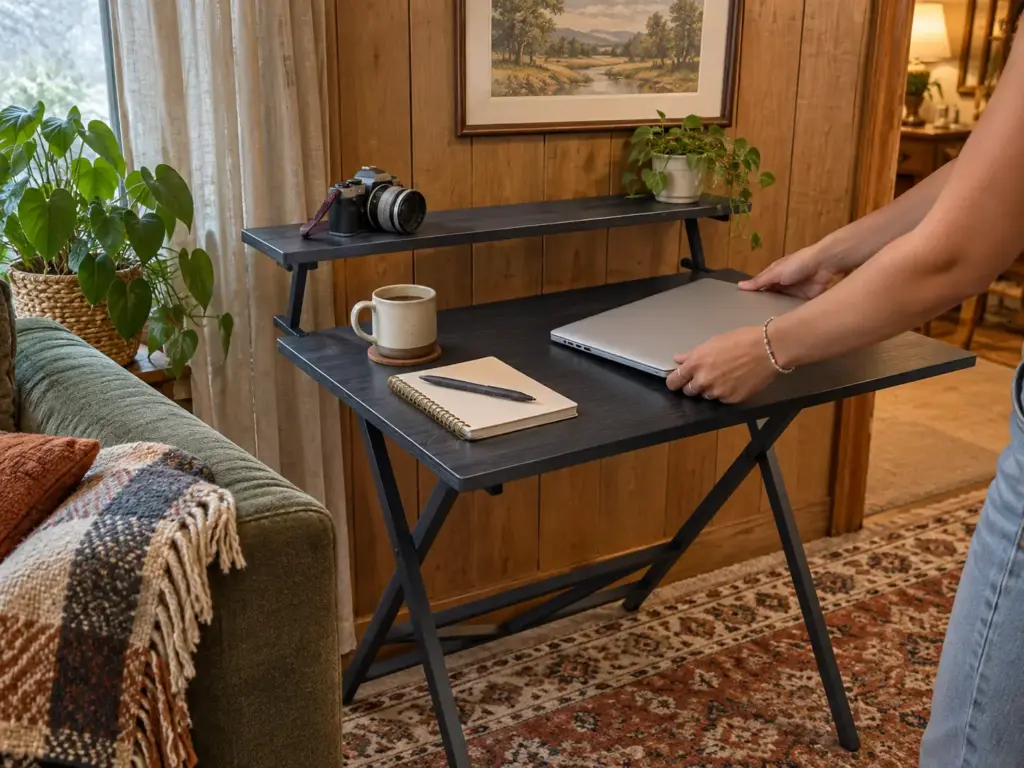
Before buying anything for that situation, try the table you already have. A tray table or the end of the dining table can carry a laptop for a month, and a month tells you whether you work at a desk daily or twice a week. If it’s daily, a folding desk earns its place, because the dining table that has to be cleared every evening tends to stop getting cleared.
WOHOMO Folding Desk: The Narrowest Floor Footprint
The WOHOMO Folding Desk is the renter-safe default: nothing touches the wall, and it folds thin enough to slide behind a sofa or under a bed. Its weak spot is the depth you’ll work at most of the time.
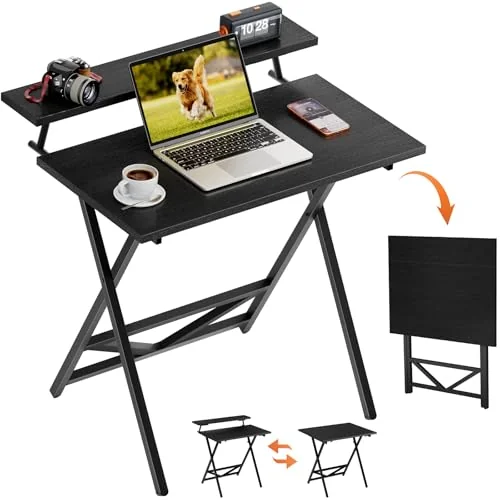
A desk this thin also changes where “away” can be. If you have a reach-in with a few inches free, a closet that can hold a fold-away desk gives the folded desk a home with a door on it.
HOMCOM Rolling Folding Desk: The Deepest Fold-Away
The HOMCOM Small Folding Desk is the folding desk for someone who runs a monitor. At 19.7 inches deep it’s a hair under OSHA’s 20-inch line, which is as close as the folding class gets, and its wheels roll it out of the walkway instead of making you carry it.
GreenForest No Assembly Folding Desk: The Budget Pick, With a Variant Check
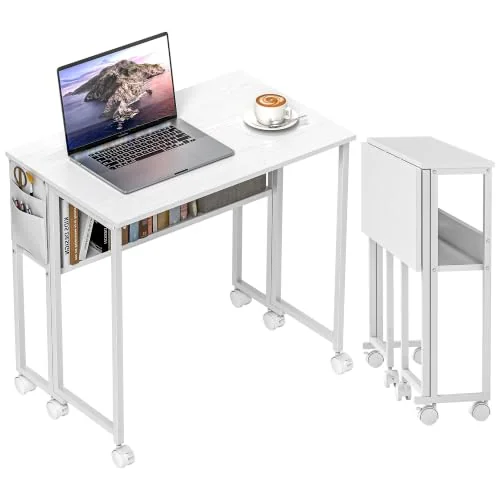
The GreenForest No Assembly Folding Desk is the cheap option with the most ratings behind it, and the listing sells several sizes under one page. Open the link, look at which variant is selected, and check its depth against your taped rectangle before you add it to the cart.
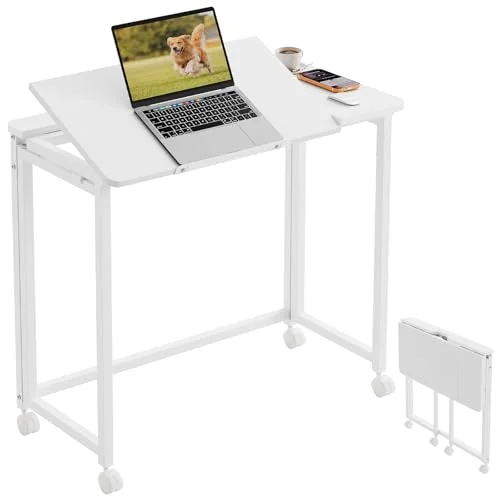
Whichever of the three you pick, the complaint that shows up most in folding-desk threads is wobble: a light frame that shakes while you type, and a monitor that shakes with it. What people report working costs nothing. Push the desk flat against a wall so the wall takes the sideways push, and put rubber feet or rubber casters under the legs so it can’t creep.
On a folding desk, put the heaviest thing (monitor or laptop) over the legs, not in the middle of the span. A load in the center of a thin top is what turns a little give into a visible bounce when you type.
Why Compact Desks Fail by Month Three
On day one, the compact desk looks right in the photo you took of it. By month three, it’s often the thing you work around: the laptop has migrated to the couch, the desk holds mail and a lamp, and you can’t say exactly when that happened. These desks rarely break. They fail in four quieter ways, and each one can be checked before you buy.
Too Shallow: The Monitor Creeps Toward Your Face
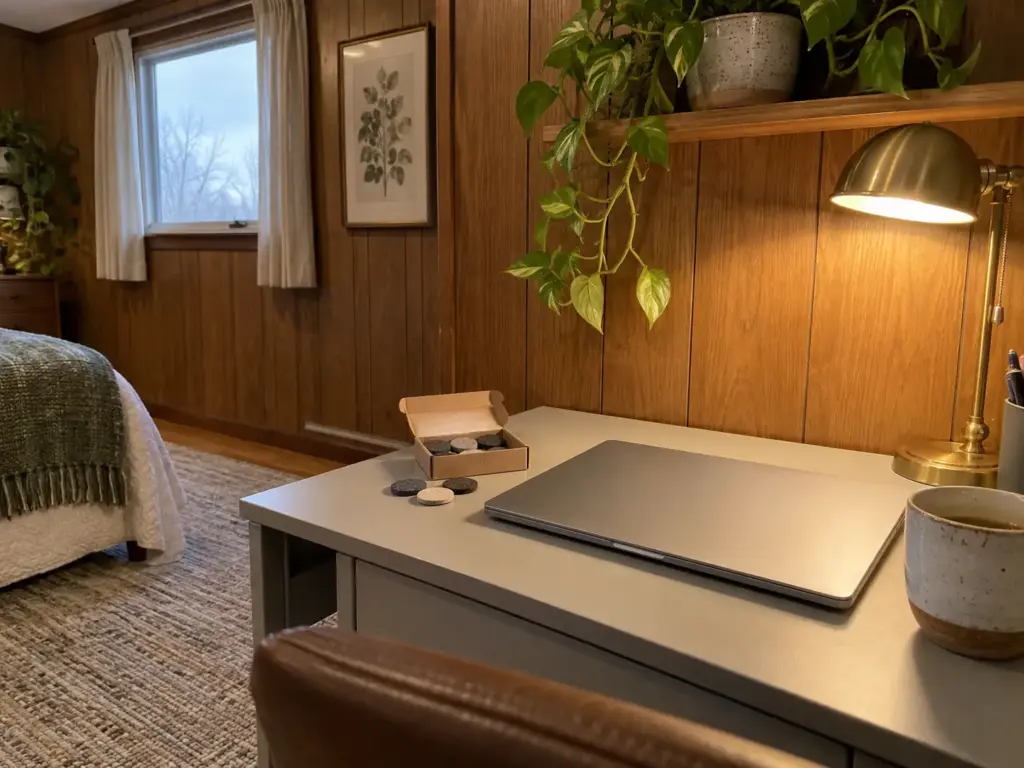
The first failure is depth. On a desk under 20 inches deep, the monitor sits closer than OSHA’s minimum, so you lean back to read it, then slide the screen back to the edge, then find the keyboard has nowhere to go. Within a few weeks, the setup gets rearranged daily, and a desk you have to rearrange every morning is a desk you start skipping.
There are three ways out. A flat-panel monitor on a thin stand gains you a few inches over a bulky one. A deeper desk solves it outright, if the chair zone allows. And a corner gives you depth a straight wall can’t, since the screen goes into the diagonal (more on that with the L-shaped pick below).
What doesn’t work is ignoring it, because your eyes will rearrange the desk for you.
The Wobble That Shows Up While You Type
The second failure is stability. People describe it in the same words over and over: the monitor shakes even while typing. A light frame flexes under each keystroke, the screen picks up the motion, and the shaking is small enough to ignore on day one and big enough to quit over by week six.
Folding desks are the most prone to it, because a hinge is a joint, and standing desks at full height do it too. The fixes people report are cheap and physical: the desk against a wall, rubber casters or feet that grip, and, on taller desks, wire tensioned under the top to stiffen the frame. If a desk wobbles in the first week, tighten every bolt once; if it still moves, the wall fix is the next step, not a new desk.
Light Frames and Surfaces That Scratch, and Fold-Down Fatigue
The third failure is the material. One Spruce editor, reviewing the IKEA Micke they bought for a first apartment, complained about two things that apply to most budget desks: the particleboard top scuffs, and the assembly is tedious. Neither is a reason to skip a budget desk. Both are reasons to put a desk pad under the mouse and keyboard from the start and to keep the hex key in the drawer, because particleboard joints loosen and need a second tightening.
Then there’s the failure no listing will mention, which is a habit problem. A folding desk works beautifully while you fold it. When the morning unfold turns into a chore, the desk stays open “just for this week,” and by month three it’s a permanently open, slightly wobbly desk in the middle of the room, the worst version of both options. If you already know you won’t fold it daily, buy a fixed desk with a smaller footprint instead (or put the folding one where staying open does no harm).
The Surface Fills Up in a Week
The fourth failure is the surface. A 31.5 x 15.75 inch top holds a laptop, a mug and a phone. Add a lamp, a notebook and the mail you set down on your way past, and the laptop no longer opens fully. On a compact desk, every object you add takes room from the one thing the desk is for.
The rule that holds up is to decide what lives on the desk before it arrives: the screen, the keyboard, one cup, one lamp, and nothing that has another home. If you want a method for a desk surface that fills up in a week, the small-apartment version covers it item by item.
Wall-Mounted Desks and the Drill Question
Two people want the same zero-floor desk. One owns the place and has a stud finder in the drawer. The other rents, and the lease says nothing goes into the walls without permission. A fold-down wall desk can be the right call for the first person and a bad one for the second, and the difference sits entirely behind the drywall.
What a Fold-Down Wall Desk Actually Needs Behind It
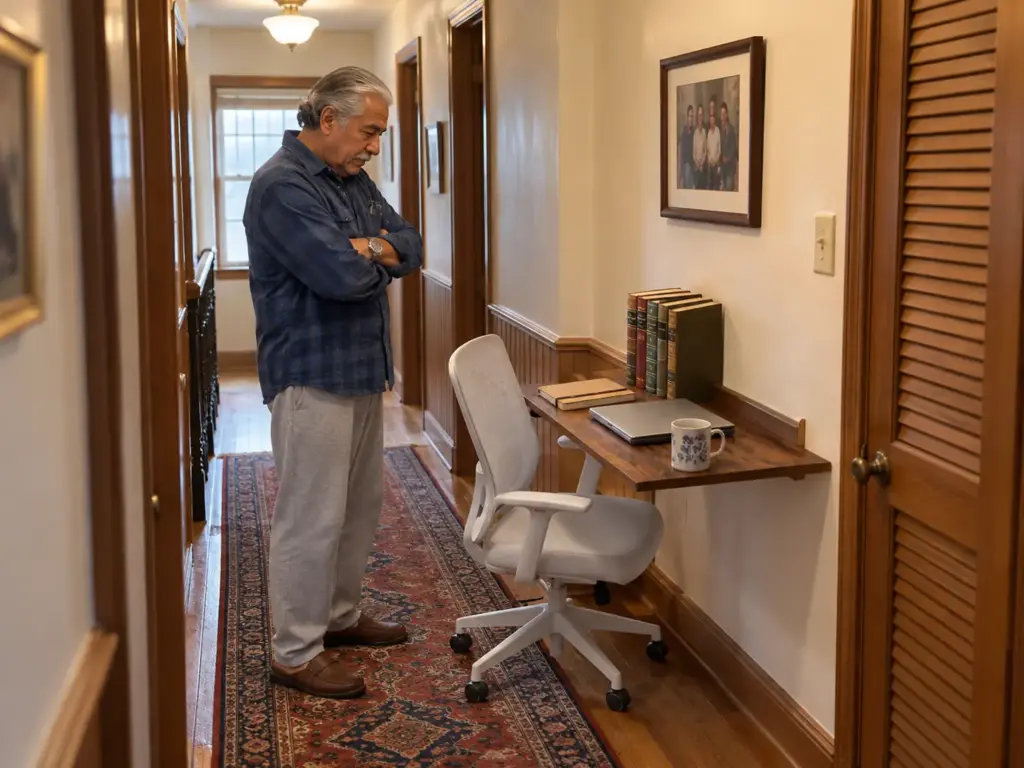
A wall desk is a leverage problem more than a weight problem. A shelf holds things close to the wall, so the load pulls mostly straight down on its screws. A desk sticks out 15 to 20 inches and you lean on its front edge, so the same weight pulls the top screws outward, away from the wall, and the farther out you lean the harder they pull. That’s our reasoning about how a lever works, and it’s why we’d only trust a wall desk that’s anchored where the wall is solid.
The GOYLSER listing says it plainly: on drywall, the screws must go into the supporting strips (the studs), and that mounted into the hollow part of the wall it won’t be sturdy. So locate the studs first and mount it into them, the way the listing and the manufacturer’s instructions say. The same principle governs how wall-mounted shelves handle weight, with the extra lever of your forearms on top.
The Renter Test: Can You Hang It, or Must You Not
The wall desk is the answer most small-room advice reaches for first, because it frees the floor completely. For renters it’s the wrong default. Holes into studs are larger than picture-hanging holes, the patch job at move-out is real, and a desk mounted into hollow drywall to avoid the stud question is the worst outcome on this list.
The test is short. If you own the place, or the landlord says yes in writing, and you can find two studs where you want the desk, a wall desk works. If any of those is a no, a freestanding fold-away like the WOHOMO above gives you most of the same floor back without a single hole. It needs a few inches of floor when folded, which is the price of no drilling.
The GOYLSER Wall Mounted Folding Desk
The GOYLSER Wall Mounted Folding Desk takes no floor at all once it’s folded. The variant the link opens by default is 25 x 15.7 inches, which is shallow: a laptop desk, not a monitor desk. Larger 35 x 20.5 and 47 x 20.5 inch variants exist on the same listing, and if you plan to run a monitor, the 20.5-inch depth is the one that clears OSHA’s line.
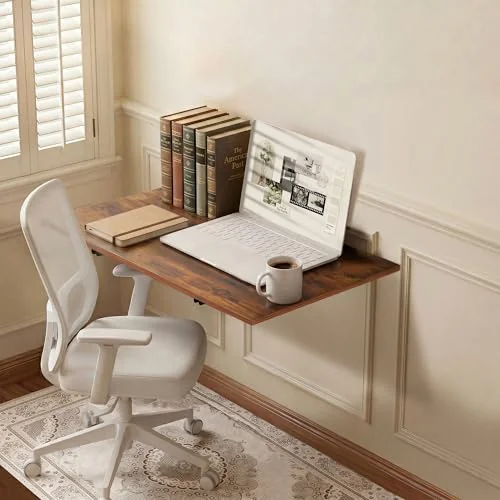
Before you drill, tape the open desk’s outline on the wall and on the floor below it. The open desk plus your chair still needs the full chair zone, so a wall desk in a hallway blocks the hallway for as long as you work.
Budget Tiers Without Prices: Where the Cheap Desk Is Enough
You may already suspect that the expensive compact desk isn’t better, only bigger. Often that’s right. The useful question is what each step up buys you in your room, and whether you’d notice it on an ordinary workday.
The Budget Tier: Fold-Aways Cover Most Lives
If your work is a laptop and a mug, the cheapest desk on this list does the whole job. The GreenForest and the WOHOMO sit in this tier, and the HOMCOM is the step to take if a monitor joins the laptop. What you give up is weight and depth, and a laptop needs neither.
And even that tier comes second to the free one: a dining table cleared before dinner, plus a box for the work kit, tells you within a month whether you need a desk at all. Skip any desk, cheap or not, whose depth fails the 20-inch test if a monitor is part of your day.
The Middle Tier: Drawers and a Deeper Top
The Parma and the two Bestier desks live here. You pay for two things: a drawer, and a top 20 inches deep or more. The drawer earns its place if you currently spend part of each week hunting for a charger or clearing cables off the surface; the depth earns its place the day a monitor arrives.
If neither of those describes you, the middle tier is furniture for a future job. Buy the budget desk now and let the room tell you what it’s missing.
The Stretch Tier: Only When the Room Has the Floor
The 47-inch Bestier and the L-shaped desk are only worth it in a room that can give them the floor and the chair zone together. A bigger desk that pushes the chair into the bed or the closet door costs more in daily friction than it gives in surface. If your taped rectangle plus chair zone crosses a walkway, the stretch tier is out, whatever the rating says.
What Actually Lives on a 24-Inch Surface
Even a 24-inch-deep top fills faster than you’d expect. The order that works is the laptop or keyboard first, a mug second, a lamp third, and anything else only if it’s used daily. Our guide to what lives on a 24-inch-deep surface goes item by item, and if you want something to corral the small stuff, look at desk organizers that fit a shallow top rather than the deep trays made for full-size desks.
For a week, keep a sticky note on the desk and add a tally mark whenever you go looking for a drawer that isn’t there. If the week ends with fewer than five marks, the budget tier was the right call and you can stop shopping.
Compact Desks With Drawers and Corner Desks Worth the Floor
This is where people trade the last open patch of floor for storage and a bigger top. Sometimes that’s the right trade. The three desks here are for the rooms where it is, and each has a number to check first.
The Spruce’s pick for best overall, IKEA’s Micke, isn’t sold on Amazon. Its 41-inch version runs about 41.3 x 19.6 inches, and the closest equivalent in this list is the Parma.
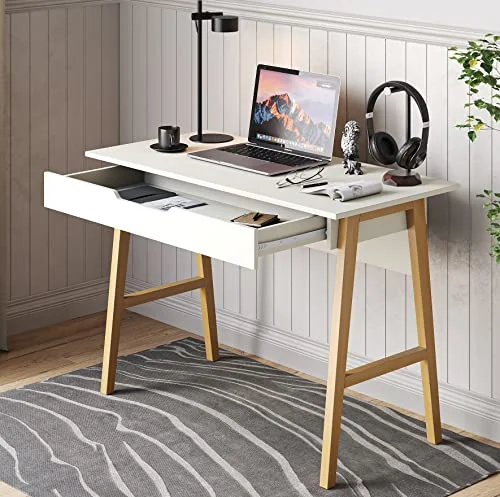
Modern Designs Parma 42 in: The Exact Edge of “Compact”
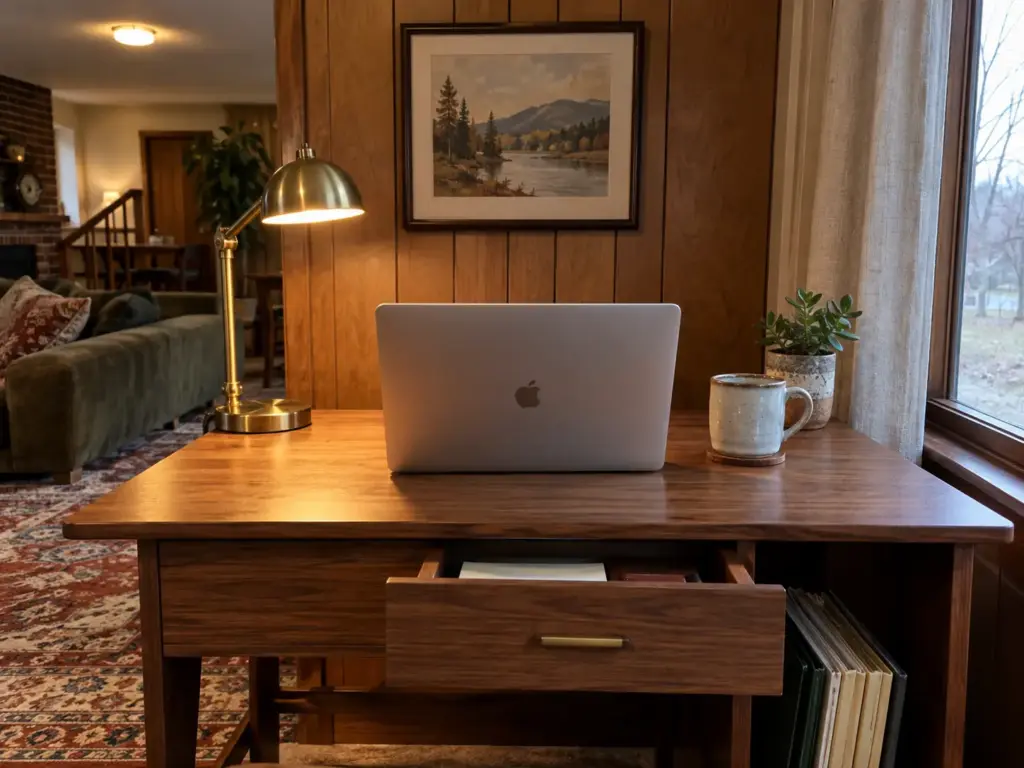
The Modern Designs Parma Small Desk sits right on the line of what compact means: 42 inches wide, 20 deep. Its single drawer is where chargers and cables go so the top stays clear, and 20 inches of depth is enough for a monitor on a slim stand.
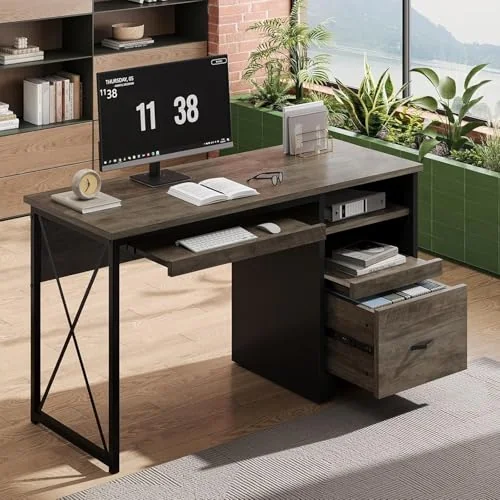
Bestier 47 in With Drawers: Sturdy, and a Size Jump
The r/desksetup asker wanted a desk sturdy enough to hold a desktop tower on top, and sturdy and compact pull in opposite directions. The Bestier 47 inch Office Desk with Drawers is what sturdy looks like: a 150-pound weight capacity on the top, two drawers and 21.7 inches of depth. It’s also 47 inches wide, past the compact mark, so it only belongs on a wall with room to spare.
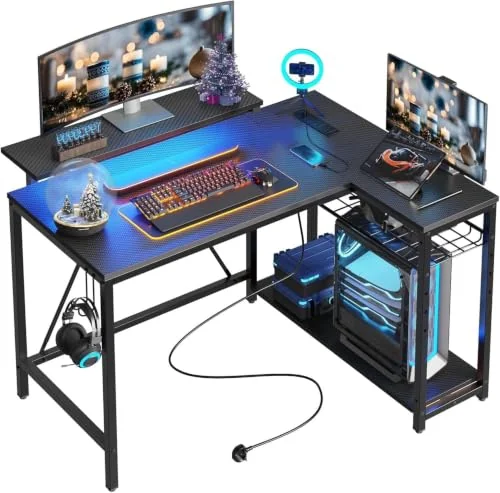
Bestier 42 in L-Shaped: It Needs a Real Corner and a Chair Zone
“Use the corner” is standard small-room advice, and OSHA itself notes that corners often give more desk depth than a straight run, since the monitor can sit back in the diagonal. In a 50 x 50 nook, though, an L-shaped desk is the wrong call: its long arm runs about 32 inches deep, and once the desk takes both walls there’s no chair zone left. A corner desk earns its floor only in a room where the corner is open and the chair can roll back into clear space.
The Bestier 42 inch L-Shaped Computer Desk is that desk for that room. Its built-in power strip puts the outlets on the desk, which matters when the nearest wall outlet is behind the return.
Cables, Height and the Last Check Before You Buy
The desk is picked. Whether it stays pleasant for the next year now comes down to two smaller things: where the cables go, and where the top of the screen lands.
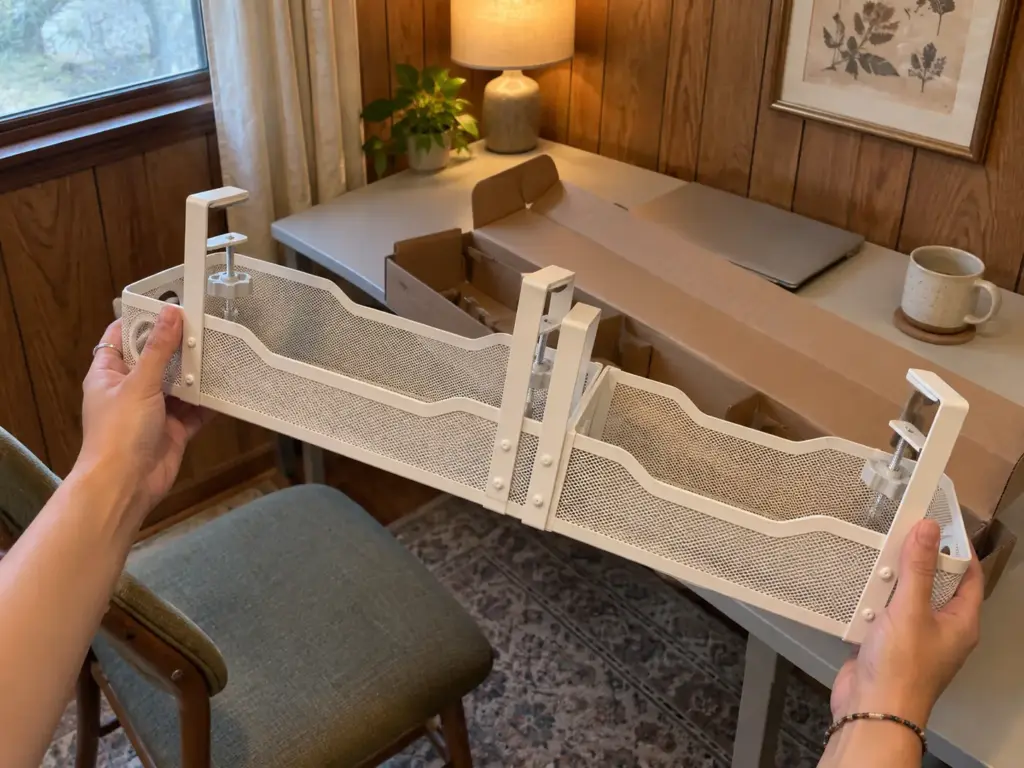
Keep the Cables Off the Floor Without a Drill
On a compact desk the power strip usually ends up on the floor, right in the chair zone, where the chair’s casters roll over the cords and your feet kick the plugs loose. Lifting it is free if you can zip-tie the strip to a desk leg. If you want a cleaner route, the Cinati 16 inch Cable Management Tray clamps under the desktop with no drilling, comes as a two-pack, and holds the strip and the spare cable length in one tray. Check your desktop’s thickness first: the clamps fit tops from 0.4 to 3 inches.
That tray handles the basics. For the rest of the options, from sleeves to adhesive clips, our roundup of more cable management solutions for a desk sorts them by what your desk and lease allow.
On a folding desk, leave enough slack in every cable for the desk to fold without unplugging anything. If folding means pulling plugs, it stops getting folded within a month.
Height and Eye Level: The Quick Check
OSHA’s other ergonomic screen rule is height: the top of the monitor at or slightly below eye level. A desk with a built-in monitor riser shelf only helps if the screen still ends up there, so sit in your chair, look straight ahead, and note where your gaze hits the wall before you buy anything to raise the screen.
Most desks here sit around 29 to 30 inches tall, which suits a seated worker of average height. If you’d rather alternate sitting and standing, that’s a different desk class with different rules, and our ideas for if you want a sit-stand setup start there.
The Pre-Purchase Check
Three things, in this order. The taped rectangle on your floor, with the chair zone behind it, has survived a full day of normal walking. The depth of the variant you’ve opened (not the one in the main photo) is 20 inches or more if a monitor is part of your day. And if the desk goes on a wall, you own the wall or have a written yes, and you’ve found the studs.
If all three hold, the desk will fit the room and the person in it. If one fails, change the desk type, not the room.
Measure the Chair First and the Desk Picks Itself
The chair zone sets the desk: plan 36 to 42 inches of open floor behind it, and pick the desk that fits what’s left. Depth under 20 inches makes a laptop desk, whatever the listing calls it, so a monitor needs a deeper top, a flat screen or a corner. And a wall desk needs studs and a landlord’s yes; without both, a freestanding fold-away gives you most of the same floor back.
Three months after the desk arrives, look at three things: whether you still sit at it every workday or the laptop has drifted back to the couch, whether the chair still slides back without touching the wall, and whether anything on the frame has started to move.
Today, with nothing but painter’s tape or a few strips of masking tape, mark the desk you’re considering and its chair zone on the floor, and leave them there through one evening. Notice how many times you step inside the lines without thinking. That count tells you more about the right desk than any listing will. Once it’s in place, desk organization that stays neat is the next thing to sort.
Frequently Asked Questions
01What is the best compact desk for a small space?
The best compact desk is the type that fits your floor: a folding desk if the floor needs to clear at night, a 42 x 20 inch desk if one wall can belong to it. Choose the type first, then the brand, and confirm the depth fits your screen.
02What is a good narrow desk for a small space?
A good narrow desk, often sold as a slim desk, is about 28 to 32 inches wide, which fits most walls easily. Desk width is rarely the limit; depth is: under 20 inches works for a laptop, but a monitor needs 20 inches or more between your eyes and the screen.
03How much room do you need behind a desk for the chair?
Plan 36 to 42 inches of open floor behind the desk so a rolling chair can slide back and you can stand up. Armless chairs that tuck under the desk can manage with less; an office chair with arms needs the full 42.
04Can you use a wall-mounted desk in a rental?
You can use a wall-mounted desk in a rental only with your landlord’s permission, because it has to be screwed into studs. Without that yes, a freestanding folding desk gives you most of the same floor with no holes.
05Is a 15-inch-deep desk deep enough for a monitor?
A 15-inch-deep desk falls short for a monitor, because OSHA recommends at least 20 inches between your eyes and the screen. Use it as a laptop desk, or switch to a slim flat-panel screen placed in a corner for extra depth.
Disclaimer: ClutterlessNest is a participant in the Amazon Services LLC Associates Program. As an Amazon Associate we earn from qualifying purchases. This article may contain affiliate links — if you buy through them, we may earn a small commission at no extra cost to you. We only recommend products we have tested or genuinely believe in.