

The pile on the kitchen counter started as this week’s mail. Now it holds a school permission slip, two credit-card offers, a pay stub and, somewhere near the bottom, a bill that was due last week. Most attempts at paper and file organization begin with a new box of folders and an afternoon of filing by topic, and a month later the counter is stacked again, because folders without rules turn into what one r/minimalism member called graveyards, “where papers go to die and never be looked at again.”
What holds is a short set of decisions: what leaves the house, how long the rest stays (the IRS and the FTC already settle most of that), and where new paper lands. Below are eight rules, from the first sort to the quarterly reset, sized for anything from a box on a closet shelf to a full cabinet.
Quick Answer
Paper stays organized when every sheet gets a decision, a date and a place:
- Gather all paper in one spot and sort it into five piles.
- Shred paper with account numbers or IDs; recycle the rest.
- Give every kept paper a keep-until date from IRS and FTC ranges.
- Send new mail to one landing spot and empty it weekly.
- File by space, and keep vital originals in one grab-ready set.
- Scan what you cannot re-download, then purge the folders each quarter.
Rule 1: Gather every sheet and sort it into five piles before filing anything
A folder is a decision you have postponed with a label on it. File before you sort and you only move the pile into a drawer where you can no longer see it.
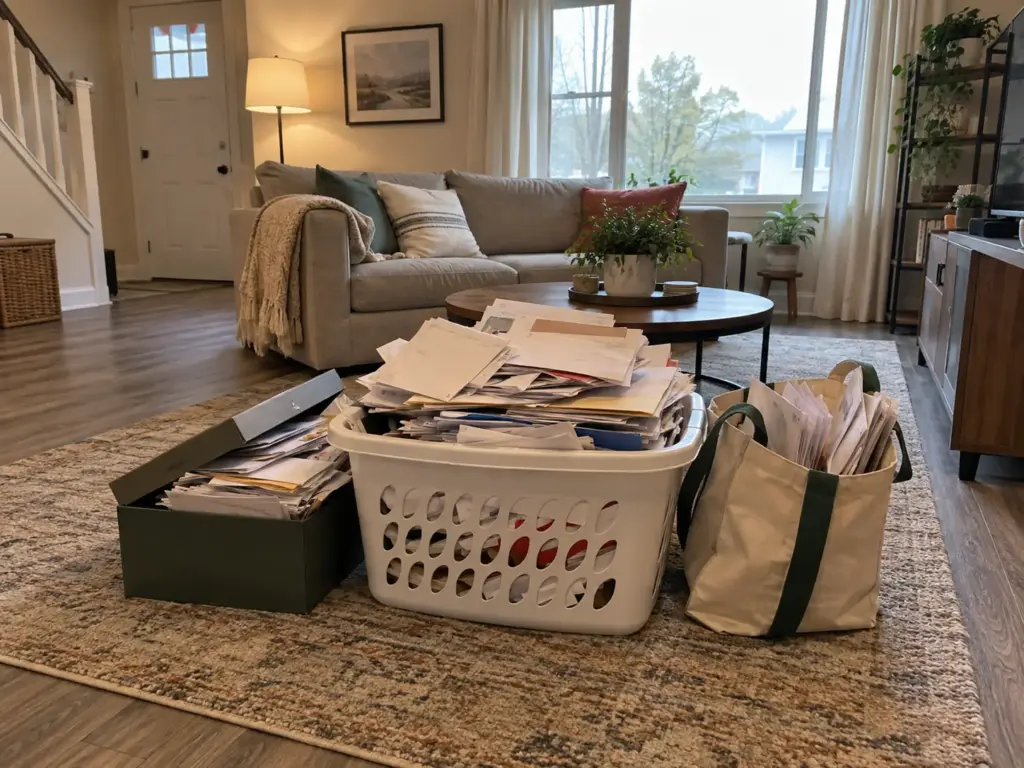
Pull paper from every room, not just the desk
The desk holds only part of the pile. The registration renewal is in the glove box, the dishwasher warranty is in the kitchen drawer under the takeout menus, and a tax letter sits on the nightstand because you meant to read it in bed. All of that is one paper pile, and paper clutter only becomes manageable once you can see the whole of it.
To declutter paper once, walk the house with a laundry basket (car, entry table, kitchen drawers, backpacks, the closet shelf where the “important stuff” went years ago) and dump it all on one table. The KonMari paper category makes the same demand, and it is right about this part: sort only the desk, and the car and the drawers keep running as a second system.
The five piles: act, reference, vital, recycle, shred
Name the piles for what happens to the paper next, not for its topic. A “money” pile still mixes a bill due Friday with a statement you will never read again.
- Act: anything with a due date or a task attached. Pay it, sign it, return it, call about it.
- Reference: paper you might need to look up later, such as insurance policies, tax paper and this year’s statements.
- Vital: originals that are slow or painful to replace, like a birth certificate or a passport.
- Recycle: paper with no personal details on it.
- Shred: anything that carries an account number, a signature or an ID.
Sorting methods from RAFT to the four-box method shuffle some version of these buckets. What matters is the action vs reference split: “act” is its own pile, an action file with a date on it, never filed beside reference paper. It is not filing. Action paper tucked in with reference paper disappears, and that one habit sinks most systems within a month (Rule 8 comes back to it).
When the pile is too big to sort in one sitting
Set a timer, make one pass from the top of the pile to the bottom, and stop when the pass ends, even if the piles are uneven. Decide on the sheet in your hand; if you pause over its category, it goes in reference and you move on.
An app does not do this part for you. One r/minimalism member put it bluntly: “I’ve had Dropbox all this time but live in giant pile of papers.” The scanner was installed; the decisions were never made. If even a timed pass feels like too much, the approach for when the pile feels like too much applies: shorter passes, a hard stop, the next pass already on the calendar.
Rule 2: Shred only what carries your identity and recycle the rest
You are holding a credit-card offer, a pay stub from two years ago and the manual for a blender you still own. Only the manual can go in the recycling bin as it is, and the offer, which looks the most like junk, is the one that cannot. This rule settles what leaves the house and how, so the reference pile shrinks before a single folder comes out.
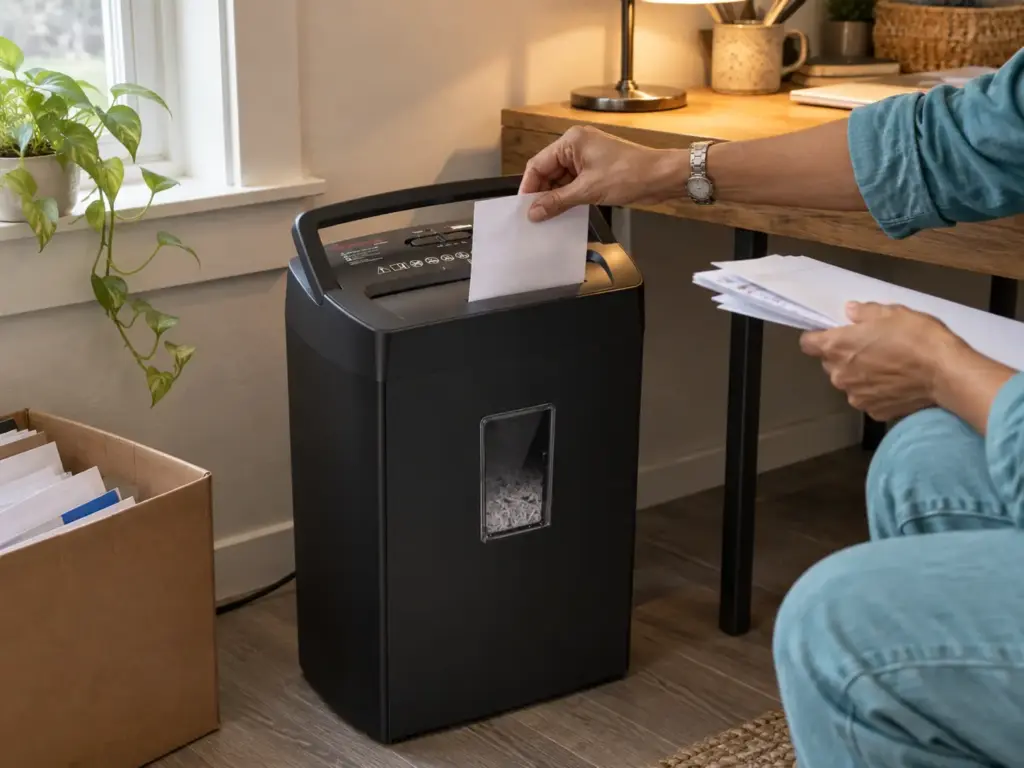
What goes straight to recycling
Junk mail with no account details, flyers, expired coupons and old catalogs go straight to the bin. So do most user manuals: most of them can be pulled up online by model number, so photograph the model plate or write the number inside your warranties folder, then recycle the booklet.
What belongs in the shred pile
The FTC’s keep-or-shred list is more specific than “anything with personal information.” It puts these in the shred pile: ATM receipts, offers of credit or insurance, cleared checks after 14 days, credit reports, prescription information for medicines you no longer take, expired warranties, and expired credit cards and IDs. That credit-card offer goes here, pre-filled with your details, because an offer in the trash is a head start for identity theft. So does anything from Rule 3 whose keep-for date has passed, like that old pay stub with your employer and your pay printed on it.
Shredding without a shredder, and with a budget one
The free path comes first. According to the FTC, “If you don’t have a shredder, look for a local shred day in your community.” One trip handles a backlog, and for the odd sheet with one account number, scissors through the number and the name do the job.
The usual advice is to buy a shredder before the big purge. For a backlog, the shred day is the better call: a home machine fed two years of paper in one weekend runs into its real capacity fast, and the purge turns into a chore you abandon halfway. Bag the backlog for the next shred day. A home shredder earns its place for the monthly stream, the handful of sheets each month that belong in the shred pile.
For that stream, the Bonsaii 12-Sheet Cross Cut Paper Shredder (see it on Amazon) cuts in a P-4 cross-cut and reverses on its own when a sheet jams, which covers everything on the FTC list. Reviewers do raise three things: some units broke after about nine months, many find it loud, and some say its real capacity is closer to four or five sheets than twelve, so feed it small stacks. If floor space under the desk is tight, the smaller Bonsaii 6-Sheet C237-B measures 11.81 x 7.09 x 14.26 inches. Its cutting head does not lock onto the bin, though, and the handle lifts only the top, so emptying it takes two hands and a little care.
Keep a paper grocery bag next to the recycling bin just for the shred pile. Whatever fills it between shred days, or between shredder sessions, never gets mixed back into the recycling by someone in a hurry.
Rule 3: Give every paper a keep-for date before it earns a folder
Somewhere in your home there is probably a drawer of bank statements going back ten years that nobody dares throw out. The fear is reasonable: what if you need one? But the answer to that fear is a date, not a bigger drawer. Every sheet you keep should go into its folder already knowing when it leaves, and for household paper, official guidance on how long to keep household paper covers almost all of those dates.
One year: the monthly stream
The FTC puts these in its keep-for-a-year group: bank statements, pay stubs, undisputed medical bills, credit card bills, utility bills and deposited checks. That is most of the paper that arrives every month, and one folder handles it. Each new statement goes in the front; whatever is now thirteen months old comes out the back and goes to the shred pile.
The word “undisputed” matters. A medical bill you are still arguing with the insurer about stays until the argument is settled, then starts its year. And if your bank or employer lets you download statements and stubs, the paper copy may not need to exist at all (Rule 7 deals with that).
Three years: tax paper and why the exceptions exist
The three-year number for tax records has an official source. According to the IRS record-retention guidance, “Keep records for 3 years if situations (4), (5), and (6) below do not apply to you.” Those situations are the reason the number is not universal: keep records for six years if you under-reported income by more than 25% of your gross income, seven years if you claimed a loss from worthless securities or a bad-debt deduction, and indefinitely if you did not file a return or filed a fraudulent one.
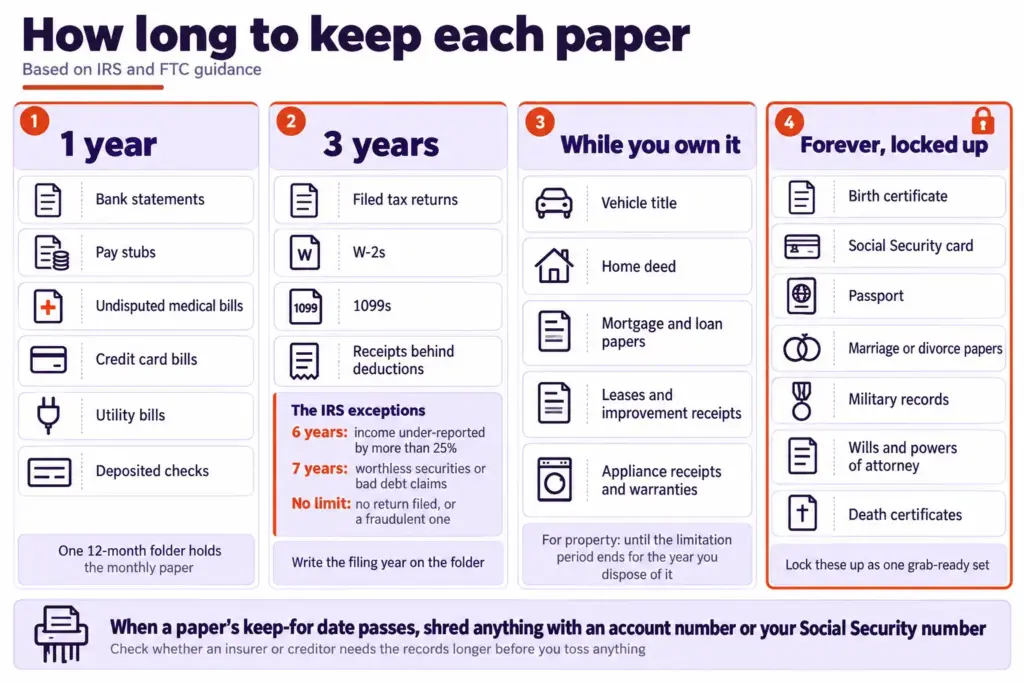
Three years gets repeated as if it were the whole answer. For most households it is, but it counts from when you filed, not from the tax year, and a household with a stock loss or freelance income it forgot to report sits on the other side of the rule. The practical move is to write the filing year and the toss year on the folder itself, so the decision is made once, on the day you file, instead of again whenever the drawer opens.
The FTC’s three-year group lines up with the IRS: tax returns, W-2s, 1099s, canceled checks and receipts behind your deductions, and the records of selling a home. The IRS also recommends keeping copies of filed returns, since they help when you prepare future returns or amend an old one. I would keep the return itself well past its receipts; it is a few sheets, and it answers most questions about that year on its own.
One more check before the shred bag. The IRS points out that records you no longer need for taxes may still be needed for other purposes, so ask whether an insurer or a lender wants them longer before you let them go. Loan and insurance paper keeps its own clock.
Label tax folders with the year the paper can leave, not the year it arrived. A tab that reads “Shred after April 2029” makes the quarterly purge a matter of reading, not remembering.
While you own it, and forever
Some paper has no year attached. The FTC’s keep-while-you-own group covers the vehicle title, the home deed, mortgage and vehicle-loan documents, home improvement receipts, leases, and receipts and warranties for major appliances. For property, the IRS adds a tail: keep the records until the period of limitations expires for the year you sell or otherwise dispose of it. In plain terms, the house file stays until the limitation period for the year of the sale has run out.
Then there is the short list the FTC says to keep forever and lock up: birth certificates, Social Security cards, passports, marriage licenses or divorce decrees, military records, wills and powers of attorney, and vital health records. Those are not reference paper. They are the originals for a separate set, which is the whole of Rule 6.
Rule 4: Give incoming paper one landing spot and empty it every week
Sorting the backlog fixes the past. Mail still arrives tomorrow, school forms still come home folded in a backpack, and a bill still ends up under the car keys, so the stream needs its own rule.

Where the stream actually lands today
Look at where paper lands now, without judging it. Whatever surface collects mail on its own is your intake, and fighting that habit wastes the one advantage you have. If paper lands at the front door, set up a mail spot by the door to catch it before it travels. If the counter is the magnet, clear the kitchen counter of everything else so the paper spot stays visible.
In a shared home, the landing spot is also where friction starts. One person drops the mail, another pays the bills, and a third adds a permission slip due Thursday. Unless everyone knows the spot is the only spot, paper splits across three surfaces and nobody owns any of them.
One tray, one rule: touch each paper once
You could buy an inbox tray for this. Hold off for the first month, though: a basket or any shallow box already on that surface will show whether the habit sticks before you spend anything.
The rule that makes the spot work is the one-touch rule. Open each piece of paper and decide right there: act, file, recycle or shred, never “put it down for later.” Action paper gets a sticky note with its date and goes in the tray. The same discipline keeps a desk that stays clear, since a desk pile is an intake tray nobody admits is one.
The 15-minute weekly reset
Once a week, on the same day, empty the tray: pay, sign and return, file the reference paper, bag the shredding. Fifteen minutes is a fair rule of thumb for a household’s weekly stream. If the reset keeps running long, look at what is in the tray. When half of it is catalogs, the problem sits upstream at the landing spot.
Rule 5: Size the filing system to the space you actually have
One reader has a hall closet and no spare drawer; another has a home office with a four-drawer cabinet that has swallowed ten years of paper. Either way, a home filing system for reference paper comes down to hanging folders under a few broad headings (home and car, taxes by year, insurance, medical records, banking, warranties). The original poster of that r/minimalism thread sorted by narrow topics and ran out of room, and a “miscellaneous” folder grows until it is the whole drawer.
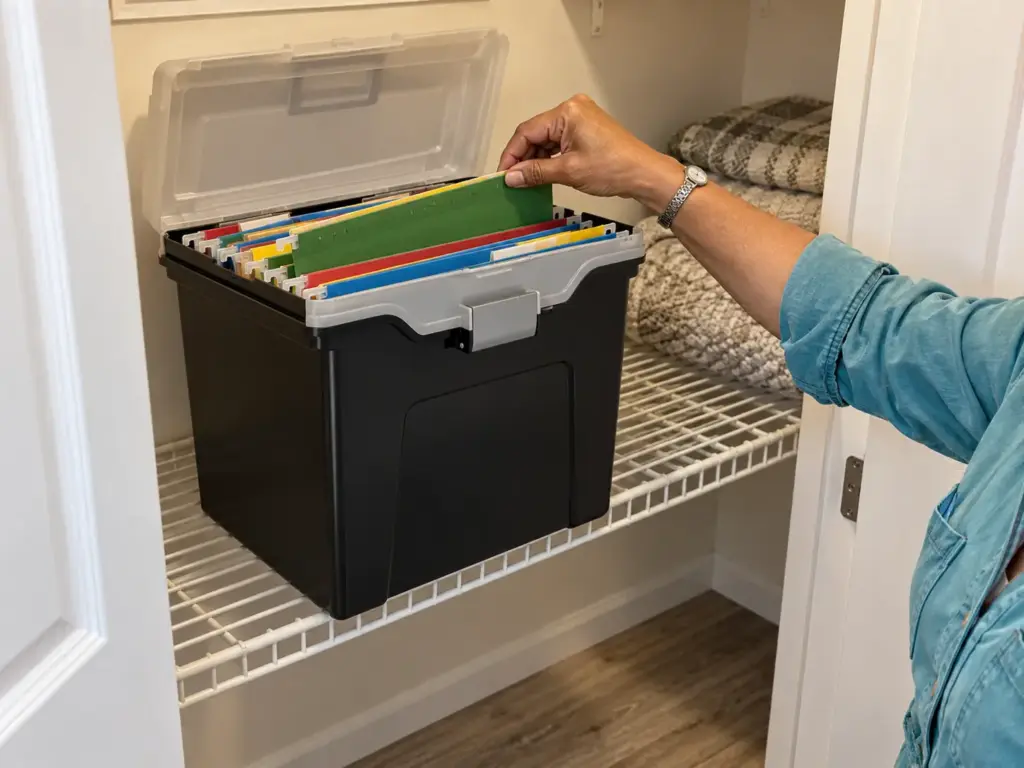
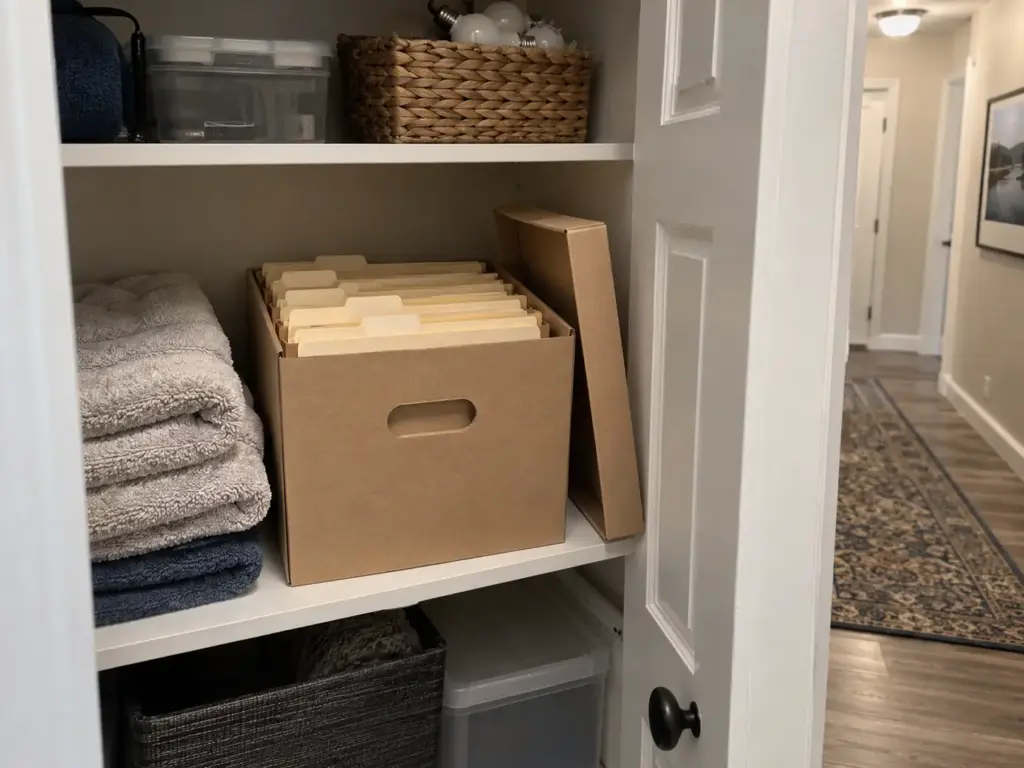
No cabinet: a tote and hanging folders on a closet shelf
Without a cabinet, the reference file can live on a closet shelf in a cardboard banker box, a lidded file box or any crate that fits letter-size folders, which costs next to nothing.
If you want a lid and a handle, the Staples File Folder Tote (see it on Amazon) holds letter-size hanging folders under a latched lid. Some buyers say the latch looks weak and worry about the handle, and a few got units that arrived broken, so test it the day it shows up.
Manila folders with Post-it labels cost nothing extra. For folders that hang on the tote’s rails, the Hanging File Folders 50 Pack (see it on Amazon) is letter size, 8.5 x 11, with 1/5-cut tabs in colors that allow color coding by category. Buyers mention label slots that run small or plastic tabs too big to insert, and some folders arrived ripped.
A binder with sheet protectors for the smallest spaces
When even a shelf is spoken for, a 3-ring binder does the job. The r/minimalism crowd uses dollar-store sheet protectors (you can slam them on the copier without taking the paper out, one member noted) and clips cheap zippered pencil pouches into the rings for IDs, car papers and financial paper, so each category is grab and go.
For a binder with more than a few sections, the Taja Sheet Protectors 200 Pack (see it on Amazon) is letter size for a standard 3-ring binder.
A cabinet or a whole shelf bay: where the purge does the work
A bigger home seems to call for a filing cabinet. But a cabinet that holds ten years of paper is storing the problem, not solving it: the extra drawers let you defer every Rule 3 decision, and the paper at the back of the bottom filing drawer stays because nothing forces it out. In a large space, the cabinet works only when the quarterly purge from Rule 8 runs against it.
Side by side, then: a closet shelf and no cabinet calls for a tote with hanging folders; a drawer or a bookshelf slot calls for a binder; a cabinet or a full shelf bay calls for the same broad categories plus a purge date on the calendar. For file holders on the desk itself, see the desk organizers worth buying.
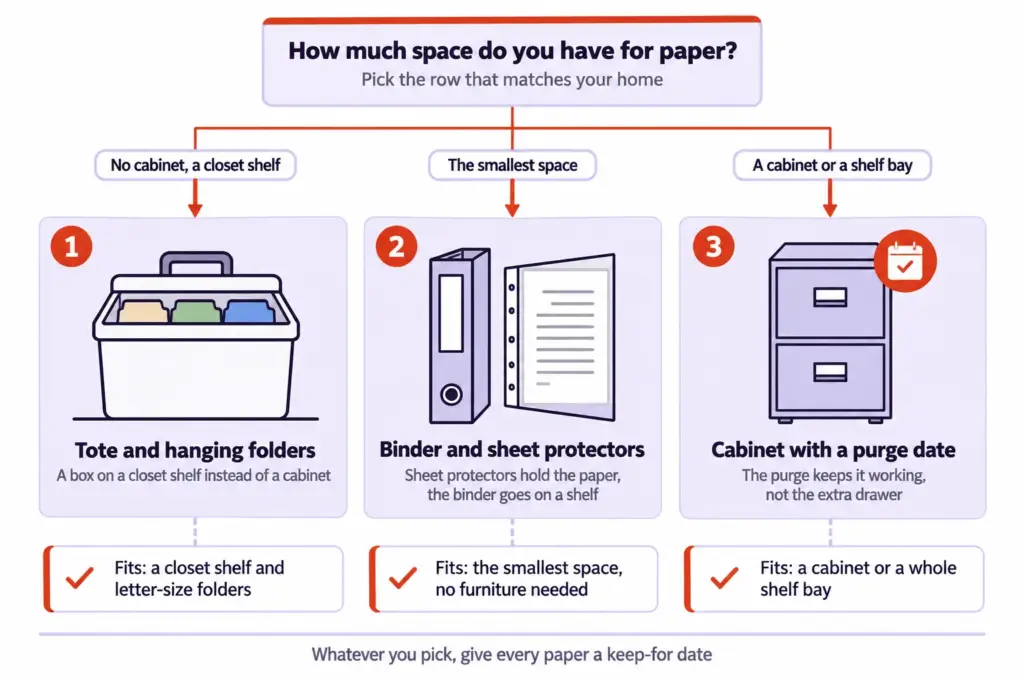
Whichever you choose, make it a little too small. Room to spare is how ten years of statements end up in the bottom drawer.
Categories and labels that you can read in a second
Retrieval should take seconds, so use the word you would say out loud: “Car,” not “Vehicle Documentation.” Kacy Paide, a professional organizer, told NPR’s Life Kit that extra-sticky Post-it notes and a fine Sharpie make good labels, the right start while categories still shift. Once the folders settle, the Brother P-Touch PTD220 Label Maker (see it on Amazon) prints labels for the tote and the folder tabs that read at a glance.
Rule 6: Keep the replaceable-never papers in one grab-ready set
Picture the smoke alarm going off and a minute to leave. Which single folder do you take? If the passports are in a desk drawer and the birth certificates are somewhere in the cabinet, the important documents are filed but not organized. This rule pulls them into one grab and go folder, or a pouch, that you can pick up in one move.
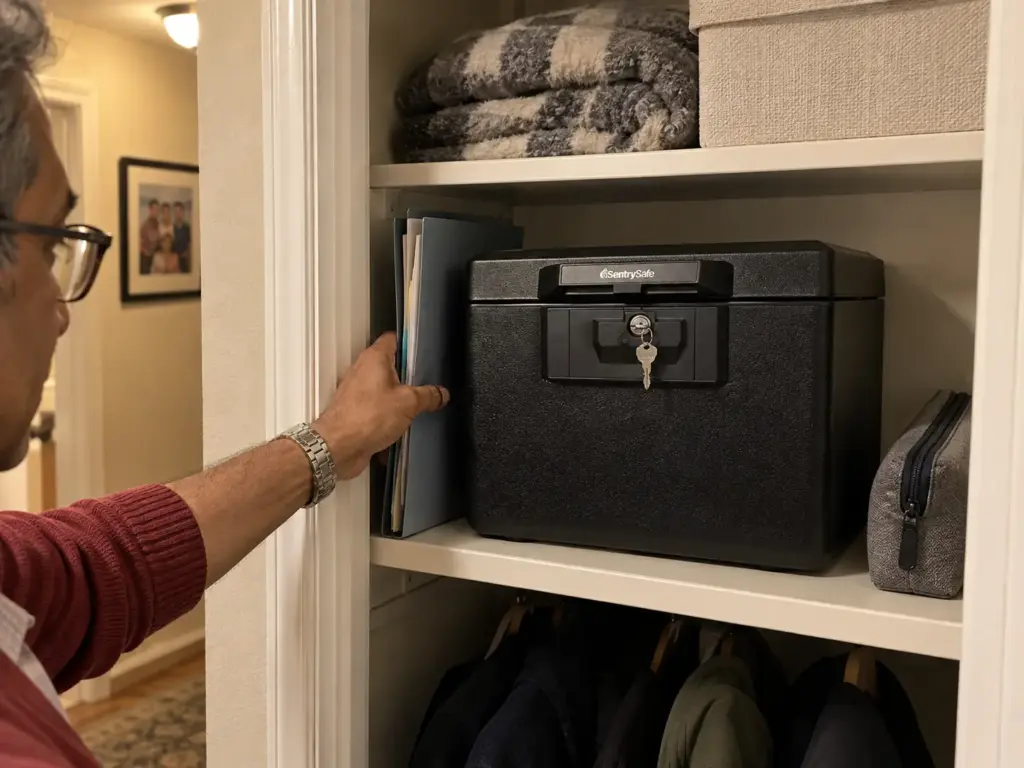
What belongs in the vital set (and what only needs a scan)
The originals in the set are the ones from the FTC’s keep-forever-and-lock-up list in Rule 3: birth certificates, Social Security cards, passports, marriage licenses or divorce decrees, military records, wills and powers of attorney, and vital health records. Those are the papers that cost weeks, fees and appointments to replace.
Everything else that feels important (insurance policies, loan papers, the mortgage statement) stays in the reference file, with a scan kept alongside the vital set’s scans from Rule 7. That keeps the set thin, and a set you can lift with one hand is a set you will actually grab. A zip pouch per person keeps the originals flat and in order inside whatever holds them.
A fire box is a short fire, not a safe
The community splits on whether a fire box is worth it. One r/minimalism member describes a fireproof safe as “maybe the size of 3 textbooks” and worth it so the papers survive until firefighters arrive. The other view in the thread: the documents can all be replaced, so losing them is a hassle, not a loss, and the box can wait. Both are fair.
The deciding question is how many people’s papers are in the set, because one passport is an errand and a family’s worth of originals is a season of paperwork.
The free path is a zip pouch for the originals plus a scan stored somewhere other than your home. If you want the papers protected in place, the SentrySafe 1170 Fireproof Document Box (see it on Amazon) is sold as fire protection: the listing gives it a UL classification for half an hour at 1550°F. Outside it measures 13.6 x 15.3 x 12.1 inches, with 0.61 cubic feet inside, small enough for a closet floor or a bookshelf.
Read its limits before you count on it.
One reviewer says the interior barely fits an 8.5 x 11 page once thick folders are involved, so the originals go in flat, in sheet protectors or a thin folder, never in hanging files.
It has no handle, which turns a one-handed grab into a two-armed carry. Some buyers report keys breaking in the lock, and the lock only keeps the lid closed; it is not real security against anyone who wants what is inside. A short fire, then, and nothing more is promised.
Tape a one-page index to the inside of the lid: each document, whose it is, and where its scan lives. If the box is ever lost, that page (kept as a scan too) is your replacement checklist.
Who else knows where it is
A vital set only one person can find is half a system. Tell one other adult where it is, where the key is kept, and where the scans live. If the box has a key, the spare does not belong on the same ring as the house keys, and it certainly does not belong in the lock.
Keep the scan copy somewhere other than the house: an encrypted drive at a relative’s place, or cloud storage you trust. A fire that takes the box past its rating also takes the laptop sitting next to it.
Rule 7: Scan what you can replace and keep the originals you can’t
A scanning app on your phone is not a paperless home, as that giant pile of papers in Rule 1 shows. Scanning helps once you know which paper deserves it, how to name the files and where the copies go.
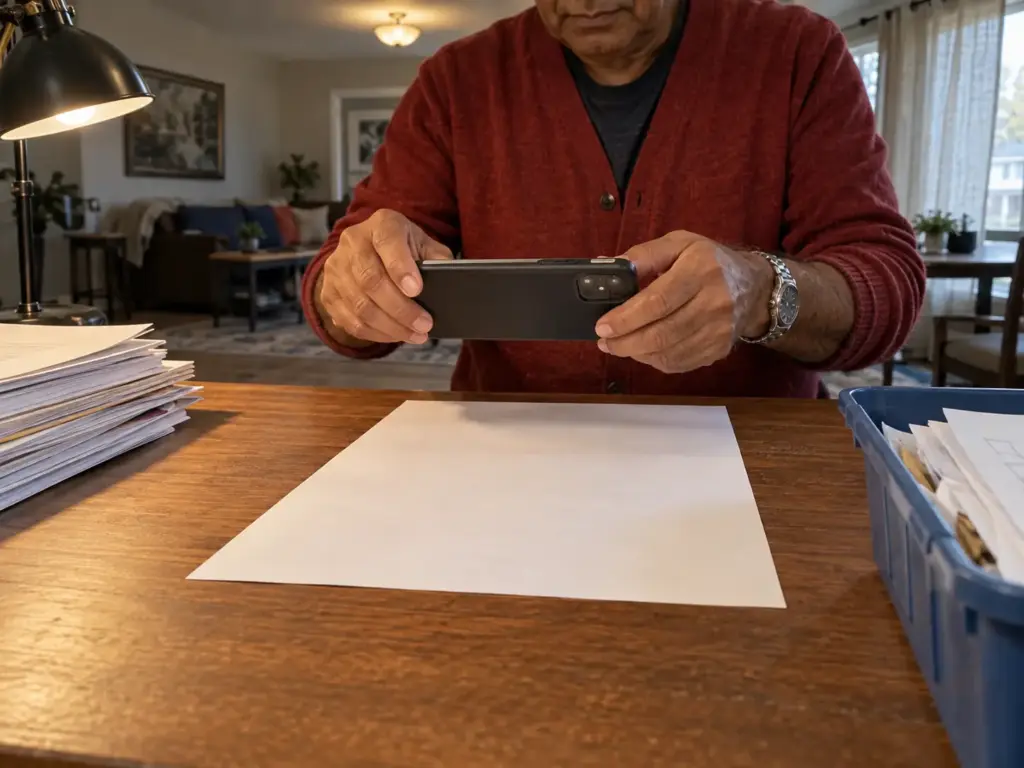
Which papers are worth scanning
“Go paperless” usually gets read as “scan everything,” which is a slow way to keep a pile, just a digital one. Skip what already exists electronically: the FTC’s advice is that if you can get your bank statements, pay stubs or tax documents online, the paper copies are candidates for the shredder. Turn on e-billing where it is offered, download the PDF from the source, which beats any scan, and let the paper go.
Scan the paper with no download behind it: receipts for big purchases you may need for a warranty or an insurance claim, records from a provider who has since closed, and your kids’ keepsake papers if a scan satisfies you (some people find it does; others find it was the paper they wanted). The originals of the vital set never get replaced by a scan. A passport photo on your phone will not get you on a plane.
Name and back up the scans
The free path is a phone scan app that saves a PDF with text recognition (OCR), so the words on the page are searchable. In that r/minimalism thread, one member scans everything he cannot throw away, keeps the paper strictly chronological in a single folder, and finds that going by “rough date was often even faster than search.”
So use one naming convention: the date first, written as year, then month, then day, followed by who or what the document is. Files named that way sort themselves in any folder on any device, and together the folders become a digital filing cabinet that follows the same broad headings as the paper one. Then keep one backup in a second place, so a lost phone or a dead laptop costs you nothing.
Keeping scans private
A scan of a Social Security card in cloud storage is the same paper, just easier to copy. Before you settle on an app, read what it does with your documents: whether it uploads them to its own servers, how long it keeps them, and whether you can delete them after you export the PDF. Five minutes of reading is worth it before you scan a single ID. Keep the most sensitive scans in an encrypted folder, not a shared family drive.
Rule 8: Run it as a household system and reset it every few months
Two people, one tray, and a folder only one of them can find. Most paper organization systems do not fail on the day they are set up. They drift, a sheet at a time, and the drift has causes you can name and design around.

Why a paper system slides back in a month
The first cause is the one from Rule 1: action paper gets filed instead of acted on. A form that needs a signature goes into “School,” the deadline passes inside a folder, and the next time anything urgent arrives, it stays on the counter because the folder has proven it cannot be trusted. Once the counter becomes the real inbox again, the whole system follows.
The second cause is twenty folders that all look the same. Thin, topic-sorted folders seem organized on setup day, but finding anything means reading every tab, so paper starts getting stacked “for now” on top of the drawer.
The third is the miscellaneous folder, which collects every sheet you did not want to decide on until it is the thickest thing you own.
The fourth is the urgent label that goes stale. Kacy Paide, speaking to NPR’s Life Kit, describes “urgent” files that turn out to be years old; once a label stops being true, people stop believing any label in the drawer.
That is the graveyard effect the r/minimalism thread named, and it matches the way a small desk drifts back into clutter: the surface keeps receiving, and nothing leaves on a schedule.
So the design answers each cause directly. Action paper carries a date and never enters a folder. Categories stay broad, about a dozen, and a category that needs a second folder gets purged before it gets one.
There is no miscellaneous. And urgency lives on the sticky note in the tray, not on a folder tab.
One owner per category when more than one person files
When more than one person handles paper, give every category one owner: taxes, medical, school, car. Everyone drops paper in the single inbox; only the owner decides and files it, so there is always someone who knows where a folder is.
Kids’ papers, school papers above all, need a cap. One keepsake folder per child per school year holds the drawings and report cards that matter, and when it is full, something comes out before something new goes in. The rest is recycled after it has had its week on the fridge.
If the harder part is letting go of sentimental papers at all, that is its own process, and it deserves more than a quarterly purge. The same goes for living with a partner who hoards paper: the owner-per-category rule helps, but it will not settle a disagreement about whether to keep paper in the first place.
The quarterly purge
Put a recurring date on the calendar every three months. The date matters more than the exact interval: a purge that happens each quarter beats a perfect schedule nobody follows. On purge day, walk the folders against the Rule 3 table: statements older than a year to the shred bag, tax folders past their toss year out, warranties for appliances you no longer own gone.
Keep the weekly reset and the quarterly purge separate, since they are two different maintenance jobs. Mixing them turns every weekly reset into an hour, and an hour-long weekly job is the first one to get skipped. The same split keeps a desk setup that stays neat running: daily clearing and periodic purging are different jobs.
And run one test at each purge. If the system needs more than the fifteen-minute weekly reset to stay alive between purges, it is too complicated, and the answer is fewer folders, not more effort.
What Keeps the Pile From Coming Back
Three things decide whether this holds:
- Sort before you file, and throw before you keep. Five piles named for what happens next, with the shred and recycle piles cleared first, so only paper with a reason to stay reaches a folder.
- Let the dates decide. The IRS and FTC ranges in Rule 3, and the short vital set in Rule 6, settle what stays and for how long, so nothing gets kept out of fear.
- Run it as a stream, not a project. One landing spot, a weekly fifteen-minute reset and a quarterly purge keep the counter clear long after the big sort.
Three months from now, open the system and check whether the weekly reset still fits in a quarter hour, whether one folder has grown twice as thick as the rest, and whether paper has started collecting outside the tray; any one of them points to the rule that needs tightening.
Today, with nothing new, take the pile that is already on your counter and pull out only two things: whatever belongs in the shred pile and whatever has a deadline. Put the deadline paper in one spot with a sticky note on top. Then look at what is left and notice how much of it needed no decision at all.
Frequently Asked Questions
01What is the best way to organize paper files?
The best way to organize paper files is to sort everything into act, reference, vital, recycle and shred piles, then file only what has a keep-until date. Give new mail one landing spot, clear it weekly, and purge expired folders every quarter.
02What are the most common household filing categories?
Most homes run well on about a dozen broad categories: taxes by year, banking, insurance, medical, home, car, vital documents, warranties and receipts, school, work and household bills. Treat it as a practical grouping, not an official standard, and merge any category that never fills a folder.
03How do you organize paper without a filing cabinet?
Without a filing cabinet, keep letter-size hanging folders in a portable file tote or a cardboard banker box on a closet shelf, or use a binder with sheet protectors. Both fit small spaces, and both are small enough to force a purge before ten years of paper builds up.
04What is the best document organizer?
The best document organizer matches your space: a file tote for a closet shelf, a binder with sheet protectors for a drawer, or an accordion file for a small archive. Keep vital originals separate, in a fire box or a zip pouch with a scan stored elsewhere.
05Do I need software to organize files and folders?
You do not need dedicated software; a phone scanning app that saves searchable PDFs, plus folders whose file names start with the date, handles most household paper. Keep one backup in a second place, and check what any cloud scanner does with your uploads.
Disclaimer: ClutterlessNest is a participant in the Amazon Services LLC Associates Program. As an Amazon Associate we earn from qualifying purchases. This article may contain affiliate links — if you buy through them, we may earn a small commission at no extra cost to you. We only recommend products we have tested or genuinely believe in.