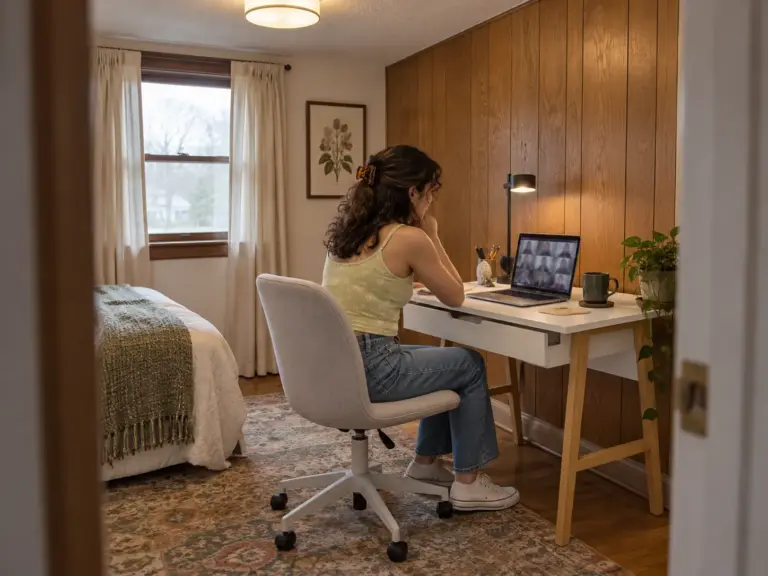
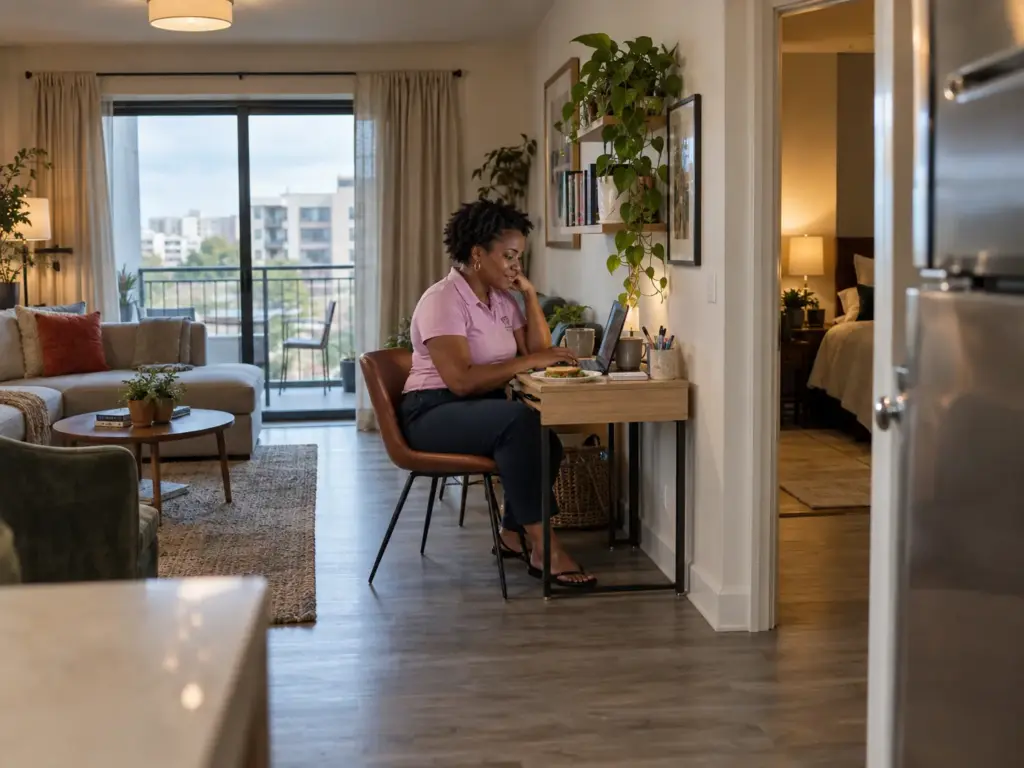
Your laptop lives wherever you last opened it: the dining table that gets cleared before dinner, the arm of the couch, the ironing board you swore was temporary. And the desk you nearly ordered turned out to be two inches too deep for the gap beside the closet door. A photo of a pretty corner can’t tell you what decides home office ideas for small spaces, which is how much floor you can actually give up, with depth settling more of it than width and drilling settling most of the rest. Below are six setups, from the office that leaves no trace to the corner that claims part of the floor plan, each with the number that decides it and the way it tends to fail.
Quick Answer
Pick the setup by the floor you can spare, smallest footprint first:
- Tote office: no permanent floor; the table goes back to meals each night. No drilling.
- Fold-down wall desk: about 6 in deep folded, 24 in wide. For owners who can drill into studs.
- Console perch: about 12 in deep. Laptop only, no holes.
- Closet desk: a reach-in about 24 in deep. A door that closes on the workday; a freestanding desk keeps it renter-safe.
- Compact desk: about 16 in deep and 31 in wide. The no-drill pick for a bedroom or hallway wall.
- Pocket corner: about 5 by 6.5 ft for desk, chair and shelves. Tall shelves must be anchored.
Home Office Ideas for Small Spaces, Ranked by the Floor They Take
Picture yourself with a tape measure against the bare wall you were about to write off. The width looks fine. Then you pull the tape out toward the room, and that second number tells you which of these ideas can live there. This article judges the setup, not the room; if you’re still choosing between bedroom, closet and living room, our guide to which spot in your home suits the way you work settles that first.
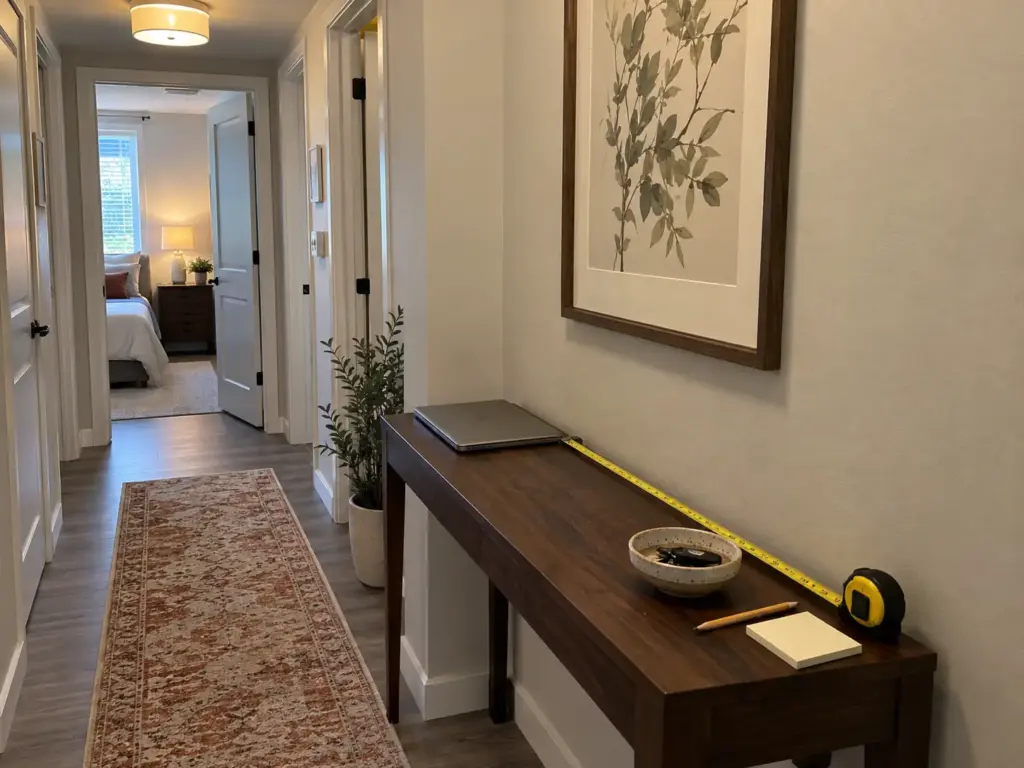
Why Desk Depth Decides More Than Width
Desk width is negotiable. A laptop works on 24 inches of surface, and you can always shove a notebook to one side. Desk depth is not negotiable, because it sets how far your eyes sit from the screen.
According to OSHA’s computer workstation guidance, “Put monitor directly in front of you and at least 20 inches away.” OSHA prefers 20 to 40 inches eye-to-screen, which means a desk shallower than about 20 inches is a laptop desk with a riser, not a monitor desk, no matter how wide it is.
When depth runs short, OSHA’s own answers are to pull the desk off the wall, switch to a flat-panel screen, or put the monitor in a corner, where the diagonal adds depth without adding width (Idea 6 uses that).
Twenty inches is the number that gets quoted, though, and for plenty of readers it’s the wrong one. A laptop-only worker can get through a day on a 12-inch console, because the screen hinges up from the back of the keyboard and your arms set the distance. A two-monitor worker can’t.
So the first question isn’t how deep the desk should be. It’s what sits on it.
The Four Numbers to Measure Before You Buy
Take these in your actual space, with the chair you actually own.
| Measurement | What to aim for | What it rules out |
|---|---|---|
| Surface depth | At least 16 in so a laptop doesn’t hang off; 20 in or more for a monitor | Monitors on anything shallower |
| Desk width and wall | 24–30 in laptop only; 36–42 in dual monitor; 48–60 in full workstation; about 4 in of extra wall in total | A 30 in desk on a 30 in wall (it needs about 34 in) |
| Desk height | 28–30 in seated; 38–42 in standing | Counters and high consoles for long seated sessions |
| Chair clearance | Pull-back distance plus the full swing of the seat | Nooks where the chair can’t turn |
The fourth row is the one people skip. Makerstations.io describes an L-shaped desk fitted into a cramped walk-in closet: the desk fit, and the swivel chair couldn’t turn without hitting the wall. Sit in your chair, push back as if getting up, and mark where the seat lands. That mark, not the desk’s footprint, is the floor the office really takes.
How the Six Ideas Climb the Ladder
Each rung asks for more floor or wall than the one before: nothing permanent for the tote, about 6 inches of wall for the fold-down desk, a foot for the console, a closet you had already given up, 16 inches for the compact desk, and roughly 5 by 6.5 feet for the pocket corner.
The drill question splits the ladder cleanly. The wall desk and any wall-hung shelf are owner jobs, because they only hold with screws in studs; the other five rungs need no holes, which matters if your lease says no or you’d rather not patch drywall when you move. These numbers are guides (your elbows and screen size get the final word), but they head off the most common return: the desk that fits the wall and not the person.
Idea 1: The Office That Lives in a Tote
The smallest footprint is none. A dining table desk needs no floor of its own, and a box makes the office disappear at night.

A poster on TeamBlind said they bought a bigger apartment largely because they were tired of “clearing my work stuff off the table” before meals. Another household in that thread kept their monitors in a closet for over a year, doing the setup and teardown every morning and evening so the kitchen was usable again. Not glamorous, but it solves the one problem this idea exists for.
What Goes in the Tote
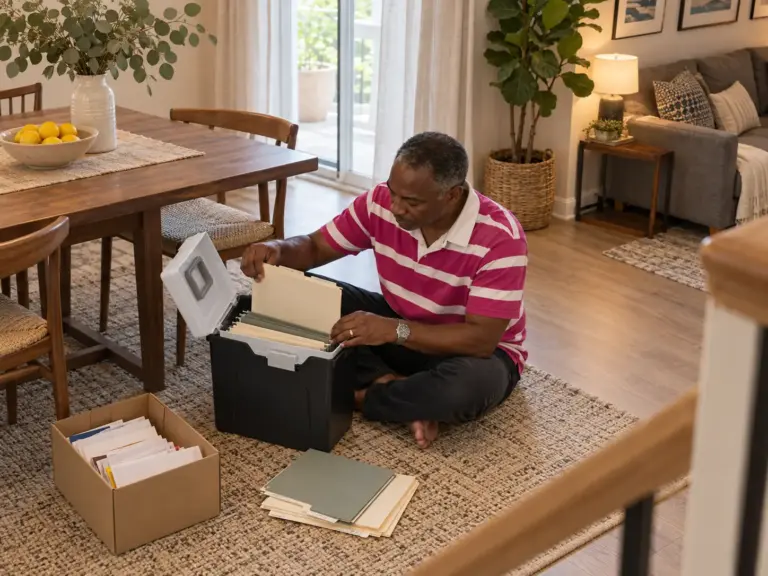
Start with a box or basket you already own: laptop, mouse, charger, notebook and the day’s paper go in, the lid goes on, and the box lives on a closet shelf. Loose paper is what eventually breaks this system, so if your job runs on paper, the Staples File Folder Tote (13.8 by 10.1 by 11.7 inches) takes letter-size hanging files, and the folders from a filing system that fits a tote drop straight in. Reviewers call the plastic cheap and some say the lid doesn’t latch well, so carry it by the base when it’s full.
A laptop flat on the table also puts the screen well below eye level, and OSHA wants the top of the screen at or below it. A stack of hardcovers is OSHA’s own stopgap. If you want the surface to clear in one move, the OImaster Adjustable Monitor Riser with Drawer (17 by 8 by 3 inches) lifts the screen and holds the mouse and chargers in its drawer, so the station packs away as two pieces. Some buyers say the listed measurements were off and the phone holder doesn’t suit every phone, so check the 17-inch length against your laptop.
Dining tables also tend to sit around 30 inches, at or over the top of the desk range, so the keyboard rides high. A firm cushion on the dining chair and a box under your feet close some of that gap.
Why the Reset Has to Take Under Five Minutes
This idea fails one way. The kit stays out just for today, then tomorrow, and by Friday the table no longer clears and dinner moves to the couch. If packing up takes longer than five minutes, it stops happening.
So build the tote around the daily reset, not the workday: everything goes back in one trip, cords included, and anything that won’t fit in the box doesn’t belong in this work zone. The habits that keep a desk clear day after day apply here, only faster, because the table has a second job waiting.
Time your pack-up once on an ordinary workday. If it runs past five minutes, the slow part is almost always the cords. Leave the charger plugged in at the outlet the box lives beside, so the laptop goes in alone.
A table that clears is fine for hybrid work, where the laptop only comes out a few days. If you work from home eight hours a day, five days a week, one of the next five ideas will treat your back better.
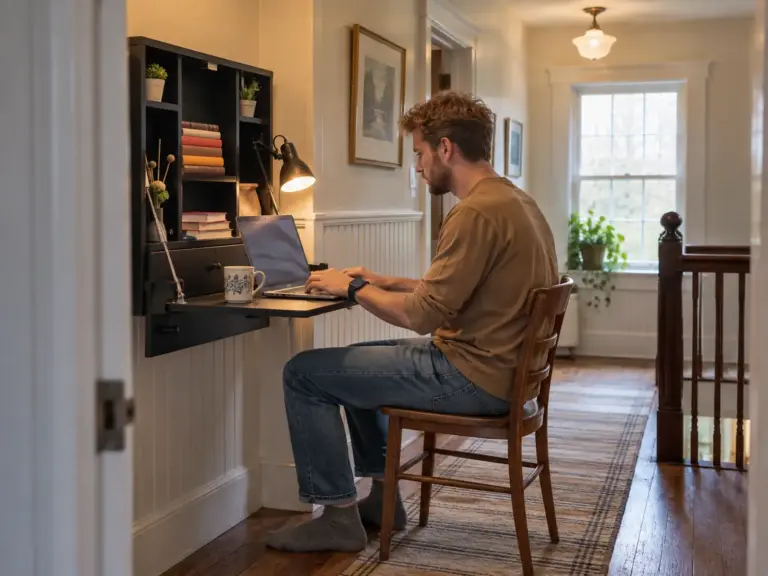
Idea 2: The Fold-Down Wall Desk
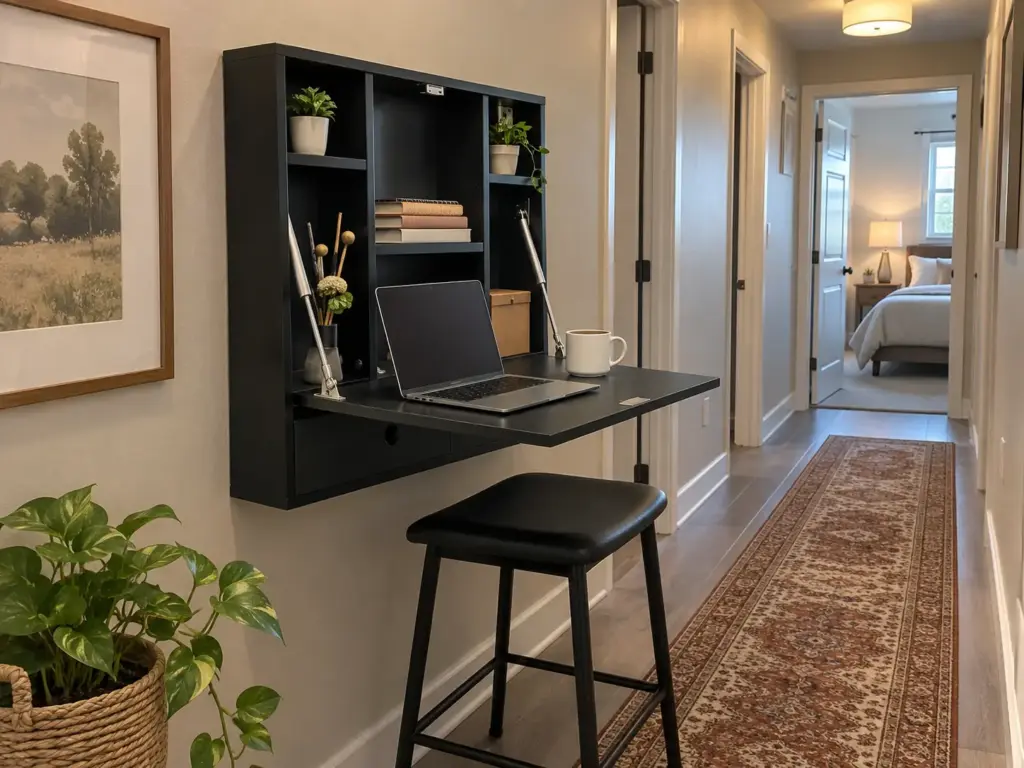
A wall-mounted desk is the smallest permanent footprint on the ladder: about 6 inches deep when folded flat. For owners with a stud finder it’s often the right call. It gets less lovely once you read your lease, or the weight rating.
What the Wall Behind It Has to Do
A desk hanging off a wall acts as a lever: every inch of depth multiplies the force your laptop and forearms put on the screws. Engineering explainers are blunt that the load has to go into studs or concrete, and that drywall anchors alone aren’t appropriate for a desk you lean on. So the install is an owner’s job, done by the maker’s instructions, with the studs located first.
Height is the other thing you only get one try at. Before anyone drills, run a strip of painter’s tape across the wall at 28 to 30 inches, sit in the chair you’ll use, and rest your forearms on the tape: elbows near a right angle means the tape sits at your elbow height, and moving tape costs nothing.
Then add 16 inches of open desk plus your chair to the floor in front of it. A hallway desk has to be paid for twice, because that sum is the path you’re blocking while you work. Folding it shut ends the workday in one motion, a shutdown no other rung builds in.
The Weight Limit That Makes It a Laptop Desk
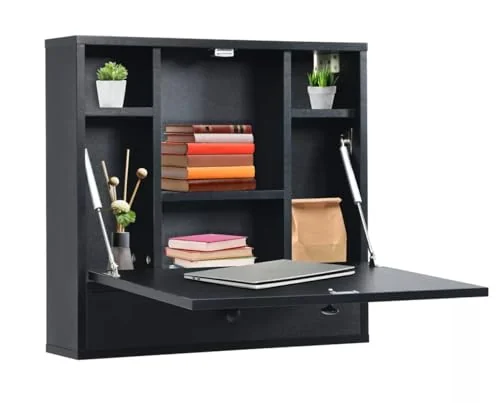
Run the arithmetic before the photos win you over. A laptop weighs roughly 2.8 to 4 pounds; a 24-inch monitor about 8 to 12, a 27-inch one 12 to 18. The Wall Mount Floating Desk Foldable below is rated at 11 pounds each for the desktop, the shelf and the drawer. A monitor eats the whole rating on its own, so a laptop and a mouse is the honest use.
Depth agrees: the open desktop is 22 by 16 inches, under OSHA’s 20, which makes it a laptop-and-riser desk anyway. Try a folding tray table you already own against the same wall for a week first. If the spot works, the wall desk is worth the holes.
If the Lease Says No Holes
Then this rung isn’t yours. The console perch (Idea 3) gives you the same laptop surface on legs, and the compact desk (Idea 5) a real work surface against the same wall. The wall around the desk can still pull its weight, with no-drill ways to use the wall instead for light wall storage such as shelves and hooks.
Idea 3: The Console Table Perch
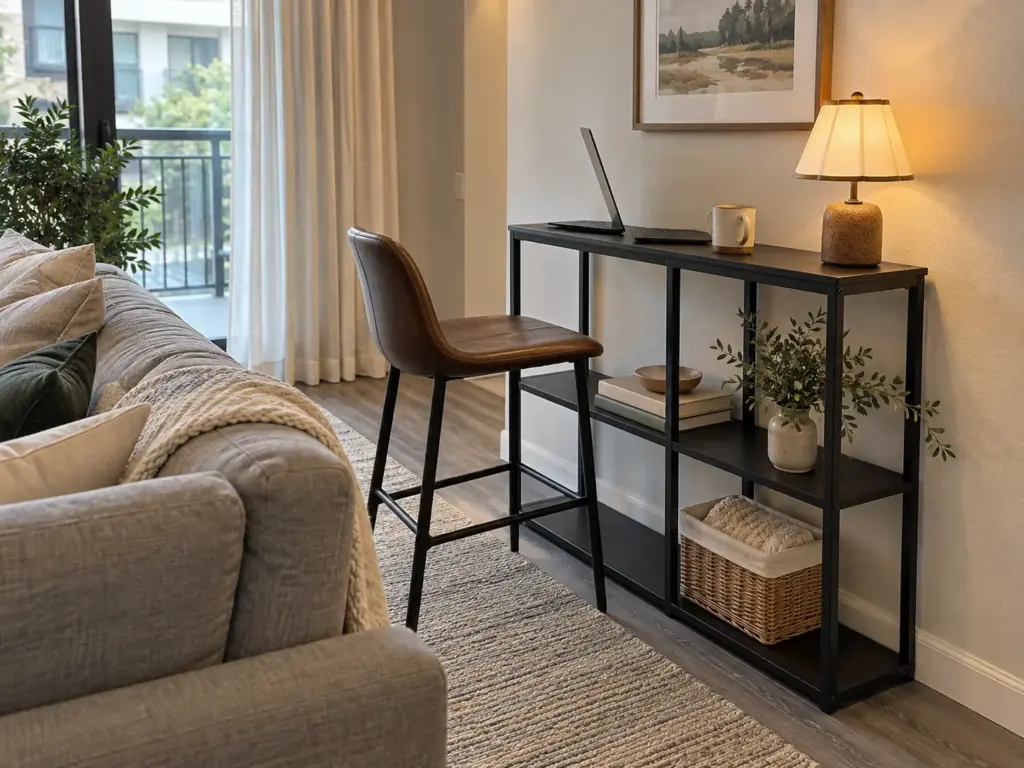
A console table desk is the table that collects keys and mail behind the sofa or in the hall, doubling as a narrow desk for a laptop and a few hours, as long as you know where 12 inches stops.
When 12 Inches Is Enough
A console is multifunctional furniture in the plainest way: landing strip by morning, laptop desk by afternoon, with no wall and no holes involved. Try any narrow table you own first. If the habit sticks, the WOHOMO Console Table, 12 inch Deep, 3-Tier Shelves is 31.5 inches wide, 11.8 deep and 31.5 tall, and its open lower shelves give the work kit somewhere to sit.
That height sits a little above the 28-to-30-inch seated range, so raise your chair a notch; for standing work it’s too low for most adults. The real limit is the depth. At 11.8 inches it’s far under OSHA’s 20, which means a laptop with the chair pulled in close.
Where a Console Stops Working
It stops at the chair. Behind a sofa there’s often nowhere to push back and nowhere to tuck the chair when you’re done, so it parks in the walkway every evening and the perch costs more floor than it saves. And it stops at the clock. A perch suits the half-day worker who answers email and joins two calls; eight hours needs a deeper surface and a real chair, one rung up.
Idea 4: The Closet Desk
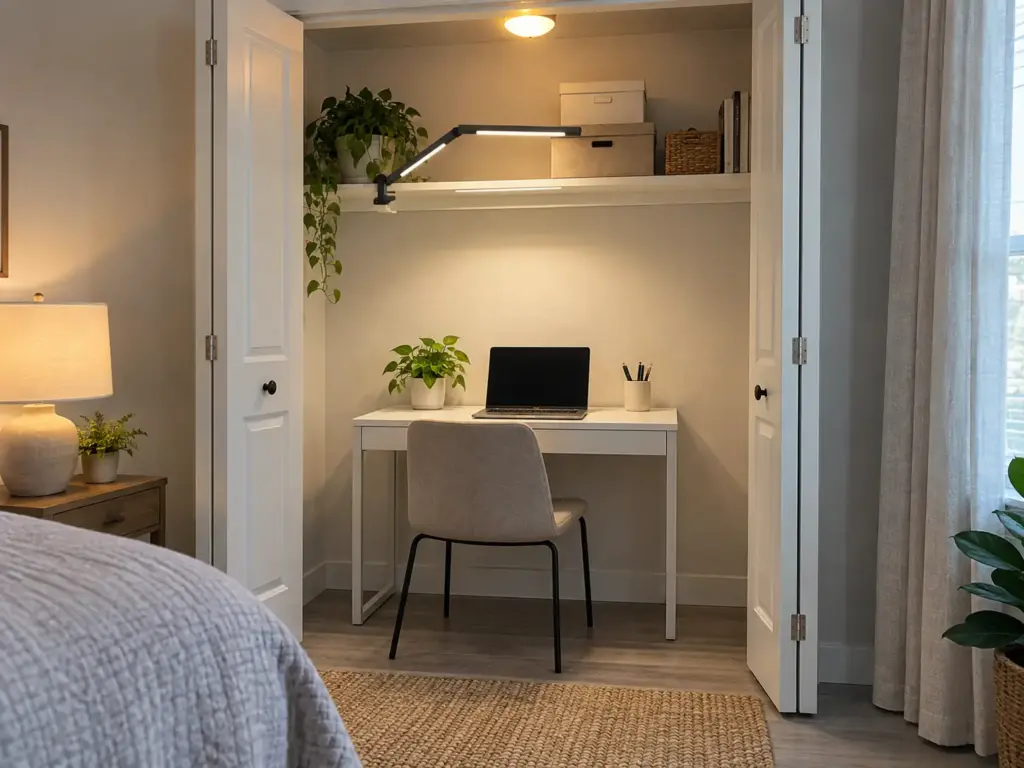
Bifold doors, a rod nobody uses, a shelf of forgotten things: dead space in most apartments, until a desk goes in. The closet office (a cloffice, in forum shorthand) is the only idea here with a door that shuts on the workday, and the one with the least air, light and knee room.
What a Reach-In Closet Gives You
A standard reach-in runs about 24 inches deep and 36 to 48 wide, enough for a 20-inch surface and a little chair tuck. In a one-bedroom it’s often the only free floor left, and one of the better ways to give a one-bedroom apartment more usable corners.
A poster in r/malelivingspace turned an underused bedroom closet in a shared apartment into a built-in desk, floating the desktop on three brackets (one at each side, a long one across the back) and setting it a few centimeters above standard height for a tall frame. Commenters called it claustrophobic and asked where the knees go; the poster said it feels far wider once you sit, and that the space runs roughly 4.5 to 5 feet deep. Both were right, and depth separates them: in a 24-inch reach-in the knee question is real, in a 5-foot closet it isn’t. One commenter suggested lifting the computer onto the shelf above the monitors to free the leg area, though that would need an extension cord.
Before you commit, sit inside the empty closet on your desk chair with the laptop on your knees for one full work session. You’ll learn more about the knee room, the light and the heat in an afternoon than from any floor plan.
Heat, Light and a Chair That Cannot Swing
For a laptop worker, the closet is usually the right hidden office. For somebody running a desktop PC, it often isn’t: another commenter built something similar and the PC’s heat had nowhere to go, so the closet got too hot during gaming (the upside, the commenter said, was lower heating costs in winter). With a tower, leave the door open while it runs, or swap the doors for a heavy curtain, which also clears a hinged door out of the chair’s way.
Closets are dark, and a clamp lamp takes no surface. The LED Desk Lamp with Clamp, Architect Dual Light is a swing-arm lamp that clamps to a shelf edge or the desk and reaches out to about 46 inches, over the keyboard by day and back against the wall at night. But durability reviews are mixed, with some lamps failing after a few months and a few within a day, so keep the box for the first couple of weeks.
Then the chair. Makerstations.io’s swivel chair that couldn’t turn in a walk-in is the classic closet failure, and a reach-in is tighter still, so measure the swing before the desk. If you rent, the built-in desk is an owner job; your version is a freestanding desk against the closet’s back wall.
Ideas 5 and 6: The Compact Desk and the Pocket Corner
These two rungs claim floor outright, usually a bedroom corner or the end of a living room. A poster in r/homeoffice gave up almost all of his office for a baby on the way and kept a pocket of about 1.6 by 2 meters, roughly 5 by 6.5 feet, with a sit-stand desk, a chair, bookcases and a few posters. The fit wasn’t the hard part, he said. Making a functional desk feel like his own space was, and the books and posters kept it from looking like an object parked in a corner.
The Compact Desk That Needs No Holes
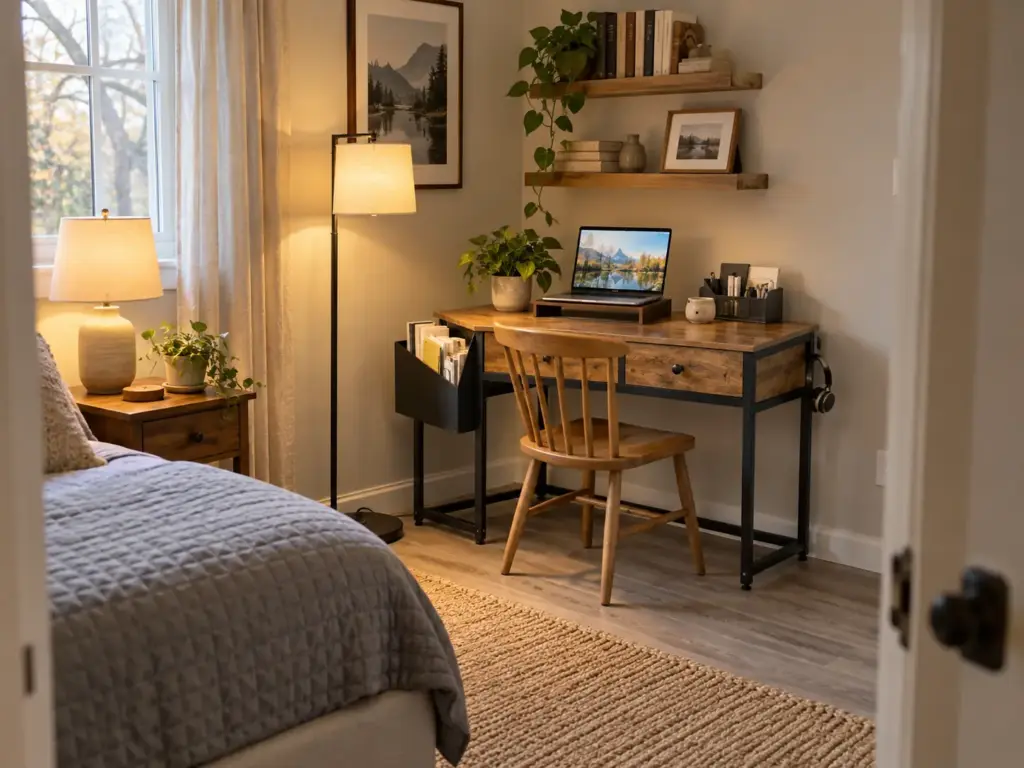
Try what you own first: a dining table or console as a bedroom desk for a week. If the spot holds, a compact freestanding desk answers the drill question for renters, since nothing goes into the wall and it moves with you.
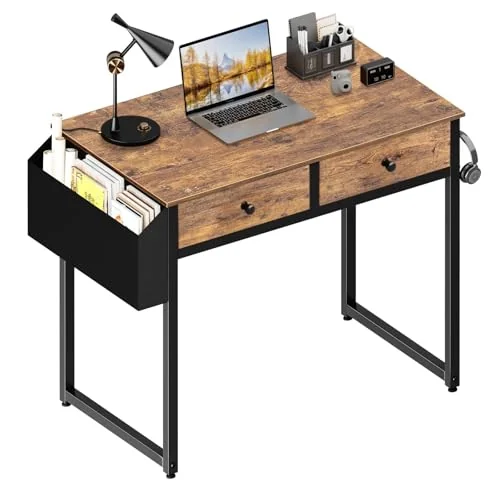
A desk this small fills up fast, since it’s the only flat surface in the room that isn’t the bed; a habit that will keep a small apartment desk from refilling beats a second drawer.
The Pocket Corner and Its Shelves
The pocket corner is the compact desk plus everything around it, including the wall behind you on calls. Colleagues’ blurred video-call backgrounds bothered the r/homeoffice poster, so he built the corner with calls in mind, and the shelves and posters behind him do the work a blur would. His commenters were sharper about the shelves: keep the big desk and hang shelves on the wall, or keep the bookcases and take a smaller desk. One suggested trading a deep cube unit for something shallower if it gets bumped on coffee runs.
This is where OSHA’s corner fix pays off: a corner desk puts the monitor where the two walls give it more depth than a flat wall does, without asking for more width along either one.
Tall shelves bring a rule that isn’t optional.
The advice from the CPSC’s Anchor It! campaign is direct: “Anchor TVs and furniture, such as bookcases and dressers, securely to the wall.” Heavy books go on the lowest shelves. Wall shelves need studs and an anchored bookcase needs holes too, so renters should ask the landlord first, or skip both with low freestanding shelving beside the desk; bookshelves that will not sag come in narrow widths that fit a 5-foot wall.
In a bigger house the problem flips. The corner becomes where mail and returns land because it’s the flat surface nearest the door, so give it one rule from day one: nothing lands here that isn’t work.
The Light, the Cords and the Chair Every Idea Needs
Every setup looks finished on day one. The failures show up weeks later in the same three places: glare once the sun moves, a knot of cords, and a chair that never quite goes away.
Where the Window and the Lamp Go
Natural light is the best free lighting a small office gets, as long as it doesn’t land on the screen. Put the screen perpendicular to the window, OSHA says, with the desk at a right angle to it. Facing the glass means squinting into daylight; backing onto it puts the reflection on your screen. Don’t tilt the screen far back to dodge ceiling glare either, since that tends to catch more of it; OSHA keeps tilt to about 10 to 20 degrees.
The lamp goes opposite your writing hand so your hand doesn’t shadow the page, and task lighting like that should do the close work while the window does the rest. That lamp, or one plant, can also make the corner yours, the way the books did for the r/homeoffice poster. A counseling practice writing on remote-work boundaries adds the reason a claimed zone works: a designated desk or corner helps signal your brain when to focus and when to step away, which is the work-life boundary a small home has no wall for. One object does it; a crowded surface blurs the signal.
Cords You Can Close a Lid On
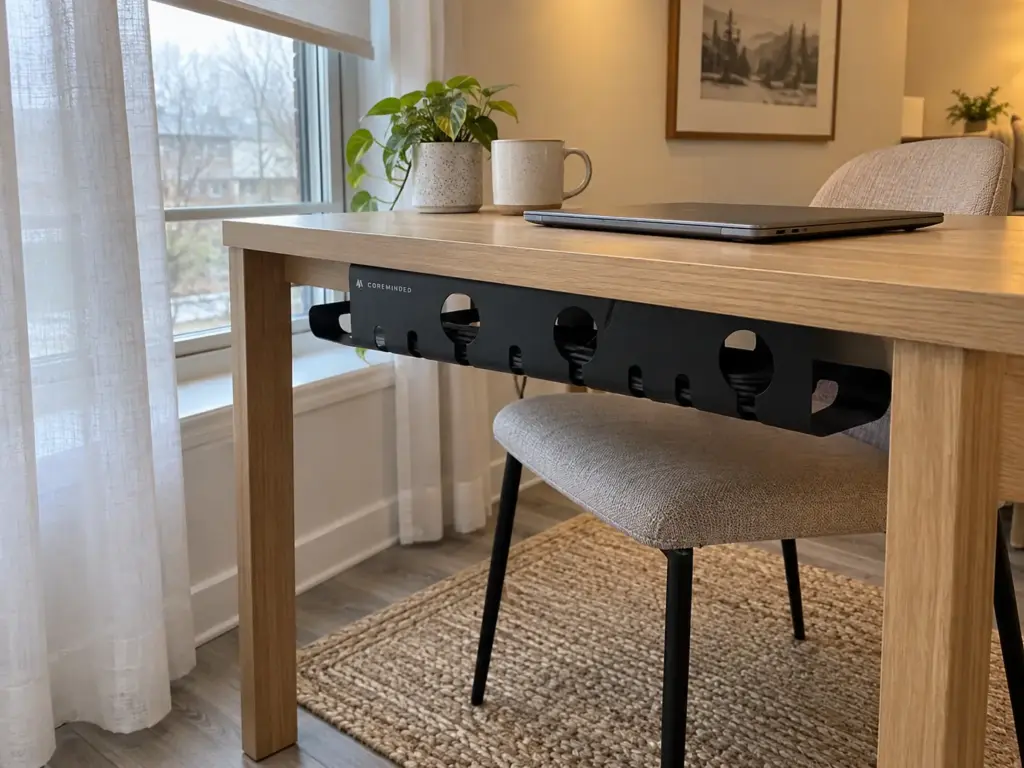
Cords are why most resets run long. The free version works: Velcro ties around each bundle and a power strip clipped to a desk leg. To hide the strip, the COREMINDED No-Drill Under Desk Cable Management Tray 2-Pack sticks under the desktop with no screws, which suits a rental. Feedback on the adhesive is mixed, so clean the surface with rubbing alcohol first and keep the load light.
Label both ends of each cable with a strip of masking tape before you bundle them. When the setup moves from table to closet to corner, which it often does in a first year, you’ll re-wire it in minutes instead of tracing cords on your knees.
For a desk that stays put, there are more cable management solutions that last than any one tray.
The Chair That Tucks In
An ergonomic chair for a small office is armless, height-adjustable, and able to slide fully under the desk. Arms hit the desk edge a few inches early and the chair ends up living in the walkway, which is why the pocket corner and the closet both tend to fail on the chair first. Push your current chair under the planned desk and see whether it disappears.
Why Small Offices Get Abandoned and the Budget Version That Lasts
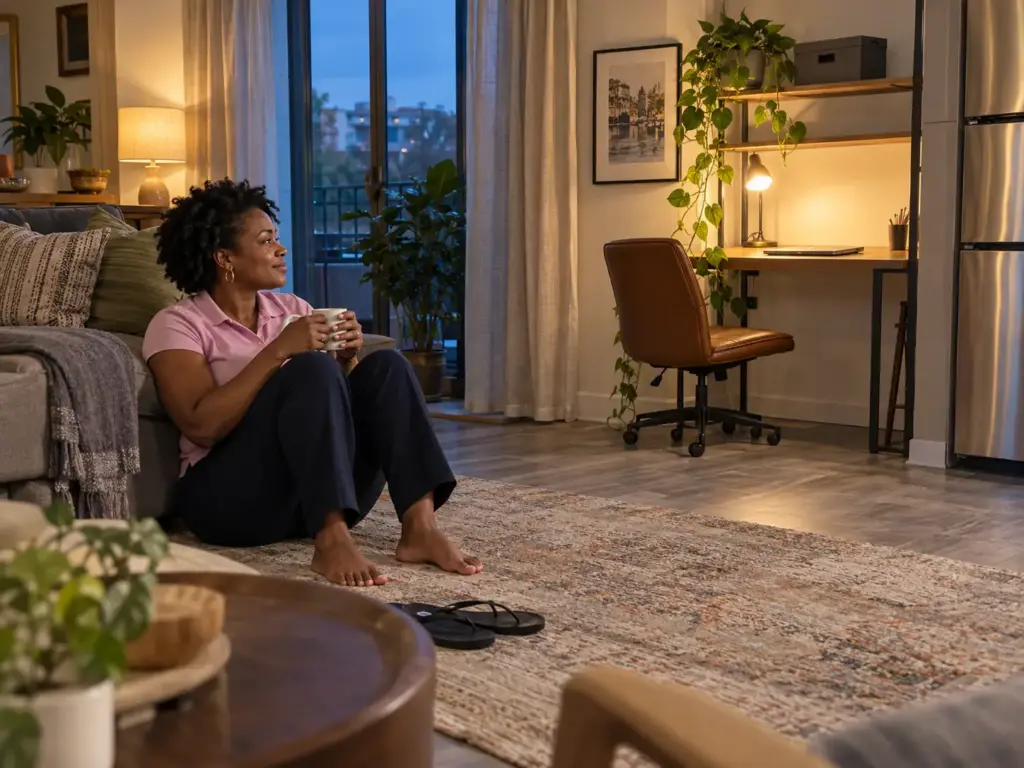
Six weeks after the setup, the laptop is back on the couch. Nothing broke; the office just stopped being where work happens, and knowing why is cheaper than a second attempt.
Three Reasons the Setup Quietly Reverts
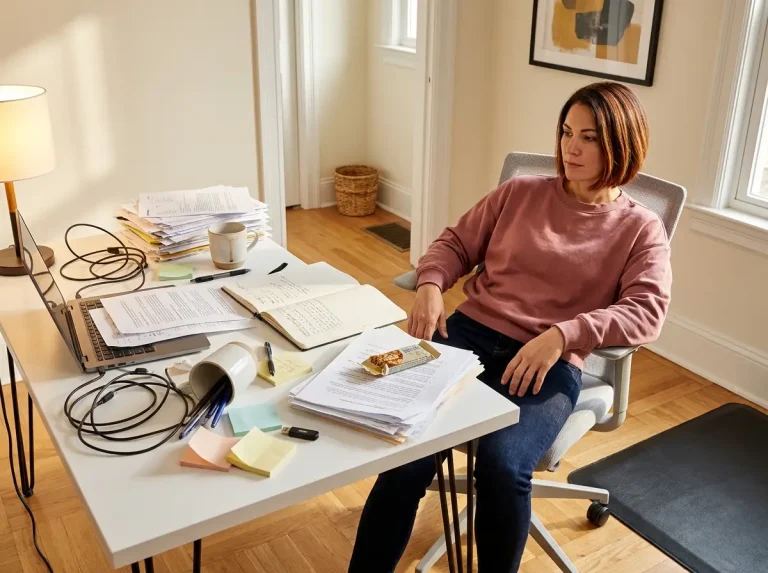
The first reason is paper with no address: the surface clears each night, the papers land on a chair, and the pile wins. The second is that nothing in the kit belongs only to work, so the charger wanders and every morning starts with a search. The TeamBlind poster tired of clearing the table wasn’t really complaining about the table. That was a setup with no home of its own.
The third is the missing end-of-day shutdown. A folded wall desk, a shut closet door and a lid on a tote each say the workday is over; a laptop on the dining table says nothing, so work leaks into the evening. Pick one closing motion for whatever rung you’re on. For the surface itself, desk organization that stays neat past the first week goes further than this section can.
Give work its own charger, its own mouse and its own pen, even if they’re spares from a drawer. Things that belong only to the office stay in the office, and the morning search disappears.
Start With What You Already Own
The ladder doubles as a budget plan. The free rungs do most of the job: the dining table and a box you own, or a narrow table against a wall. An Offbeat Home contributor found a closet-sized school desk at a rummage sale. The paid rungs buy a faster reset and a little more depth, not a better office.
I’d spend in this order: first on whatever shortens the reset (a lidded box, a riser with a drawer), then on depth if a monitor is coming, and last on decor. Paper lives in a tote, or a filing cabinet if you have the floor for one, never on the desk.
A spare room isn’t exempt, either. It’s where the treadmill and the gift wrap go, and an office in it reverts for the same three reasons. If you’re still unsure which room should hold the office, the guide to choosing the spot linked near the top answers that; this article only picks the setup.
Pick the Rung Your Floor Can Spare, Then Protect the Reset
The ladder comes down to three moves. Choose the setup by the floor and wall you can actually give up, not by the photo. Measure depth and the chair’s swing before buying anything, because those two numbers return more desks than width ever does. And give the work a way to close in under five minutes, whether that’s a lid, a fold or a door.
Three months from now, notice which rung you actually use most days and whether the surface still clears quickly at the end of the day; if it doesn’t, move one rung up or down instead of buying more.
Today, pull the tape measure out from the wall where you’d like to work, then sit in your own chair and push back as if you were getting up. Mark where the seat lands with a piece of tape, leave it on the floor for a day, and see whether you trip over that line.
Frequently Asked Questions
01How do you create a home office with little space?
Pick the setup by the floor you can spare, then measure desk depth and your chair’s pull-back before buying anything. Give the work a reset that takes under five minutes, such as a lidded tote, a fold-down desk or a closet door you can shut.
02What are some good ideas for a small home office layout?
Set the desk at a right angle to the window, use a corner or L-shaped run to gain depth for a monitor, and choose an armless chair that tucks fully under. Keep tall storage beside the desk rather than behind the chair.
03What are some hidden home office ideas?
A closet desk behind a door or curtain, a fold-down wall desk that closes to about 6 inches deep, and a tote office that packs into a cabinet each night. All three end the workday with one motion.
04How deep does a desk need to be?
For a monitor, at least 20 inches, since OSHA puts the screen a minimum of 20 inches from your eyes. A laptop-only desk can be shallower, around 12 to 16 inches, especially with a riser lifting the screen.
05Is it okay to put a desk in a closet?
Yes, especially for a laptop, as long as a standard 24-inch-deep closet leaves room for your knees and the chair. Heat is the real issue with a desktop PC, so leave the door open or swap it for a curtain.
Disclaimer: ClutterlessNest is a participant in the Amazon Services LLC Associates Program. As an Amazon Associate we earn from qualifying purchases. This article may contain affiliate links — if you buy through them, we may earn a small commission at no extra cost to you. We only recommend products we have tested or genuinely believe in.