
You screenshotted a desk with a gold pen cup, an acrylic tray and one small plant, and the shopping list for the aesthetic desk setup practically wrote itself. That list is where aesthetic desk organization usually goes wrong, because the look of a desk is decided by the desk you sit at: its finish, the wall behind it, the light across it and the footprint of the screen. A desk with six objects still reads cluttered when the finishes disagree, and a desk with twenty can read calm when they agree.
That gap between visual noise and visual calm is what desk styling is really about, and a cohesive palette is how an intentional workspace gets there. The order below is the one that holds up on a working desk, a home office or a corner of the kitchen: read the desk, decide what stays visible, make room for the screen, pick a material family, give the daily mess and the equipment a closed home, then edit and keep one fun object. The workstation numbers come from OSHA and Cornell’s ergonomics guidance, and every product size is the maker’s stated size.
Quick Answer
Five moves, in this order, make a working desk read as one deliberate look.
- Read the desk, the wall and the light first, then repeat two or three finishes.
- Lift the screen to the eye line and keep it at least 20 inches away.
- Leave only daily-use pieces in the open, with the cords behind the back edge.
- Give the daily mess, the router, the printer and the chargers a closed home.
- Clear the desk, box the leftovers for a week and keep one fun object.
Aesthetic Desk Organization Starts With the Desk You Already Own

Why the Same Organizer Looks Different on Every Desk
Two people can buy the same gold-edged pen cup and get opposite results. On a pale oak desk the cup looks chosen. On a dark laminate desk under a warm bulb, the same cup sits next to a top that reads as plastic, and the corner looks like office furniture with a cup on it.
Desks behave in predictable ways. A laminate top reads plastic under warm light, and a wood veneer top shows its seams under a cool light. A high-gloss top logs every fingerprint by Wednesday, which is the whole gloss versus matte question in one week.
Pale acrylic disappears on pale oak, so the piece you paid for turns into an outline. And clear containers on a dark desk become a shadow box that shows exactly what is inside, sticky notes and receipts included.
That is why the desk aesthetic in your saved photo is no guide to your own. It was shot on a different top, against a different wall, in different light. It also explains the other surprise: a desk with six objects can feel busier than one with twenty, because the eye counts mismatched finishes and shapes, not objects. Each piece is fine alone and none of them agree.
Read the Desk, the Wall and the Light Before You Buy
Three reads settle the palette before a single order goes in. The first is the desk’s own finish: matte or glossy, warm or cool, light or dark. The second is the wall color behind it, because that wall is what the screen and every piece on the desk are seen against as a video call background. The third is the light that falls across the top, warm bulb or cool window, since light is what turns a finish from calm to harsh.
Together they answer the color-scheme question that a mood board cannot, and they hand you a cohesive palette before anything is bought. A warm oak top wants brass, wood and cream. A cool white top wants matte black, concrete and one clear piece at most. A black top wants a single warm metal, gold accents in one piece, to break it up.
Those pairings are design judgment, not a standard, so treat them as a starting point you check against your own lamp.
Set one candidate piece on the desk, switch on the lamp you actually work under and take a phone photo from your chair. The photo shows what the eye will count, and a piece that vanishes or glares in it will do the same in the room.
Two or Three Finishes, Repeated, and One Surface to Sit Them On
Here is the rule this blog works from: repeat two or three finishes across everything on the desk, and let the desk’s own surface count as one of them. A fourth finish is where the eye starts counting. No standard owns that rule; it is a design call, and it works because repetition reads as intent. If you want the room-wide version of the same choice, pick one container family for the whole room and the desk with it, and let this guide stay on the desk.
The second half of the rule is a single ground. One desk pad under the working zone gives every container the same surface to sit on, and a desktop organizer next to a pen cup then reads as a set instead of strays.
The Aothia PU Leather Desk Pad measures 31.5 × 15.7 inches and 0.08 inches thick, and it defines the working rectangle for the budget-friendly tier. A felt or cloth mat you already have does the same job, so use that first. Pad choice also settles the finish for you: a pale desk takes a mid-tone pad, a dark desk a lighter one.
The usual advice is to lay a pad down and move on, and that fails on a smooth desk. A thin faux-leather pad can slide around on a glossy top, so it earns its place only where the surface has a little grip. A cloth underlay or a dab of removable putty at the corners fixes it, and if neither works the pad is the wrong answer for that desk.
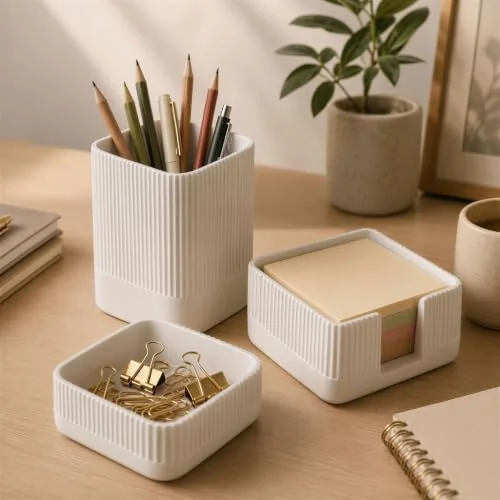
Matte, heavy pieces repeat a finish best, because mass keeps them upright and matte hides what glossy surfaces advertise. A concrete set shows the idea in three objects.
What Stays Visible Decides the Look, From Cords to Clear Trays

A Clear Tray Is a Display Case for Whatever Goes in It
A styled desk photographed on a Sunday and the same desk on a Wednesday afternoon differ in one way: what is visible. The charger lead is out, the clear tray is full of sticky notes and receipts, and the glossy top is logging every fingerprint. Tidiness barely changed. Visibility did, and what shows is what the eye reads as the look.
Transparent storage shows its contents by design, and the desk is a display surface whether you planned it or not, so a clear acrylic set is a display choice, not a neutral one. On a desk with a real working week in it, it shows the mess. Glossy acrylic and glass also pick up fingerprints and scratch cloudy with use, which is why acrylic goes cloudy after a few weeks of use and stays that way.
Clear containers belong only where the contents are already tidy and low-traffic. Sorted paper is the best case, which is the job of the pbf Acrylic File Holder: three sections, 8.03 × 6.69 × 6.41 inches, with gold metal edging that repeats a brass finish. Its risk is the family’s risk, since it shows whatever you put in and the clear plastic scratches. Any three-section file holder or letter tray in a matching finish, even one from a drawer, does the same job for less.
Only What You Touch Daily Earns Open Air
The open/closed rule is simple (open storage for the daily pieces, closed storage for the rest), and the test is how often a hand reaches for the thing, not how it looks. What you touch every day and what matches your two or three finishes may sit in open air. What you use weekly goes behind a lid, a drawer or a solid front. Anything that exists to be plugged in or stored goes behind a door.
A pen cup passes. A stapler you use twice a month does not, and neither does a stack of mail.
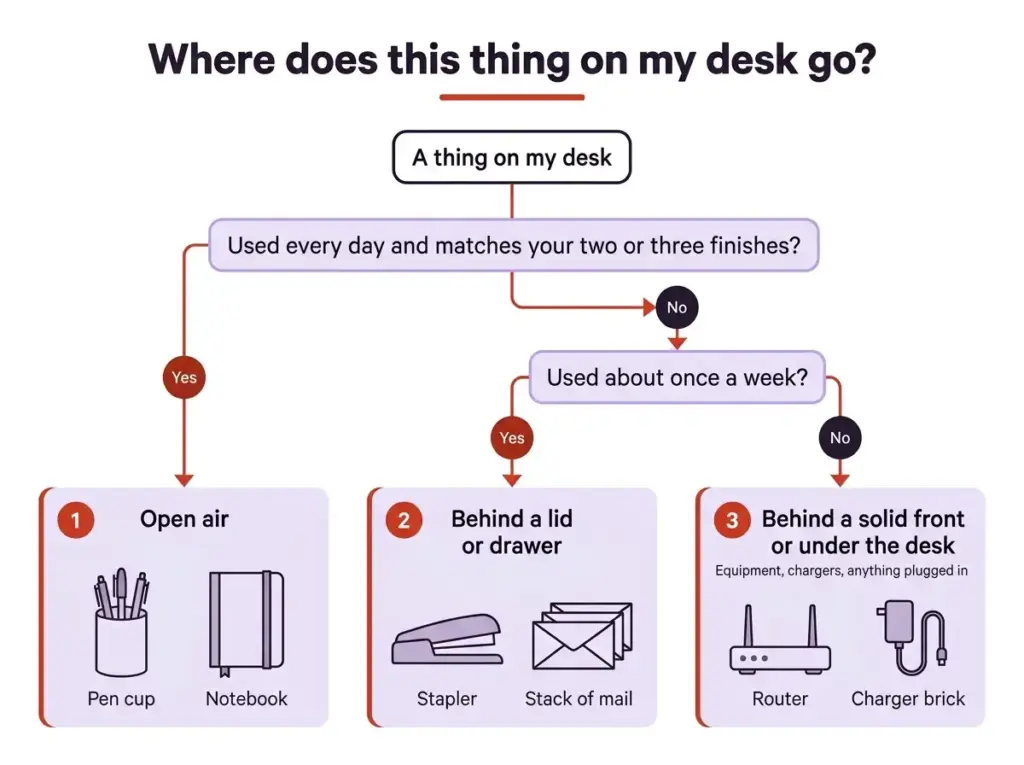
Notice what the rule does to the look. Open air shrinks to a handful of pieces, and a handful is easy to match. The desk reads calm because most of it is no longer on display, not because the objects got prettier.
For one week, put a small dot of tape on anything you pick up from the desk. At the end, whatever has no dot has not earned open air, and it moves behind a lid or into a drawer.
Hide the Cords Before You Decorate Anything
Nothing else on the desk can look intentional while a tangle sits in frame, so cords come before decoration, and cord clutter is the first thing to go.
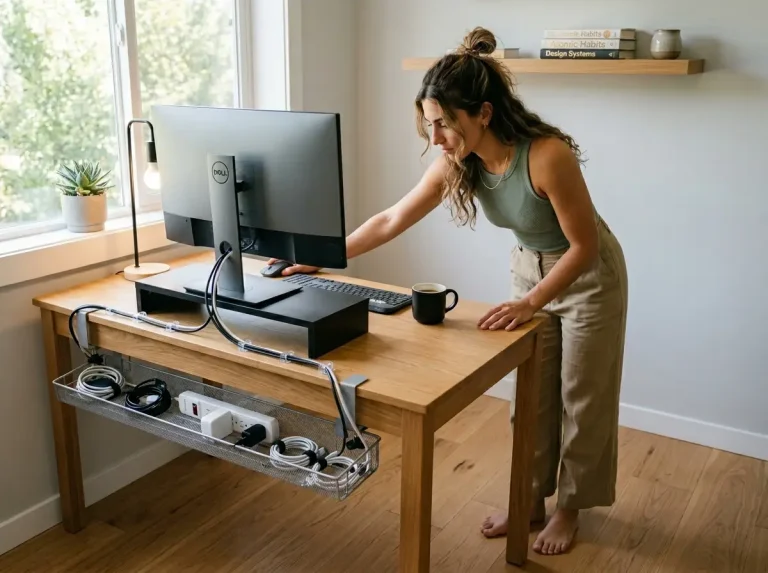
The sequence to hide cords runs from the desk edge outward. An under-desk tray holds the strip and the bundle, and a cable tray with a clamp needs no drill. A box takes the strip and the brick when the desk has no back lip to hold a tray. A velcro sleeve, the cable sleeve with a hook-and-loop closure, gathers the run from the desk to the wall into one line instead of six.
The tray has one hard limit. OSHA says the clearance for the legs under the desktop should generally be between 20 and 28 inches high, and that nothing should be stored under the work surface that limits leg and foot space (see OSHA’s desk and clearance guidance). So a clamped tray lives at the back edge, behind where the knees go. No-drill is the renter’s answer, not permission to hang things anywhere.
The Cinati Under-Desk Cable Management Tray comes as a 2-pack, so one tray takes the strip and the other the cable run. Each measures 16 × 4.5 × 3.2 inches and clamps to desk tops 0.4 to 3 inches thick. Measure your top first, because a thick slab will not take the clamp. And whether the tray feels sturdy or wobbly depends on the desk it is clamped to.
For the cord-by-cord detail, see every way to route and bundle the cords.
How Much Desk Is Left Once the Screen Sits on It

The Screen Is the Biggest Object on the Desk and Nobody Measures for It
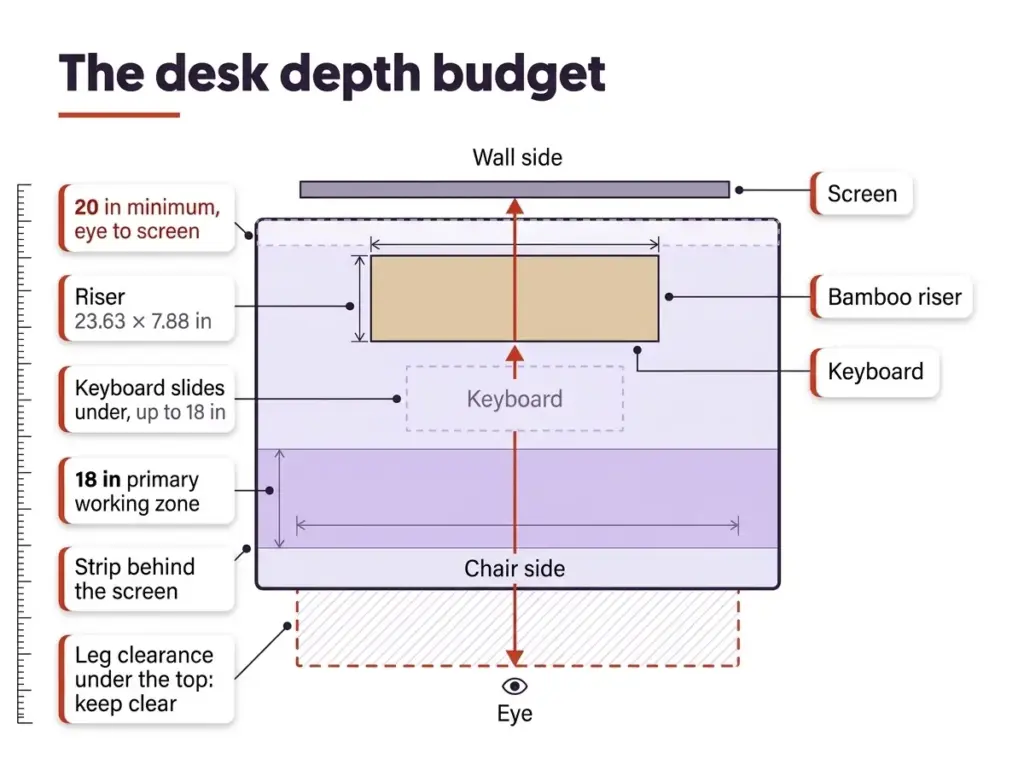
The screen takes more of your desk than anything you will buy for it, and it is almost never measured. Think of it as the screen layer: everything inside the 18-inch zone in front of the keyboard, the primary working zone, is yours, and the screen layer sits beyond it. A reader buys a monitor riser because every styled photo has one, and finds it ate the back of the desk or pushed the screen so high they tilt their head back to read it.
Start with distance. According to OSHA’s guidance on monitor placement, “Put monitor directly in front of you and at least 20 inches away.” The comfortable band runs from 20 to 40 inches. On a standard-depth desk, a screen set 20 inches from your eyes leaves only a few inches behind it for the stand’s foot and the cable bend, and that depth, not the desk’s width, decides whether a riser fits at all.
A riser takes that last strip of depth. The bamboo riser in this guide is 23.63 inches wide and 7.88 inches deep, and a keyboard up to 18 inches long slides under it at night, which frees the surface in front. Measure the strip behind your screen before you picture the riser there.
Glare belongs in the same measurement. Set the screen perpendicular to the window, because glossy acrylic or glass beside a screen on a dark desk starts to read as a mirror by afternoon. It ties back to the finish-and-light reading from the first section.
Lift to the Eye Line, Not to the Maximum
Height is the second number. OSHA puts the top line of the screen at or below eye level, with the center normally 15 to 20 degrees below horizontal. Cornell’s ten-step workstation guide gives a way to find the line from your own chair: the eyes should be level with a point about 2 to 3 inches below the top of the monitor casing, and the screen center about 17 to 18 degrees below horizontal.
Raising the screen is therefore not decoration, and ergonomic screen height is a measurement, not a product. Every inch of lift pushes the screen up, and past the eye line your head tilts back.
The tall riser is the common recommendation, and it is wrong for plenty of desks. The right riser height is whatever closes the gap between your screen and that line, so measure how much is actually missing first. From the seated eye line, looking straight ahead, the top quarter of the screen should sit near that line.
Your monitor’s own stand may already do the job, or flipping a stand upside down may drop a laptop where you need it. Cornell puts a writing surface at 28 to 30 inches off the floor for most adults, so your desk height supplies the other half of the answer.
Stick a strip of painter’s tape on the desk at the 20-inch mark, measured from where your eyes sit. Anything that crosses the tape is competing with the screen for room.
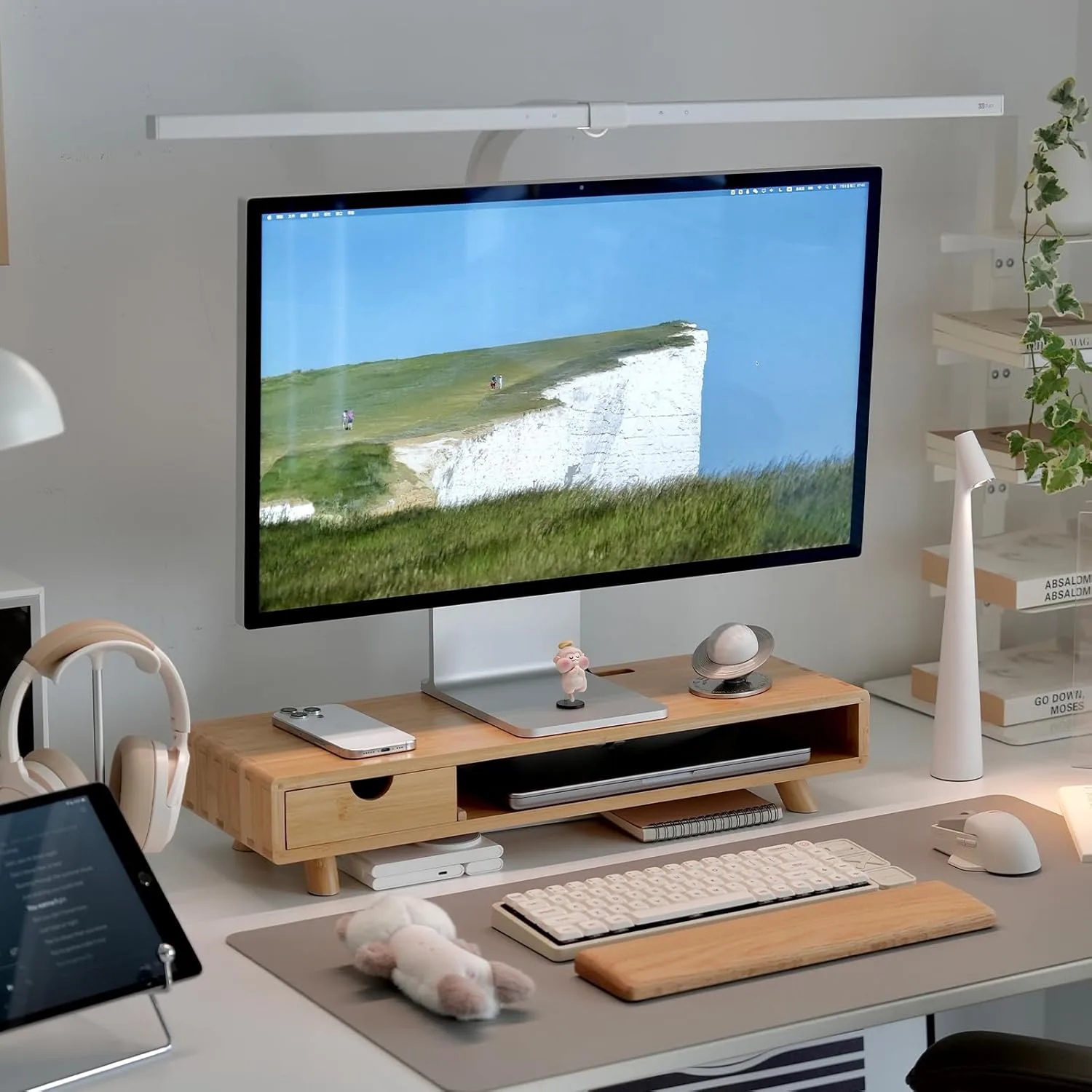
When the gap is real, a riser with a drawer does two jobs at once. It lifts the screen and gives the keyboard a place to go.
A Laptop Alone, a Second Screen or a Tower Each Change the Math
A laptop on its own is the hardest case, and OSHA says so: a laptop workstation creates special challenges because of its design. On a laptop-only desk the answer is a laptop stand to bring the screen to the eye line and an external keyboard so your hands can stay low. A riser with a drawer is more than that setup needs.
A dual monitor setup needs width, and so does a laptop with an external monitor beside it. On a 40-inch desk, a riser shelf system eats the surface it was meant to save, so on a narrow desk the riser is one lift and never a two-storey unit. If depth is your limit instead, how desk depth limits a small office runs the same screen rule from the small-room side.
A tower belongs off the floor and out of the leg zone. OSHA says to avoid storing a CPU under the desk, which is exactly where the equipment layer of the fifth section picks up.
Which Material Family Your Desk Can Carry, and Which Sets to Skip
Five Material Families and the Desk Each One Fights
The shop shelves sort desk pieces into families, and each family has a finish that betrays it. Gold and glass is heavy and brass-toned, and it shows every fingerprint. Clear acrylic is light, shows its contents and scratches cloudy. Metal mesh is light and open, so it behaves like clear acrylic without the cloudiness.
Leather, faux leather and bonded leather are warm with a soft edge, and the thin version slides. Velvet and cork trays soften a hard top but pick up lint, which is the hardest thing to keep tidy on a working desk.
Wood and bamboo suit warm neutrals, but the grain has to match the desk’s rather than fight it. Concrete and matte ceramic are heavy and quiet, and the small pieces hold less than they look like they will. The desk you read in the first section picks the family.
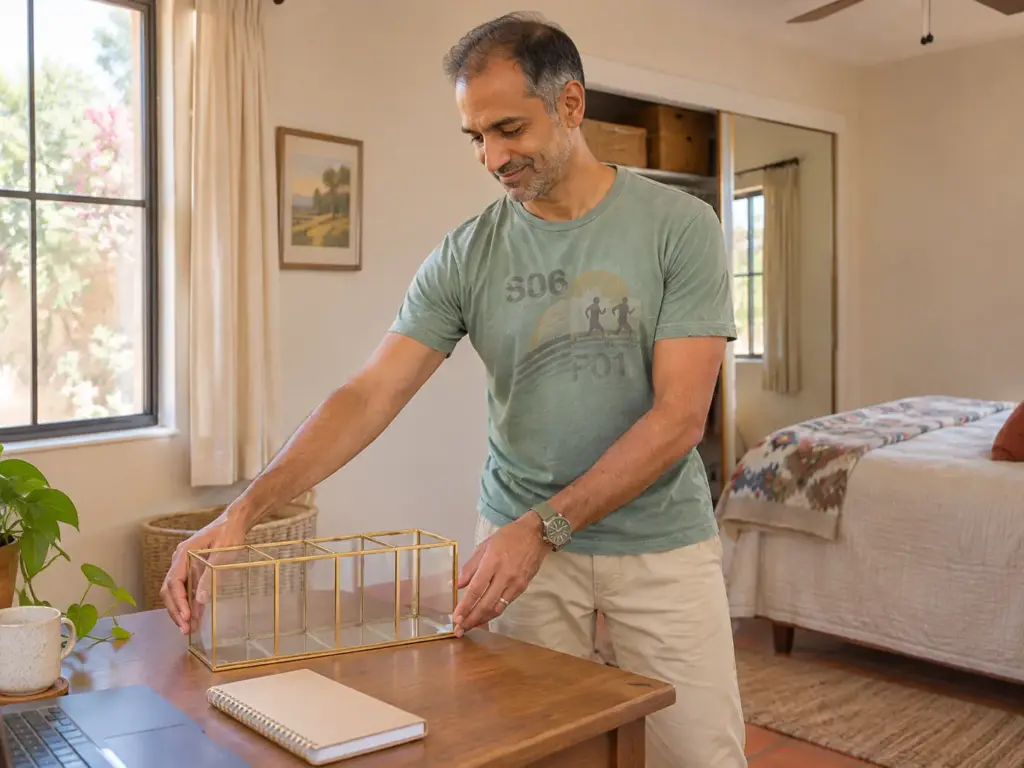
Glass with a brass edge reads heavier than acrylic and does not cloud, but it logs fingerprints on any dark or glossy top. The obvious pick is acrylic because it is light and cheap, and the better call on a matte wooden desk is a single glass cup that carries the gold without the whole set.
The ELEGANTLIFE Tempered Glass Pen Holder is the glass-and-brass end of the palette: 3.0 × 7.4 × 3.8 inches, four compartments, tempered glass with a gold finish. Its risk is the family’s, fingerprints on a glossy or dark desk. A four-compartment acrylic holder is the budget version, and it clouds where the glass does not.
The Sets and Caddies That Organize Less Than They Add
Workspace organizers are sold as sets, and a matching set, the nine-piece set, is photographed as one object and used two pieces deep. The other seven sit in a drawer or on the desk doing nothing, and a set that ends up organizing less than it adds is decoration with a lid. The same logic puts a few other things on the skip list.
- Anything top-heavy or lighter than what it holds. A tip-over happens when a tall, light cup is loaded past about two-thirds, so the heavy piece should be the one glass, ceramic or concrete object.
- An all-clear acrylic set on a desk with a real working week in it.
- A second novelty object.
- A riser ecosystem on a desk under about 40 inches.
- A rotating caddy, a desktop carousel, which gives up its footprint to the turn.
Those are this blog’s rules of thumb, and the organizers worth buying and the ones to skip goes through them one product at a time. The test for any set is how many of its pieces you would use this week. Count the pieces, not the box.
Where Money Changes the Look and Where It Costs Nothing
Money changes the look in two places: the material, meaning what the finish is made of, and the mass, meaning what keeps a piece upright. A glass cup against its plastic look-alike, or plastic versus ceramic, is a real difference. So is a heavy cup against a light one that tips over the first time you load it.
Everything else costs nothing. Editing the desk, moving the printer to a shelf and boxing the leftovers for a week change the look more than any new piece, and they never go on a receipt. The boutique versus budget question mostly answers itself: spend on the one piece that sits in the open all day, and edit your way through the rest.
Closed Homes for the Daily Mess and the Gear Nobody Styles

The Equipment Layer No Desk Photo Shows
Printers, routers, docks, external drives, charging bricks and adapters sit on real desks and in no aesthetic photo. A desk cannot look styled while they are in frame, so treat them as part of the composition, not as an exception to it.
Start with the free fix: move the printer or router off the desk surface onto a shelf or the floor beside the desk, and unplug the chargers nobody uses. The answer is not to stack the leftovers on the floor under the desk, since OSHA’s advice is to keep the space under the work surface clear for your legs and to avoid storing a CPU there.
For the strip and the bricks that remain, a closed front hides them. The D-Line Cable Management Box, Small measures 12.75 × 5 × 4.5 inches, takes power strips up to 10.5 inches long and has three rear cable slots. Check the strip’s length first.
The lid does not always stay on securely, so test the strip and its plug in the box before you commit to it. Never put a power strip inside a cardboard box, because the heat has nowhere to go.
A Closed Home for the Daily Mess Within Arm’s Reach
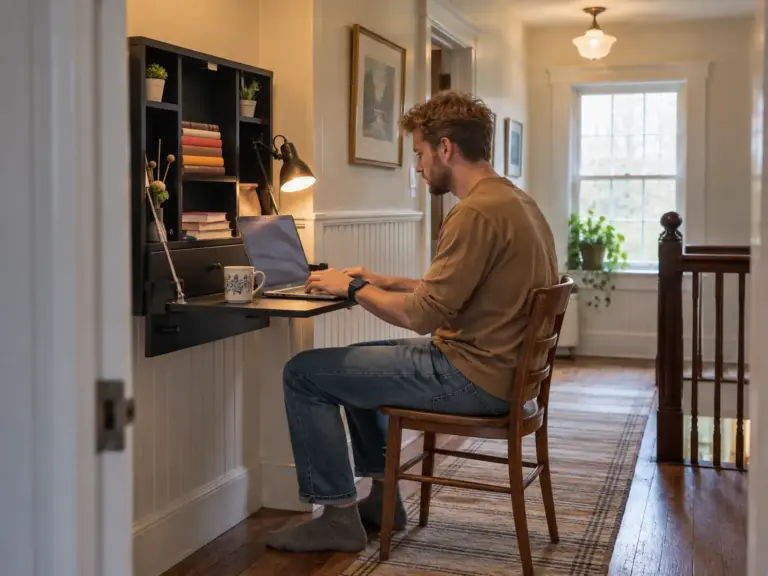
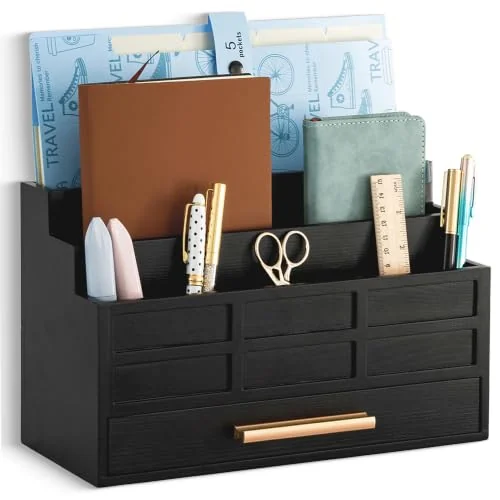
Mail, notebooks, a stapler and the small ugly things need a closed home within arm’s reach, or they drift back onto the desk. That is the same open/closed rule applied: weekly things behind the drawer, daily things in the open, and a drawer front that matches the desk’s wood family.
The obvious pick is a big organizer, and on a shallow desk it fails. On a no-drawer desk the organizer has to be the drawer, so you go vertical: vertical storage spends height instead of surface, which is why this one stands upright.
If the desk already has a drawer, an organizer inside that drawer does the same job for less and takes no surface at all.
When the Desk Is Shared With the Whole Household
A shared desk, with a partner, a teenager or the household mail, turns into a landing pad by midweek, and daily drift does the rest. A styled desk is the first to become a stuff magnet. The fix is one named tray for everyone else’s things, so the working zone stays the working zone, plus a five-minute reset that returns the surface to its owner. The tray also gives the household an answer when they ask where something goes.
If you cannot clamp or stick anything to the desk, as on a dorm desk or a borrowed corner, a no-adhesive way to share a small desk shows how it works without touching the surface.
Edit First, Then Let One Object Be the Fun One

Clear the Desk, Sort by Job, Box the Leftovers for a Week
A desk that was bought into an aesthetic and fell back into clutter was never short of containers. It was long on objects. The edit comes first, and it costs nothing.
Clear the desk completely and put everything into a temporary box. Put back only what you use in a working week, then sort what remains by job: write, read, power, personal. Each job gets its own zone.
The leftover box stays closed for a week. That is the leftovers box test: anything you do not open is the answer.
Keep the leftover box somewhere you walk past, not in a closet. If nobody has opened the lid by the end of the week, the contents are donation, storage or trash, not desk.
An aesthetic is a dosing problem, not a shopping one. The more a desk holds, the more finishes disagree, and subtraction is the free half, which a surface cap makes measurable. For more aesthetic desk organization ideas, the cap that keeps a desk edited and the weekly reset that holds it are in the ten-item cap and the two-minute weekly reset.
One Fun Object, and the Rest Is Storage Doing a Job
One decorative object or personal piece, a plant, a framed photo or a small sculpture, is allowed to ignore the finish rule. The rest of the desk is storage doing a job. A second novelty piece is where the look turns into a shelf. Give the fun object some mass: a heavy glass, ceramic or concrete piece does not tip and needs no stand.
The setups that last are the ones with few objects, one loud piece against a quiet background and no crowd. That is the same rule as why reducing before you buy a container is the step that lasts: the desk stays calm because there is less on it, not because the containers got better.
Put Back Only What You Used, Then Decide What to Buy
Read the desk, the wall and the light before buying anything, and repeat two or three finishes so the pieces read as a set. Keep the screen 20 inches back and at the eye line. Let only the daily things sit in the open, put the cords behind the back edge, and give the daily mess and the equipment a closed home. Edit first, and keep one fun object.
On a weekday afternoon, sit at the desk at the hour the light is hardest and look at it from the chair. The piece that reads as a stray is where your next swap starts.
Tonight, clear the desk into one box and put back only what you used this week. Notice how much of the look was the clutter, and how little of it was a missing organizer.
Frequently Asked Questions
01What is aesthetic desk organization?
It is a desk that works and reads as one deliberate look: two or three repeated finishes, the screen lifted to the eye line, and only daily things in the open. Everything else sits behind a lid, a drawer or a solid front.
02How do you make mismatched desk accessories look like a set?
Repeat two or three finishes across them and put them on one ground, such as a single desk pad, so they read as chosen instead of collected. A heavy piece in the same finish as the desk’s own top ties the group together.
03Why does my desk still look cluttered when there is barely anything on it?
The eye counts mismatched shapes and finishes, not objects, so three clashing pieces read busier than eight matching ones. Repeat two or three finishes, move the printer off the surface and box whatever has not been touched in a week.
04Where do the printer, router and chargers go when the desk has no drawer?
Move them off the surface first, then behind a solid front: a cable box takes the strip and the bricks, and an under-desk tray holds the rest clear of the leg space. Keep any clamped tray at the back edge, never over the knees.
05Is aesthetic desk organization worth paying more for?
Money changes the look in two places only, the material and the weight of a piece. Everything else costs nothing: editing the desk, moving the printer and boxing the leftovers. A heavy glass or concrete cup beats a light one that tips.
Disclaimer: ClutterlessNest is a participant in the Amazon Services LLC Associates Program. As an Amazon Associate we earn from qualifying purchases. This article may contain affiliate links — if you buy through them, we may earn a small commission at no extra cost to you. We only recommend products we have tested or genuinely believe in.